

Create a ClickUp task for each completed Runscope test run
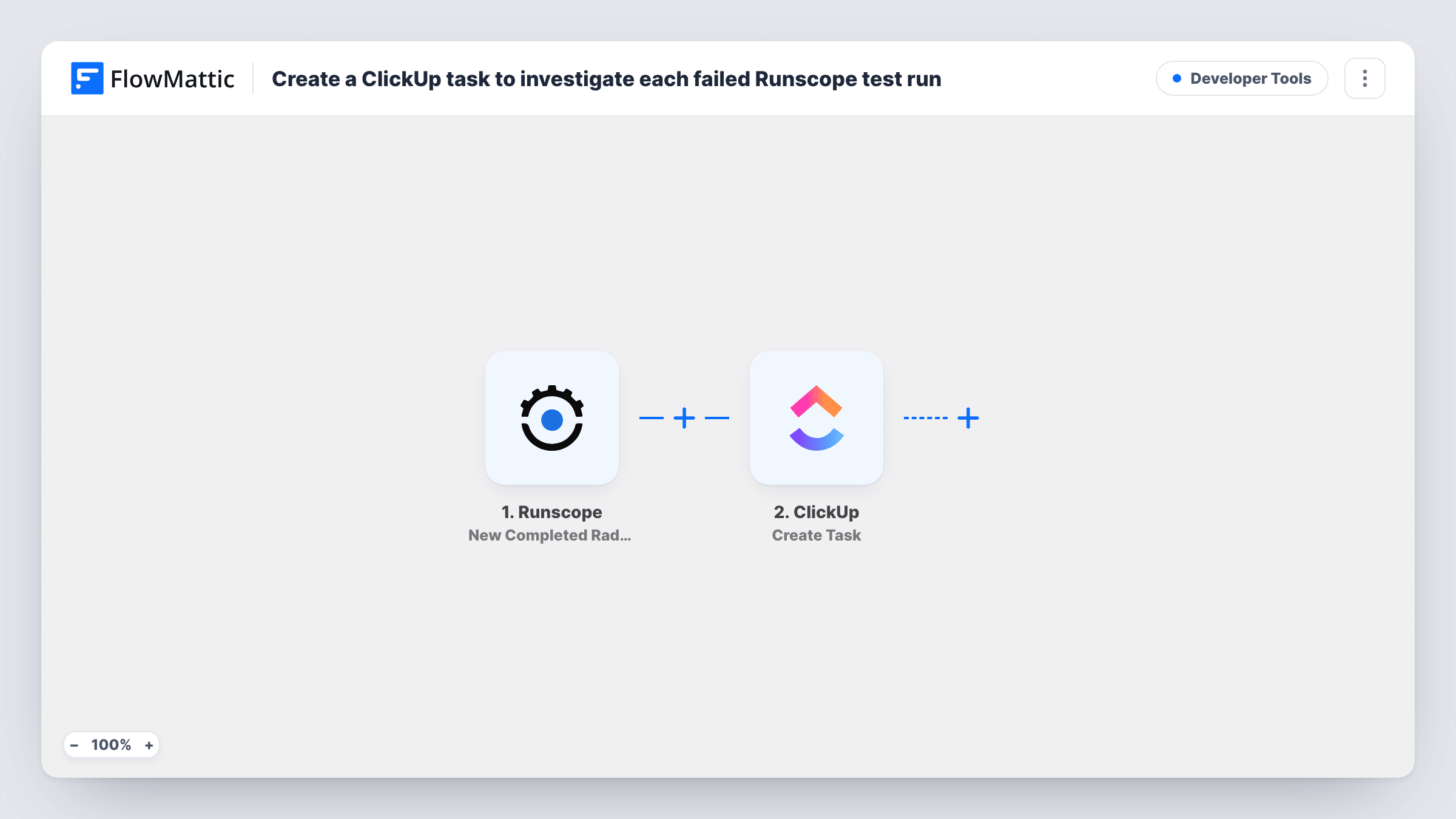
Each time a Runscope radar API test finishes a run, FlowMattic creates a task in ClickUp, so every run’s results get an owner and a place to be reviewed.
 Runscope
 ClickUp
2 steps Setup ~5 min Used on 2.4k sites Free to import
What this workflow does
API monitors produce results all day, and it's easy to lose track of which runs someone has actually looked at. This workflow gives each completed Runscope test run its own ClickUp task, so reviewing results becomes part of your team's normal task list.
A run starts in FlowMattic each time a Runscope radar test finishes. It fires for every completed run, passed or failed, and passes the run's details on. Check a test run to see the fields Runscope sends, such as the test name and result.
The ClickUp Create Task step then adds one task for that run. It ships unmapped: after import you connect ClickUp, pick where tasks go, and map run details into the task name and description, for example the test name and whether it passed.
Because the trigger doesn't separate passing runs from failing ones, a test on a short schedule can create a lot of tasks. If you only want to act on failures, add a Filter on the result field between the Runscope trigger and the ClickUp step. Task History lists every run and ClickUp's response.
Audit trail for scheduled API checks
A team that must show its APIs are tested keeps a ClickUp task for every completed Runscope run, closing each one once someone has checked the result.
Release-day verification
During a launch, a developer triggers Runscope tests by hand and each completed run becomes a ClickUp task the QA lead signs off.
Failure tickets for on-call engineers
With a Filter on the result added after import, only failed Runscope runs open ClickUp tasks in the on-call list for someone to investigate.
How this workflow runs
What happens at each step once the workflow is on, and what you need before you import it.
 Runscope New Completed Radar Test Run
Fires when a Runscope radar API test completes a run, whatever the result. Details of the run become available to map into ClickUp; a test run shows exactly which run fields Runscope includes.
- ClickUp Create Task
Creates a ClickUp task for the completed run. The step ships unmapped: connect ClickUp, pick the destination, and map the test name, result and any other run details into the task.
What you need
- FlowMatticCore
- Runscope AccountAccount
- ClickUp AccountAccount
After importing, map your own data. To keep the template universal, not every step is pre-filled. Open each step in the builder and connect your accounts and fields (channels, lists, sheets, recipients) before you switch the workflow on.
Make it yours
Changes worth making after you import it.
- Put a Filter between the Runscope trigger and the ClickUp step that continues only when the run's result field shows a failure. Use the field and value a test run returns; they are yours to set.
- Map the run's result into the ClickUp task name, so you can tell passing and failing runs apart without opening each task.
- Send these tasks to a dedicated ClickUp list, so frequent Runscope runs don't crowd your project lists.
Questions about this workflow
Does this create ClickUp tasks for passing Runscope runs too?
Yes. The trigger fires whenever a radar test completes a run, whatever the outcome. Add a Filter on the result field between the two steps if you only want tasks for failures.
How many ClickUp tasks will this create?
One per completed Runscope run. A test scheduled every few minutes produces a task each time, so check your Runscope schedules before turning the workflow on.
What details from the Runscope run can go into the task?
Anything Runscope includes in the completed-run data. Run a test, look at the data in Task History, then map the fields you need into the ClickUp task name and description.
More Developer Tools workflows
Other ready-to-import templates from the same category.





Import this workflow into your WordPress site
Download the JSON, import it from the Workflows screen and connect your accounts. Every run stays on your server, with no per-task fees.
30-day money-back guarantee Unlimited workflows and runs Self-hosted