

On a Better Uptime incident, update the Cloudflare DNS record and create a Desku.io ticket
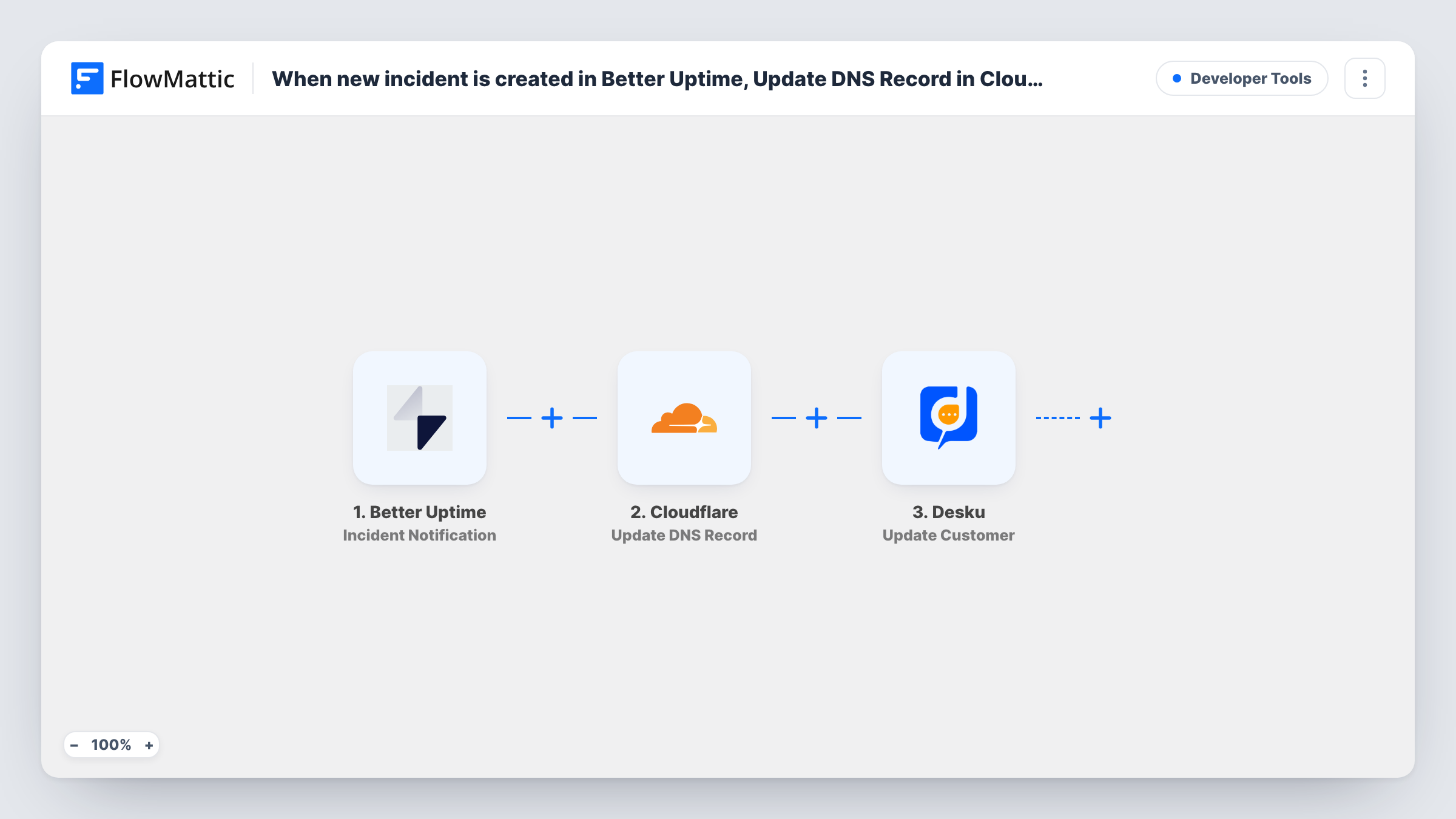
When Better Uptime sends an incident notification, FlowMattic updates an existing Cloudflare DNS record with the values you set and opens a Desku.io ticket, so an outage can trigger a DNS change and a support record together.
 Better Uptime
 Cloudflare
 Desku
3 steps Setup ~5 min Used on 2.1k sites Free to import
What this workflow does
When a site goes down, two jobs often follow: point traffic somewhere else, such as a backup server or a maintenance page, and make sure the incident is tracked. This workflow ties both to Better Uptime's incident alerts, so the DNS change and the ticket don't wait for someone to wake up.
The Better Uptime Incident Notification trigger fires when an incident is created, acknowledged or resolved, so one incident can start up to three runs. The Cloudflare step then updates an existing DNS record for your domain. After import you point it at the record to change and enter its new value, such as a backup server's address.
Last, Desku creates a ticket. Map the incident details from Better Uptime, such as the monitor name and cause if they arrive in a test run, into the ticket's subject and message.
Because acknowledged and resolved notifications run the same steps, the DNS record is set to the same value again and another ticket opens at each stage. For a true failover, you will usually want different actions per stage, as the tips explain. Test with a short incident on a test monitor and check Task History before you rely on it.
Failover to a backup server
A shop points its DNS record at a standby server when Better Uptime reports the main host down, and the incident is logged in Desku for review.
Maintenance page during outages
An agency switches a client's record to a static status page during an incident and keeps a Desku ticket so the client can follow up.
Incident history for a hosting team
A small host files every Better Uptime notification in Desku, so the team can see how often each site had trouble.
How this workflow runs
What happens at each step once the workflow is on, and what you need before you import it.
 Better Uptime Incident Notification
Fires when Better Uptime reports that an incident was created, acknowledged or resolved. The incident's details are passed to the Cloudflare and Desku steps.
- Cloudflare Update DNS Record
Updates an existing DNS record for your domain in Cloudflare. The step comes empty, so choose the record you want to change and enter the new value, then test on a record you can safely edit.
- Desku Create Ticket
Opens a new ticket in Desku.io for the incident notification. After import, connect Desku and map the incident details from Better Uptime into the ticket.
What you need
- FlowMatticCore
- Better Uptime AccountAccount
- Cloudflare AccountAccount
- Desku.io AccountAccount
After importing, map your own data. To keep the template universal, not every step is pre-filled. Open each step in the builder and connect your accounts and fields (channels, lists, sheets, recipients) before you switch the workflow on.
Make it yours
Changes worth making after you import it.
- To act on new incidents only, put a Filter between the Better Uptime trigger and the Cloudflare step that checks the notification's status field for created. Check a test run for the field name. It stops both later steps for other stages.
- For a full failover, put a Router between the trigger and the Cloudflare step with created and resolved routes that can't both match. Move both existing steps into the created route; on the resolved route, add a Cloudflare step that restores the record.
- Keep a short TTL on the DNS record in Cloudflare, so a change made by the workflow takes effect sooner for visitors.
Questions about this workflow
Does this run more than once per Better Uptime incident?
Yes. The trigger fires on created, acknowledged and resolved notifications, and each one updates the DNS record and opens a Desku ticket. To change that, put a Filter or Router on the status between the Better Uptime trigger and the Cloudflare step.
Will the Cloudflare DNS record switch back when the incident is resolved?
Not as imported. The resolved notification runs the same update with the same value. Put a Router between the trigger and the Cloudflare step, with a resolved route that sets the record back to your main server.
Can this create a new Cloudflare DNS record?
No. The step updates a record that already exists. FlowMattic's Cloudflare integration also has a Create DNS Record action if you need one.
What do I need in Cloudflare and Desku before importing?
A domain on Cloudflare with the DNS record you want to change, and a Desku account to connect for tickets. Better Uptime needs a monitor that raises incidents.
More Developer Tools workflows
Other ready-to-import templates from the same category.






Import this workflow into your WordPress site
Download the JSON, import it from the Workflows screen and connect your accounts. Every run stays on your server, with no per-task fees.
30-day money-back guarantee Unlimited workflows and runs Self-hosted