

Post a Discord update when a Contentful release is created or changed
Whenever a Contentful release is created, saved, archived, unarchived or deleted, FlowMattic posts an update to the Discord channel you choose, so your content and dev team can follow release changes.
 Contentful
 Discord
2 steps Setup ~5 min Used on 3.4k sites Free to import
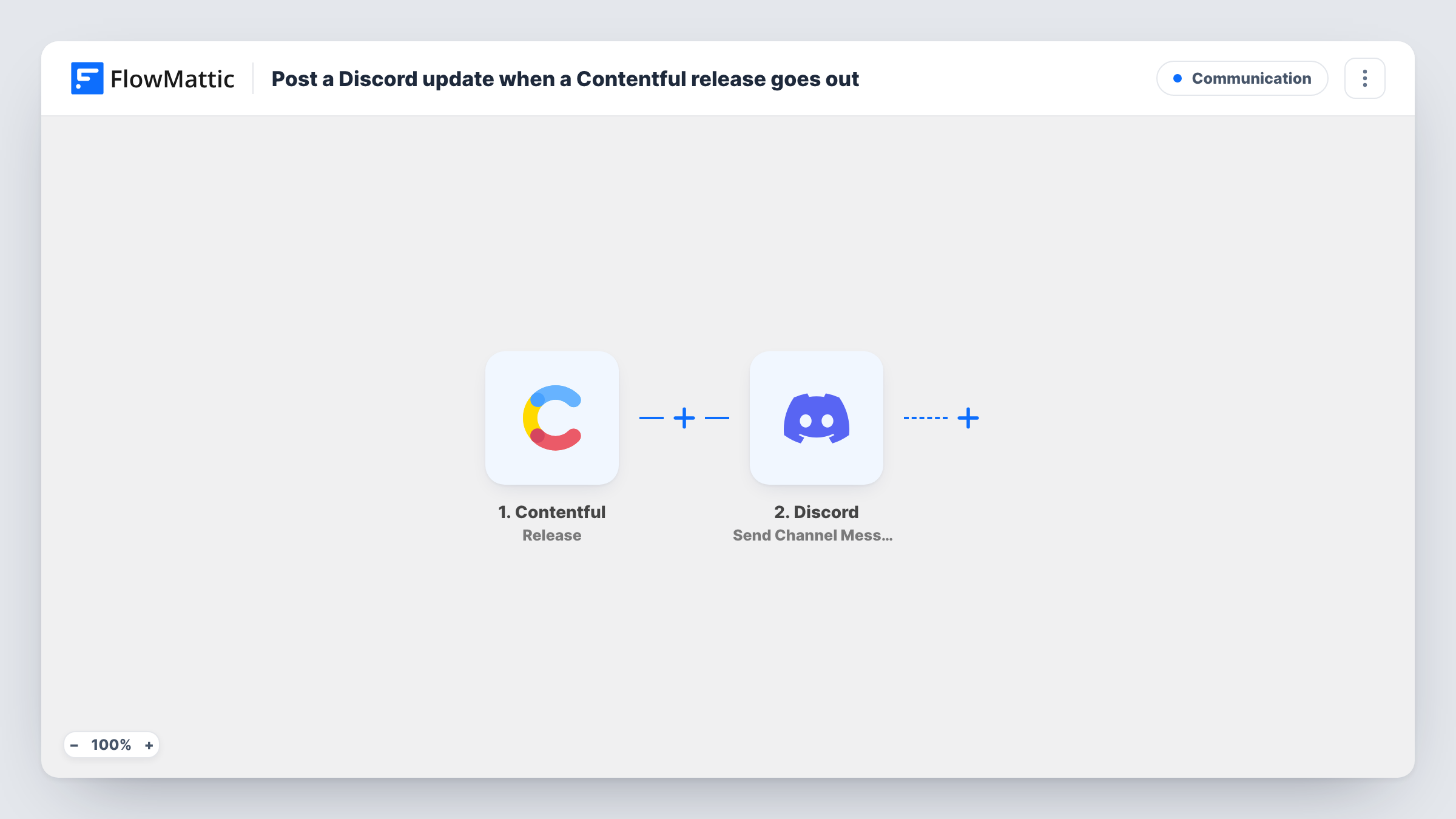
What this workflow does
Releases in Contentful group entries and assets that should go live together. When several editors and developers work on the same release, it helps to see each change to it in the place the team talks, instead of checking the Contentful web app. This workflow posts those updates to Discord.
The Contentful Release trigger fires when a release is created, saved, archived, unarchived or deleted. Each of those events starts a run, so one release can post several times as people work on it. FlowMattic passes the release's details on for mapping.
The Discord Send Channel Message step then posts to the channel you pick. It ships unmapped: after import you choose the channel and write the message, mapping release details from the trigger, such as its title, as a test run shows them.
Saving a release counts as an event, so a busy release can produce a lot of messages. Make a test change to a release and check Task History to see what Contentful sent before you decide whether to narrow it with a Filter.
Launch coordination for a product site
A marketing team builds a launch release in Contentful, and the #launch Discord channel sees each time someone saves or changes it in the days before go-live.
Change log for a docs team
A developer docs team keeps a Discord channel as a running record of release activity, including when old releases are archived or deleted.
Heads-up for front-end developers
Developers who build on a Contentful space watch Discord for new releases being created, so they know what content is about to change.
How this workflow runs
What happens at each step once the workflow is on, and what you need before you import it.
 Contentful Release
Fires when a Contentful release is created, saved, archived, unarchived or deleted. Each of those events starts a run and passes the release's details on.
- Discord Send Channel Message
Posts an update to the Discord channel you choose. The step ships unmapped: after import, pick the channel and write the text with the Contentful release details you want.
What you need
- FlowMatticCore
- Contentful AccountAccount
- Discord AccountAccount
After importing, map your own data. To keep the template universal, not every step is pre-filled. Open each step in the builder and connect your accounts and fields (channels, lists, sheets, recipients) before you switch the workflow on.
Make it yours
Changes worth making after you import it.
- If a test run shows which kind of event happened, put a Filter between the Contentful trigger and the Discord step that continues only for the events you care about, such as created.
- Put the release title from the trigger data at the start of the message, so readers can tell releases apart when several are in progress.
- Use a dedicated Discord channel for these posts, since saves can be frequent and would drown out conversation in a general channel.
Questions about this workflow
Which Contentful release events post to Discord?
All five the trigger covers: created, saved, archived, unarchived and deleted. Narrow it with a Filter between the trigger and the Discord step if a test run shows a value that tells the events apart.
Does publishing entries in a Contentful release post to Discord?
Not through this trigger, which covers the release itself. For entries being published, FlowMattic's Contentful integration has a separate Entry trigger.
Will every save of a Contentful release send a Discord message?
Yes, as imported. Each save is an event the trigger fires on, so expect one message per save unless a Filter between the Contentful trigger and the Discord step stops saves.
More Communication workflows
Other ready-to-import templates from the same category.




Import this workflow into your WordPress site
Download the JSON, import it from the Workflows screen and connect your accounts. Every run stays on your server, with no per-task fees.
30-day money-back guarantee Unlimited workflows and runs Self-hosted