

Record AI Responses to user queries in custom table
Every reply your FlowMattic Chatbot gives is saved as a new record in a FlowMattic table, with the visitor’s question and the AI’s answer, so you can review conversations later.
 FlowMattic Chatbot
 Tables by FlowMattic
2 steps Setup ~5 min Used on 3.0k sites Free to import
What this workflow does
An AI chatbot on your site answers questions while nobody is watching. To improve its data sources, spot questions it handles badly or find topics your pages don't cover, you need a record of what people asked and what it said. This workflow keeps that record inside WordPress.
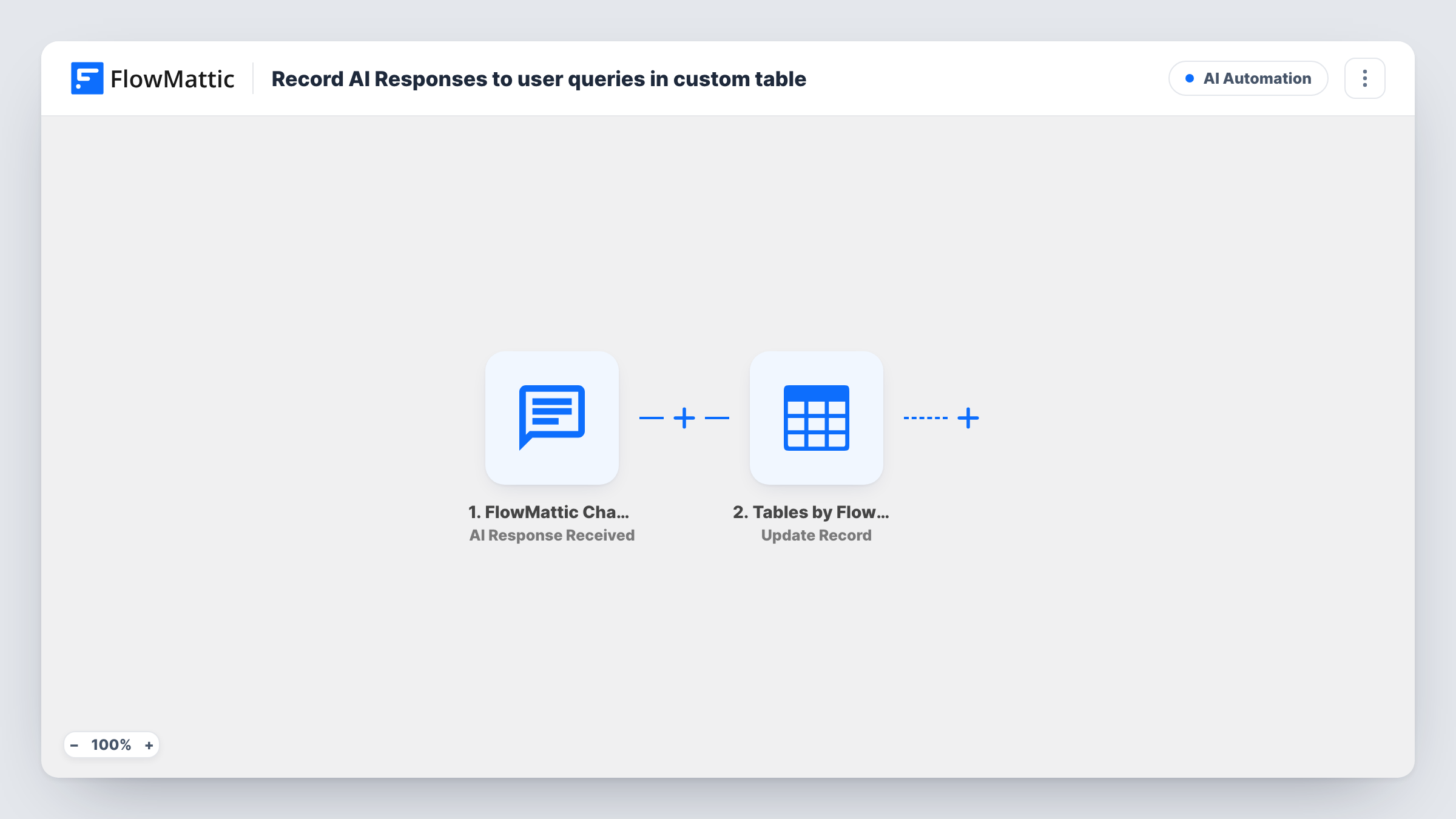
The FlowMattic Chatbot trigger fires each time the AI sends a response. FlowMattic's sample data for this event shows the visitor's latest message, the AI's latest response, the chatbot and conversation IDs, the time, and whether the visitor was logged in, with their user ID and email when they were.
The Tables by FlowMattic step then adds a new record to a table you choose. It ships unmapped. Create a table first with columns such as question, answer, chatbot, conversation and time, then map the chatbot fields into them after import.
Each AI reply becomes one record, so a conversation with five exchanges adds five rows that share a conversation ID. The trigger runs for responses from every chatbot on your site. Visitors' messages may include personal details, so decide who can open the table and how long you keep it.
Find gaps in your help content
A software company reads the week's chatbot questions in the table and writes new help articles for the ones the bot couldn't answer well.
Quality checks on AI answers
A store owner scans the answers column each morning for wrong prices or delivery promises, then corrects the chatbot's data sources.
Follow up with logged-in members
A membership site sorts records by user email to see which members asked about billing, and reaches out to them directly.
How this workflow runs
What happens at each step once the workflow is on, and what you need before you import it.
 FlowMattic Chatbot AI Response Received
Fires whenever your FlowMattic Chatbot sends an AI response. The visitor's message, the AI's reply, the chatbot and conversation IDs and, for logged-in visitors, their user details are passed on.
- Tables by FlowMattic New Record
Adds one record to the FlowMattic table you pick. The step ships unmapped: choose the table, then map the visitor's message, the AI reply and any IDs or times into its columns.
What you need
- FlowMatticCore
After importing, map your own data. To keep the template universal, not every step is pre-filled. Open each step in the builder and connect your accounts and fields (channels, lists, sheets, recipients) before you switch the workflow on.
Make it yours
Changes worth making after you import it.
- If you run more than one chatbot, put a Filter between the Chatbot trigger and the Tables step on the chatbot ID, so only the bot you want is logged.
- Map the conversation ID into its own column, so you can sort the table and read each conversation in order.
- To log only logged-in visitors, put a Filter between the trigger and the Tables step that checks the logged-in value equals yes.
- Look at the message and reply columns side by side to spot answers that need better data sources in the chatbot settings.
Questions about this workflow
Do I need a FlowMattic table before importing this chatbot log?
Yes. Create the table with the columns you want, such as question and answer, then pick it in the New Record step and map the chatbot fields into those columns.
Does each chatbot conversation become one record?
No. The trigger fires for every AI response, so each exchange is a record of its own. Map the conversation ID to group them.
Are replies from all my FlowMattic chatbots logged?
Yes, as imported. The trigger runs for every chatbot's responses. Add a Filter on the chatbot ID between the trigger and the Tables step to keep one bot's replies.
Is the visitor's email saved?
Only if you map it and the visitor was logged in. For guests the chatbot has no account email to pass on, so that column stays empty.
More AI Automation workflows
Other ready-to-import templates from the same category.





Import this workflow into your WordPress site
Download the JSON, import it from the Workflows screen and connect your accounts. Every run stays on your server, with no per-task fees.
30-day money-back guarantee Unlimited workflows and runs Self-hosted