

Send a Gmail email for each new Rezdy contact
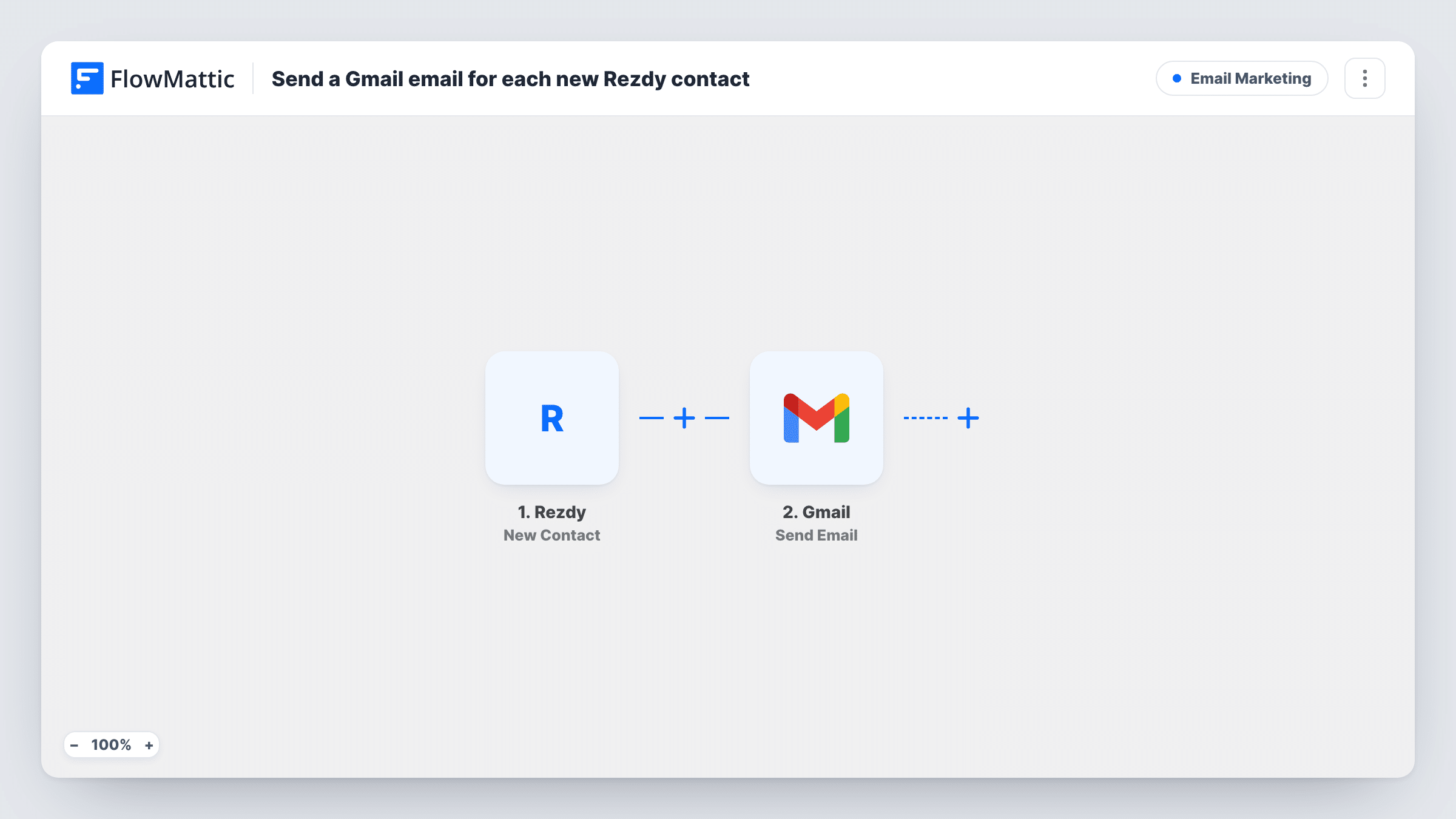
When a new contact is created in Rezdy, this workflow sends them an email from your Gmail account, so each new guest or lead hears from you without you writing it by hand.
 Rezdy
Rezdy
 Gmail
Gmail2 steps Setup ~5 min Used on 3.5k sites Free to import
What this workflow does
Tour and activity operators collect new contacts in Rezdy every day, and each one is a chance to say hello, share details or answer questions before the trip. Writing those emails by hand is slow and easy to forget on a busy day. This workflow sends one from your own Gmail address each time Rezdy creates a contact.
A fresh contact record in Rezdy starts the run. Its details become data you can use in the next step. The Gmail step then sends an email to the recipient you map, with a subject and body you write once and fill with the contact's details.
Because the message goes out from your connected Gmail account, replies land in your normal inbox. The template ships with the Gmail step empty, so you write the email and map the recipient after import. Task History lists each send, so you can check what went out.
Welcome note for new tour guests
A new guest is added as a contact in Rezdy. They receive a short email from your Gmail address with your meeting point and a phone number to call.
Contacts added by your front-desk staff
Staff create contacts in Rezdy for walk-in or phone enquiries. Each one gets an email with your website and booking details, so they have your address on file.
Personal hello from a small operator
An owner-run kayak business sends each new contact a plain email signed by the owner, written once in the template and filled with the contact's first name.
How this workflow runs
What happens at each step once the workflow is on, and what you need before you import it.
 Rezdy New Contact
Runs when a new contact is created in Rezdy. The contact's details are passed on, ready to map into the Gmail email.
- Gmail Send Email
Emails the new Rezdy contact through the Gmail account you connect. Map the Rezdy contact's email address as the recipient, then write the subject and body, mapping in the name or other contact details.
What you need
- FlowMatticCore
- Rezdy AccountAccount
- Gmail AccountAccount
After importing, map your own data. To keep the template universal, not every step is pre-filled. Open each step in the builder and connect your accounts and fields (channels, lists, sheets, recipients) before you switch the workflow on.
Make it yours
Changes worth making after you import it.
- Add a Delay before the Gmail step if you want the email to arrive an hour or a day after the contact is created rather than straight away.
- Add a Filter that continues only when the contact's email field is not empty, so runs for contacts without an address stop before Gmail.
- Want a record of who was emailed? Add a Google Sheets step after Gmail that logs the contact's name, email and the date.
Questions about this workflow
Does every new Rezdy contact get the Gmail email?
Yes. The template has no Filter, so each contact Rezdy creates triggers one email. Add a Filter if you want to leave some contacts out.
Whose Gmail address does the email come from?
It comes from whichever Gmail account is connected to the second step, and replies go back to that inbox.
Can the Rezdy email be personalised?
Yes. Map any field the Rezdy contact carries, such as the first name, into the subject or body. A test contact shows which fields arrive.
Can I send something on new Rezdy orders instead?
Yes. FlowMattic's Rezdy app also has a New Order trigger. Swap it in and remap the recipient and message fields.
More Email Marketing workflows
Other ready-to-import templates from the same category.




Import this workflow into your WordPress site
Download the JSON, import it from the Workflows screen and connect your accounts. Every run stays on your server, with no per-task fees.
30-day money-back guarantee Unlimited workflows and runs Self-hosted