

Send a Telegram alert when a Better Uptime incident is created, acknowledged or resolved
Whenever Better Uptime reports that an incident was created, acknowledged or resolved, FlowMattic sends a Telegram message from your bot, so your team can follow each outage from start to finish.
 Better Uptime
 Telegram
2 steps Setup ~5 min Used on 3.1k sites Free to import
What this workflow does
When a site or service goes down, the people who need to know are not always the person on call. Posting every stage of an incident to Telegram lets the wider team see when something broke, when someone picked it up and when it was fixed, without logging in to Better Uptime.
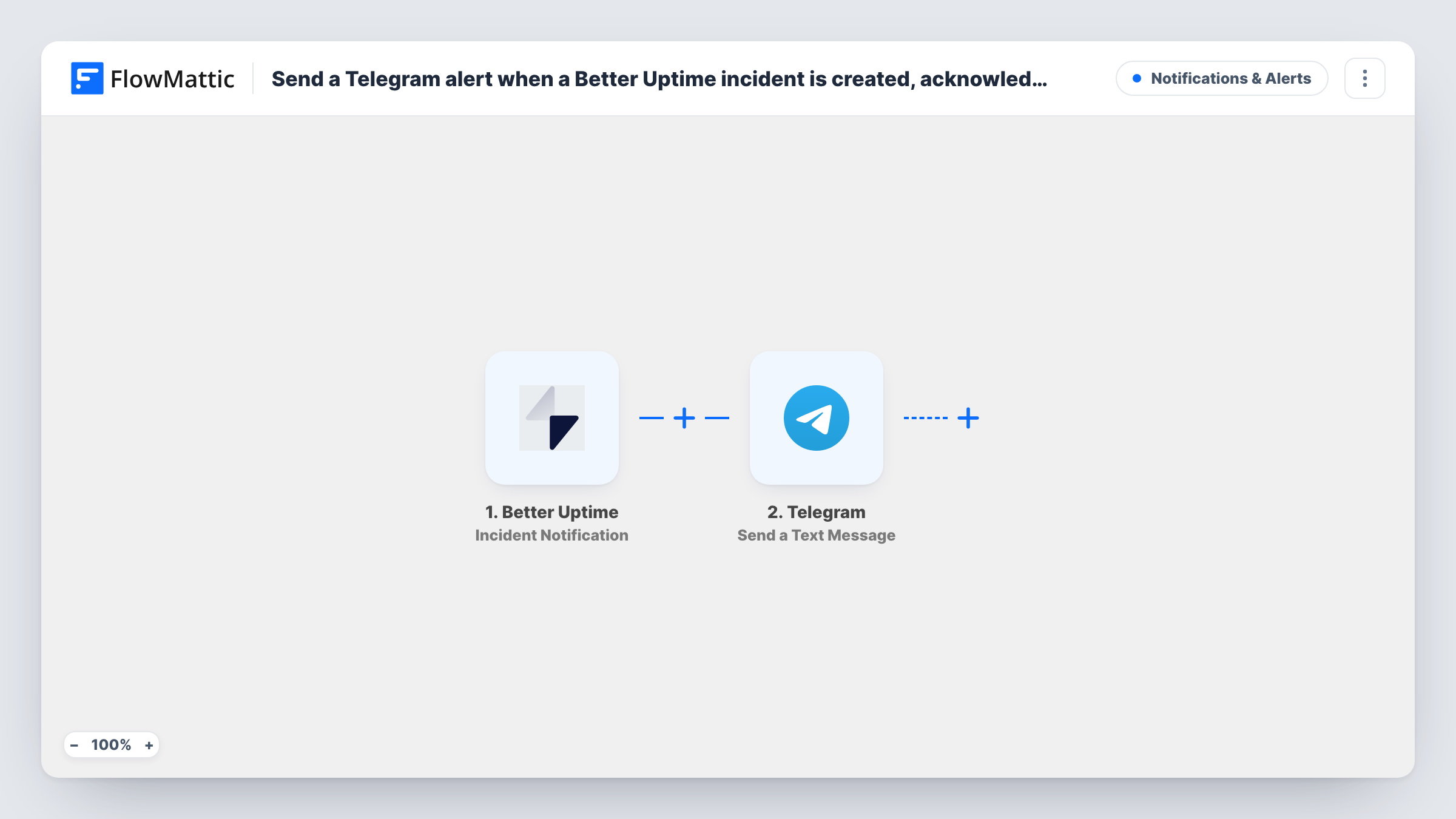
The Better Uptime Incident Notification trigger fires when a new incident is created, acknowledged or resolved. One outage therefore usually produces up to three runs, one for each stage. FlowMattic passes the incident data, including which stage it is, to the next step.
The Telegram Send a Text Message step then posts a message from your bot, with markup support. The step ships unmapped: after import you connect the bot, set the chat or group that receives the alerts and write the message, mapping Better Uptime values such as the incident name, its cause and its status.
Write the message so the stage is obvious from the first words, since created, acknowledged and resolved alerts will arrive in the same chat. Trigger a test incident and check Task History to see the values Better Uptime sends.
Outage updates for the whole team
A SaaS company posts every Better Uptime incident stage to a Telegram group, so support staff know when to expect tickets and when the problem is fixed.
Client visibility for an agency
A web agency monitors client sites in Better Uptime and keeps a Telegram group per client that shows when an incident opens and closes.
Watching acknowledgement times
An operations lead reads the created and acknowledged messages in Telegram to see how quickly the on-call engineer responds.
How this workflow runs
What happens at each step once the workflow is on, and what you need before you import it.
 Better Uptime Incident Notification
Fires when a Better Uptime incident is created, acknowledged or resolved. Each of those stages starts its own run, and the incident details are passed to Telegram.
- Telegram Send a Text Message
Posts a text message from your Telegram bot to the chat you set, with markup support. Nothing is mapped in the template, so connect the bot, choose the chat and write the alert with the incident values.
What you need
- FlowMatticCore
- Better Uptime AccountAccount
- Telegram AccountAccount
After importing, map your own data. To keep the template universal, not every step is pre-filled. Open each step in the builder and connect your accounts and fields (channels, lists, sheets, recipients) before you switch the workflow on.
Make it yours
Changes worth making after you import it.
- Start the message with the incident's status in bold using Telegram markup, so created, acknowledged and resolved alerts are easy to tell apart.
- If the group only needs new incidents, put a Filter between the Incident Notification trigger and the Telegram step that continues when the status shows a new incident. Check a test run for the field and its value.
- Add your bot to the Telegram group before setting up the step, so it is allowed to post there.
Questions about this workflow
Does each Better Uptime incident send more than one Telegram message?
Usually yes. The trigger fires when an incident is created, again when it is acknowledged and again when it is resolved, so one outage can send three messages.
Can Better Uptime alerts go to a private Telegram chat instead of a group?
Yes. Set the chat you want in the Send a Text Message step. The bot needs to be able to message that chat, so start a conversation with it first.
Do changes to Better Uptime monitors send messages too?
No. This workflow uses Incident Notification. Monitor Notification, which covers monitors being created, paused or deleted, is a separate trigger.
More Notifications & Alerts workflows
Other ready-to-import templates from the same category.





Import this workflow into your WordPress site
Download the JSON, import it from the Workflows screen and connect your accounts. Every run stays on your server, with no per-task fees.
30-day money-back guarantee Unlimited workflows and runs Self-hosted