

Send a Slack alert for every new Konstantly course progress
Each time a learner moves forward in a Konstantly course, this workflow posts a message to a Slack channel, so trainers and managers see course activity where they already talk instead of checking reports.
 Konstantly
 Slack
2 steps Setup ~5 min Used on 2.0k sites Free to import
What this workflow does
Training platforms record progress well, but someone has to log in to see it. Managers who want to know whether new hires are working through onboarding, or whether a compliance course is moving, end up asking around. This workflow brings each step of progress in Konstantly into a Slack channel.
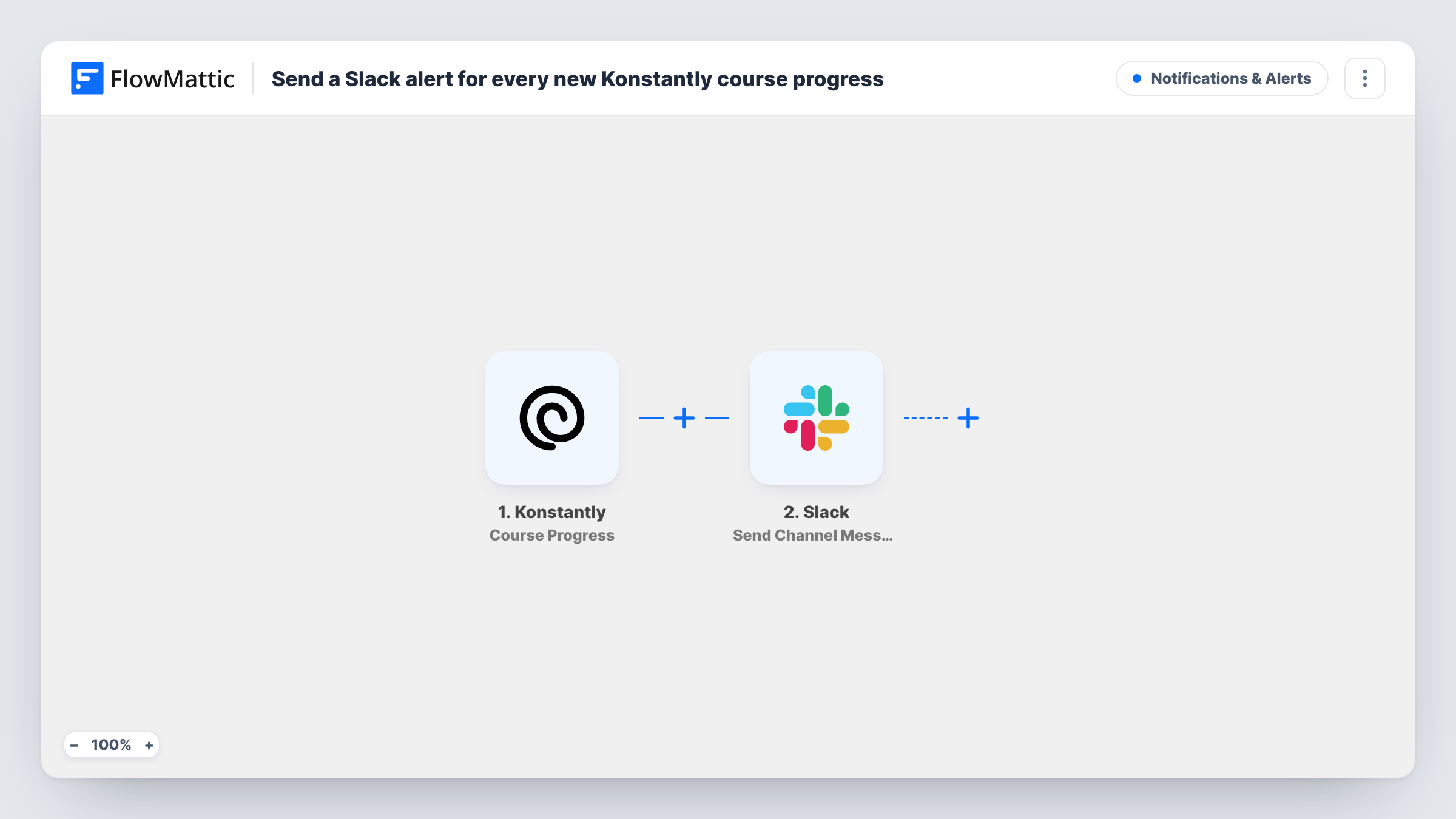
The Konstantly trigger fires when a learner progresses through a course. FlowMattic receives the event data from Konstantly and passes it to Slack, where Send Channel Message posts to the channel you pick. You write the message and fill it with the learner and course details Konstantly includes in the event.
Every progress event produces a message, and the template has no Filter. A busy course with many learners can therefore post often, so choose a channel meant for these alerts rather than a general one. Task History keeps a record of each run with the data Konstantly sent and Slack's response.
Onboarding check-ins for new hires
A team lead watches a Slack channel where each step a new hire takes in the Konstantly onboarding course appears, and can offer help when progress stops.
Compliance training rollout
During a required training push, HR sees progress messages in Slack and knows which courses people are working through without pulling a report.
Customer academy activity
A customer success team gets a Slack post when a client's users progress through a product course in Konstantly, which helps time the next check-in call.
How this workflow runs
What happens at each step once the workflow is on, and what you need before you import it.
 Konstantly Course Progress
Fires when a learner progresses through a Konstantly course. The event data Konstantly sends is captured for the Slack message.
- Slack Send Channel Message
Posts a message to the Slack channel you choose, built from the Konstantly progress data you map into the text. You link Slack when you import the template.
What you need
- FlowMatticCore
- Konstantly AccountAccount
- Slack AccountAccount
After importing, map your own data. To keep the template universal, not every step is pre-filled. Open each step in the builder and connect your accounts and fields (channels, lists, sheets, recipients) before you switch the workflow on.
Make it yours
Changes worth making after you import it.
- Add a Filter after the trigger so Slack only hears about one course, for example your onboarding course, instead of every course in Konstantly.
- Lead the message with the learner and the course, using the details from the progress event, so a busy channel is easy to scan.
- Want a message only when someone completes a course? Konstantly also has a Course Finished trigger in FlowMattic that you can swap in for Course Progress.
Questions about this workflow
How often will Konstantly progress post to Slack?
Once for every progress event Konstantly sends. There is no Filter in the template, so a learner moving through several parts of a course can produce several messages.
Does a learner see the Konstantly progress alert in Slack?
Only if they are in that channel. The step posts to the channel you choose, not to the learner, so pick one that only trainers or managers use.
Are past Konstantly course activities sent to Slack?
No. The workflow reacts to progress that happens after you turn it on. Earlier activity stays in Konstantly.
Can I also keep a record of Konstantly progress in a sheet?
Yes. Add a Google Sheets step after the Slack step and map the same progress data into a new row for each event.
More Notifications & Alerts workflows
Other ready-to-import templates from the same category.




Import this workflow into your WordPress site
Download the JSON, import it from the Workflows screen and connect your accounts. Every run stays on your server, with no per-task fees.
30-day money-back guarantee Unlimited workflows and runs Self-hosted