

Send a Slack alert to recruiters when a new Hireflix interview is created
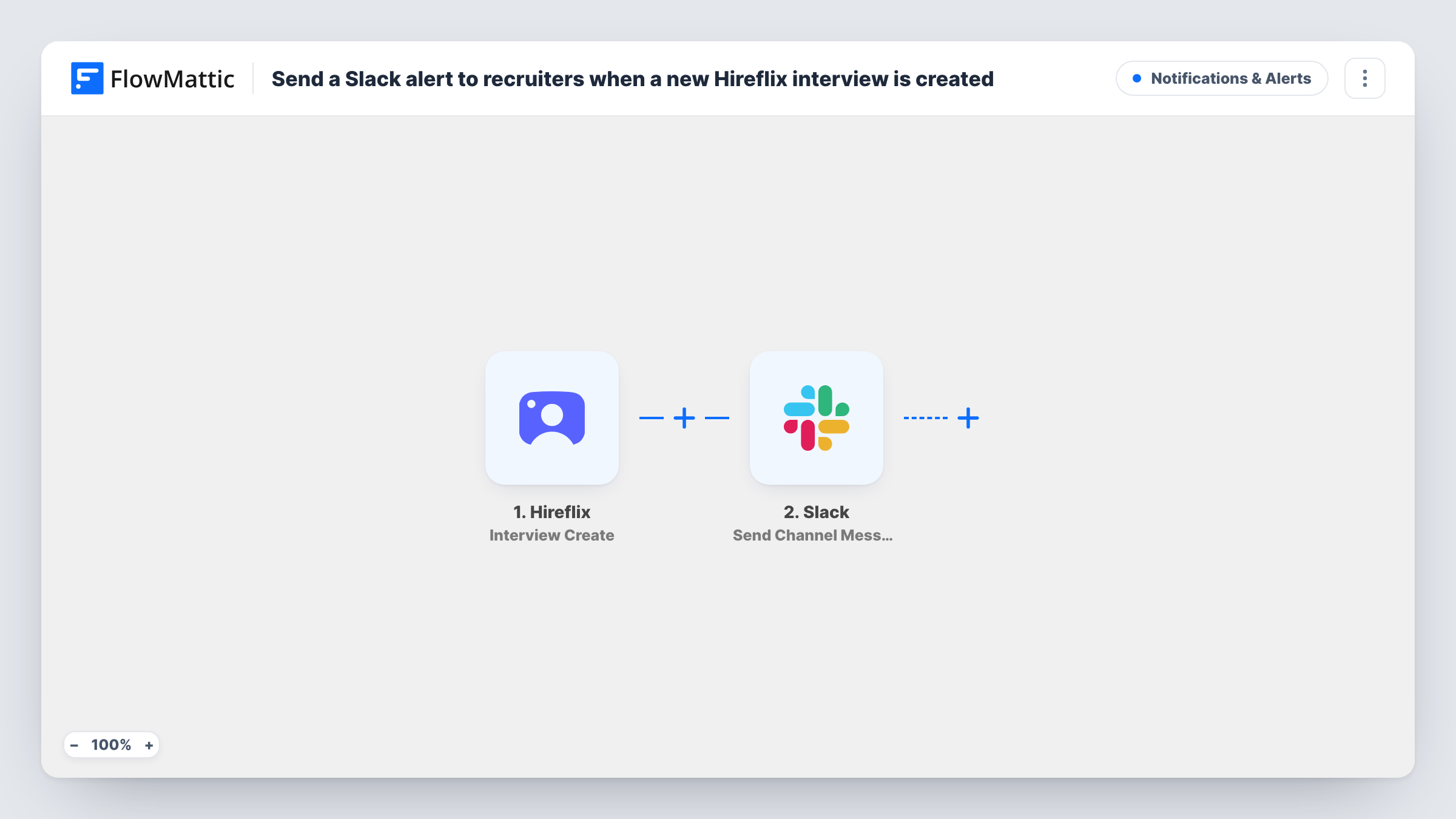
Each time an interview is created in Hireflix, FlowMattic posts a message to your recruiters’ Slack channel with the interview details you choose, so the hiring team knows a new one exists.
 Hireflix
 Slack
2 steps Setup ~5 min Used on 446 sites Free to import
What this workflow does
One-way video interviews in Hireflix save scheduling time, but the hiring team still has to know when something new is in the pipeline. If recruiters live in Slack, a post there is easier to notice than a dashboard they have to remember to open. This workflow sends that post whenever a Hireflix interview is created.
The Hireflix trigger, Interview Create, fires when an interview is created, and the details Hireflix sends with it are passed on. FlowMattic then posts to the recruiting channel you pick with Slack's Send Channel Message action. You write the text yourself and drop in values from the interview, so each post shows the details your recruiters need.
There is no Filter in the template, so every interview created in your Hireflix account posts a message, across all positions. If several teams share one Hireflix account, add a Filter so each channel only gets the interviews it handles. Task History records every run and the reply from Slack.
A shared recruiting channel
Your recruiters share one Slack channel. Every new Hireflix interview shows up there, so whoever is free can pick it up.
Hiring managers kept in the loop
A hiring manager who never logs into Hireflix watches a Slack channel for new interviews on the roles they are hiring for.
High-volume seasonal hiring
During a seasonal hiring push, a post per interview gives the team a running count in Slack of how many are coming in.
How this workflow runs
What happens at each step once the workflow is on, and what you need before you import it.
 Hireflix Interview Create
Fires when an interview is created in your Hireflix account. The data Hireflix sends with the new interview is passed on for the Slack message.
- Slack Send Channel Message
Posts to the recruiting channel you choose in Slack. Connect your workspace, pick the channel and write the message, inserting the Hireflix interview values you want recruiters to see.
What you need
- FlowMatticCore
- Hireflix AccountAccount
- Slack AccountAccount
After importing, map your own data. To keep the template universal, not every step is pre-filled. Open each step in the builder and connect your accounts and fields (channels, lists, sheets, recipients) before you switch the workflow on.
Make it yours
Changes worth making after you import it.
- Add a Filter after the trigger so only interviews for certain positions post to this channel. Make a test interview first and check Task History to see which value names the position.
- Import the workflow a second time with a different channel and Filter if separate teams hire for different roles from the same Hireflix account.
- For a private recruiters channel, swap the step for Slack's Send Private Channel Message action. To alert just one recruiter, use Send Direct Message.
Questions about this workflow
When exactly does the Hireflix trigger fire?
When an interview is created in Hireflix. Hireflix has a separate Interview Finish trigger for finished interviews, so this post tells your team an interview exists, not that it is ready to review.
Can the Hireflix alert go to a private Slack channel?
Swap the step first, because Slack in FlowMattic keeps private channels to its Send Private Channel Message action.
Which Hireflix details can I put in the Slack post?
Any value the Interview Create trigger passes on. Create a test interview after import and look at the trigger data in Task History before you write the message.
Will interviews created before import be posted to Slack?
No. Only interviews created after you switch the workflow on start a run, so older ones in Hireflix are not posted.
More Notifications & Alerts workflows
Other ready-to-import templates from the same category.


Import this workflow into your WordPress site
Download the JSON, import it from the Workflows screen and connect your accounts. Every run stays on your server, with no per-task fees.
30-day money-back guarantee Unlimited workflows and runs Self-hosted