

Send a Slack alert to sales when Waalaxy captures a new lead
When Waalaxy sends a prospect to your FlowMattic webhook, this workflow posts a message in a Slack channel, so your sales team sees new LinkedIn leads from Waalaxy without checking the campaign dashboard.
 Waalaxy
 Slack
2 steps Setup ~5 min Used on 2.3k sites Free to import
What this workflow does
Waalaxy runs LinkedIn outreach in the background, and the replies and new prospects tend to sit in its dashboard until someone looks. A sales team that lives in Slack often hears about a warm lead later than it should. This workflow puts each lead Waalaxy passes on into a Slack channel.
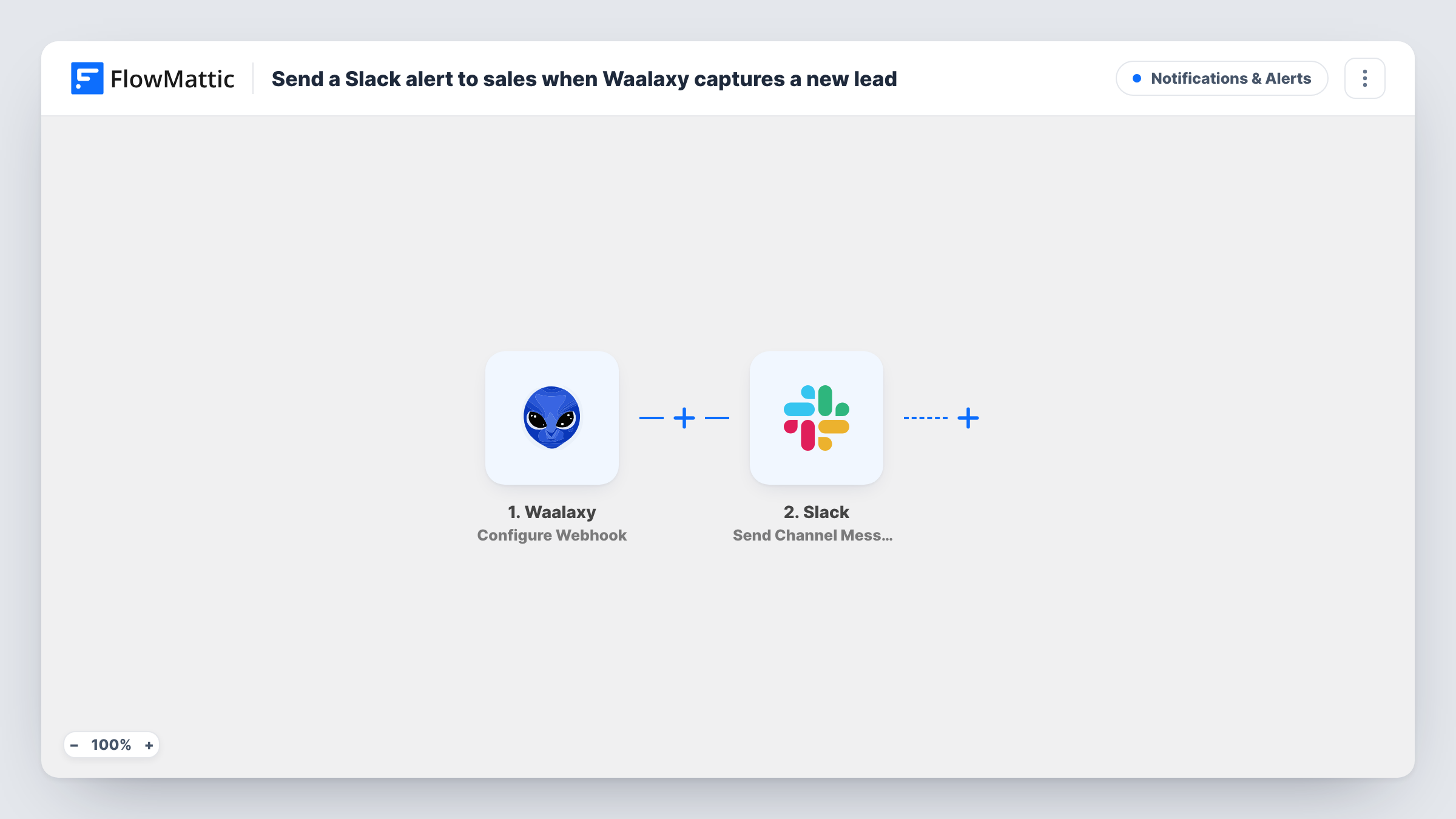
The Waalaxy trigger is a webhook receiver: FlowMattic gives you a URL, and the run starts whenever Waalaxy posts data to it. Set up Waalaxy to send only the prospects you count as new leads to that URL, since this template has no step that decides for it. FlowMattic then runs Send Channel Message in Slack with the text you write and the prospect details you map.
Every request the URL receives produces a message, with no filter in between. Task History shows each payload and Slack's reply.
Alerting the rep who owns the campaign
A founder running Waalaxy outreach for two sales reps posts each new lead to the team's Slack channel so the right rep can pick it up and reply on LinkedIn.
Agency reporting to a client
A lead generation agency sends Waalaxy prospects to a shared Slack channel with its client, so the client sees each lead as it arrives.
Recruiting outreach
A recruiter using Waalaxy to contact candidates gets a Slack message for each candidate the campaign passes on, ready to book a call.
How this workflow runs
What happens at each step once the workflow is on, and what you need before you import it.
 Waalaxy Configure Webhook
Gives you a webhook URL and starts a run whenever Waalaxy sends prospect data to it. Point Waalaxy at this URL and send a test prospect so the fields are captured.
- Slack Send Channel Message
Posts a message to the Slack channel you pick, built from your text and the Waalaxy fields you map, such as the prospect's name and LinkedIn profile. You link Slack to FlowMattic when you import the template.
What you need
- FlowMatticCore
- Waalaxy AccountAccount
- Slack AccountAccount
After importing, map your own data. To keep the template universal, not every step is pre-filled. Open each step in the builder and connect your accounts and fields (channels, lists, sheets, recipients) before you switch the workflow on.
Make it yours
Changes worth making after you import it.
- If the sales channel is private, swap this step for Slack's Send Private Channel Message action, which is the one meant for private channels.
- Add a Filter before Slack that continues only when a field you know Waalaxy always fills, such as the prospect's profile link, is not empty, so empty test requests don't post blank alerts.
- To ping one salesperson instead of a channel, use Slack's Send Direct Message action and pick that person as the recipient.
Questions about this workflow
How does Waalaxy know where to send new leads?
You copy the webhook URL from the trigger step into Waalaxy and set it up there to send the prospects you want. FlowMattic only receives what Waalaxy posts to that URL.
Will every Waalaxy prospect reach the Slack channel?
Every request Waalaxy sends to the URL becomes a message. If Waalaxy sends more than new leads, add a Filter before the Slack step or narrow what Waalaxy sends.
Which Waalaxy prospect details show up in the Slack message?
The ones you place in the message text. Send a test prospect first, then pick from the fields Waalaxy included.
Does this update anything in Waalaxy?
No. The workflow receives data and posts to Slack. Your Waalaxy campaigns and prospect lists stay as they are.
More Notifications & Alerts workflows
Other ready-to-import templates from the same category.



Import this workflow into your WordPress site
Download the JSON, import it from the Workflows screen and connect your accounts. Every run stays on your server, with no per-task fees.
30-day money-back guarantee Unlimited workflows and runs Self-hosted