

Send a Slack alert to the team when a new Timetics booking is created
When a new booking is created in Timetics, this workflow posts an alert to a Slack channel with the booking details you choose, so your team sees each appointment without opening Timetics.
 Timetics
 Slack
Slack2 steps Setup ~5 min Used on 2.9k sites Free to import
What this workflow does
Your team lives in Slack, but new appointments land in Timetics. Unless someone checks the booking dashboard, a new client meeting can go unnoticed until the day it happens. This workflow tells the team in Slack each time a Timetics booking is created.
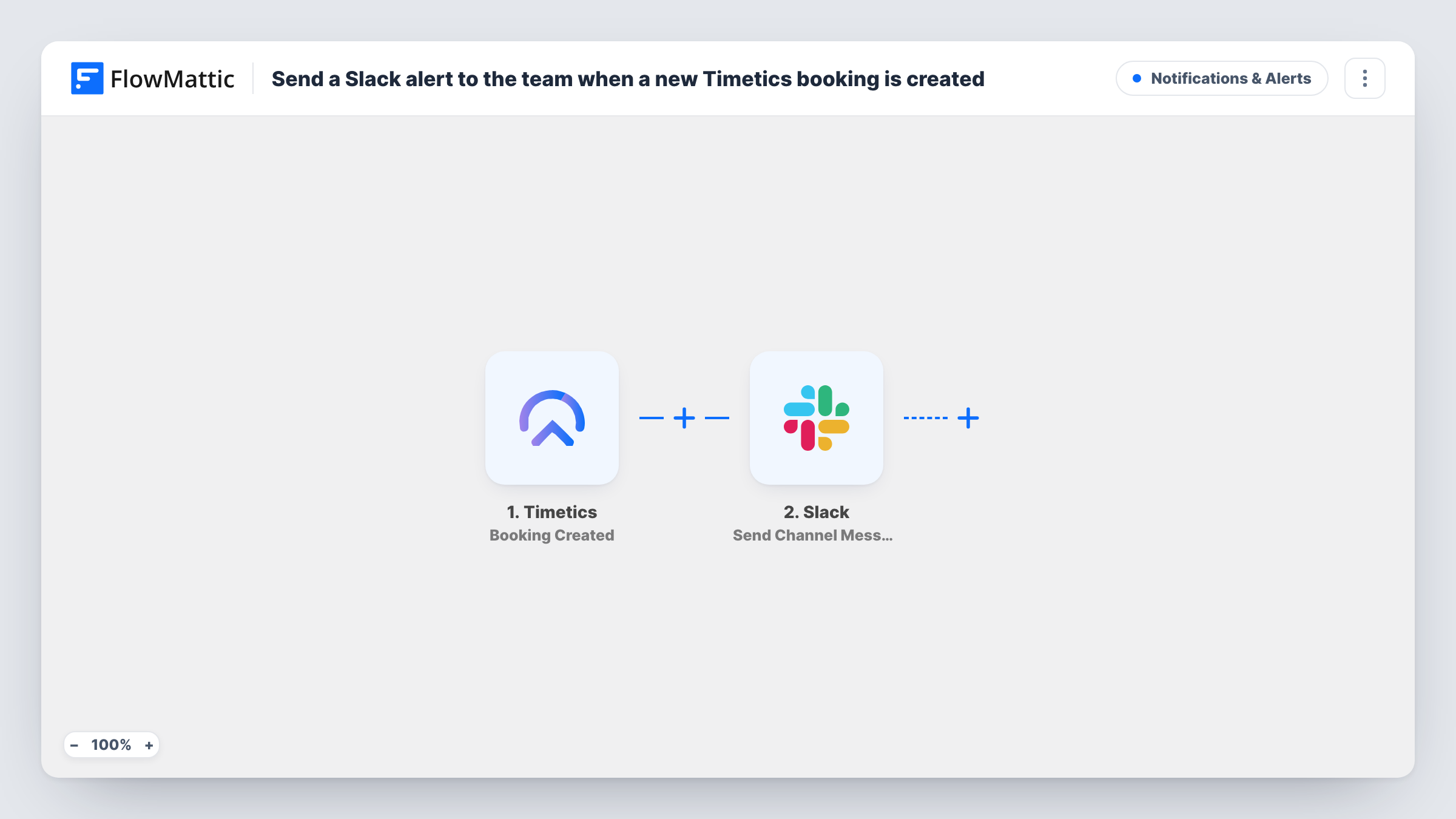
The Timetics trigger fires when a booking is created. FlowMattic receives the booking details from Timetics and makes them available to map. Next, Slack receives a post in the channel you set. You write the alert yourself and drop in whichever booking details your team needs.
The template listens only for new bookings. Timetics has separate triggers for updated and deleted bookings, and this template uses neither, so changes and cancellations need a workflow of their own. Each run is logged in Task History with the message that went to Slack.
Salon front desk channel
A salon takes appointments through Timetics. Each new booking posts to the front-desk channel, so whoever is on shift knows who is coming in.
Sales demos booked from the website
Prospects book demos with Timetics on your site. The sales channel sees each one when it's created and can pick who runs the call.
Clinic intake team
Patients book consultations online. The intake team watches a Slack channel for new Timetics bookings and prepares paperwork before the visit.
How this workflow runs
What happens at each step once the workflow is on, and what you need before you import it.
 Timetics Booking Created
Fires when a new booking is created in Timetics. The booking details come into FlowMattic and can be placed in the Slack message.
- Slack Send Channel Message
Posts your booking alert in the Slack channel you select. Write the text and map in the Timetics booking details your team wants, using a test booking to see what Timetics returns.
What you need
- FlowMatticCore
- Timetics AccountAccount
- Slack AccountAccount
After importing, map your own data. To keep the template universal, not every step is pre-filled. Open each step in the builder and connect your accounts and fields (channels, lists, sheets, recipients) before you switch the workflow on.
Make it yours
Changes worth making after you import it.
- Build a twin workflow on Timetics' Booking Deleted trigger that posts to the same channel, so the team also hears about cancellations.
- If the booking alerts belong in a private Slack channel, swap the action for Slack's Send Private Channel Message.
- Create one test booking in Timetics after import so FlowMattic captures the trigger data, then map it in the Slack message before you turn the workflow on.
Questions about this workflow
Will changed or cancelled Timetics bookings show up in Slack?
Not with this template, which uses the Booking Created trigger only. Timetics' Booking Updated and Booking Deleted triggers cover those events, each in a workflow of its own.
Can the Timetics alert go to one person instead of a channel?
Yes. Replace the Slack step with Slack's Send Direct Message action and pick the team member who should get it.
Which Timetics booking details can I put in the Slack alert?
Any detail the Booking Created trigger returns. Make a test booking and look at the captured data to see what's available before you write the message.
Do I need a Timetics account to use this template?
Yes. You connect Timetics for the trigger and your Slack workspace for the channel message, both during setup.
More Notifications & Alerts workflows
Other ready-to-import templates from the same category.





Import this workflow into your WordPress site
Download the JSON, import it from the Workflows screen and connect your accounts. Every run stays on your server, with no per-task fees.
30-day money-back guarantee Unlimited workflows and runs Self-hosted