

Send a Slack alert when a Foxit eSign document is signed
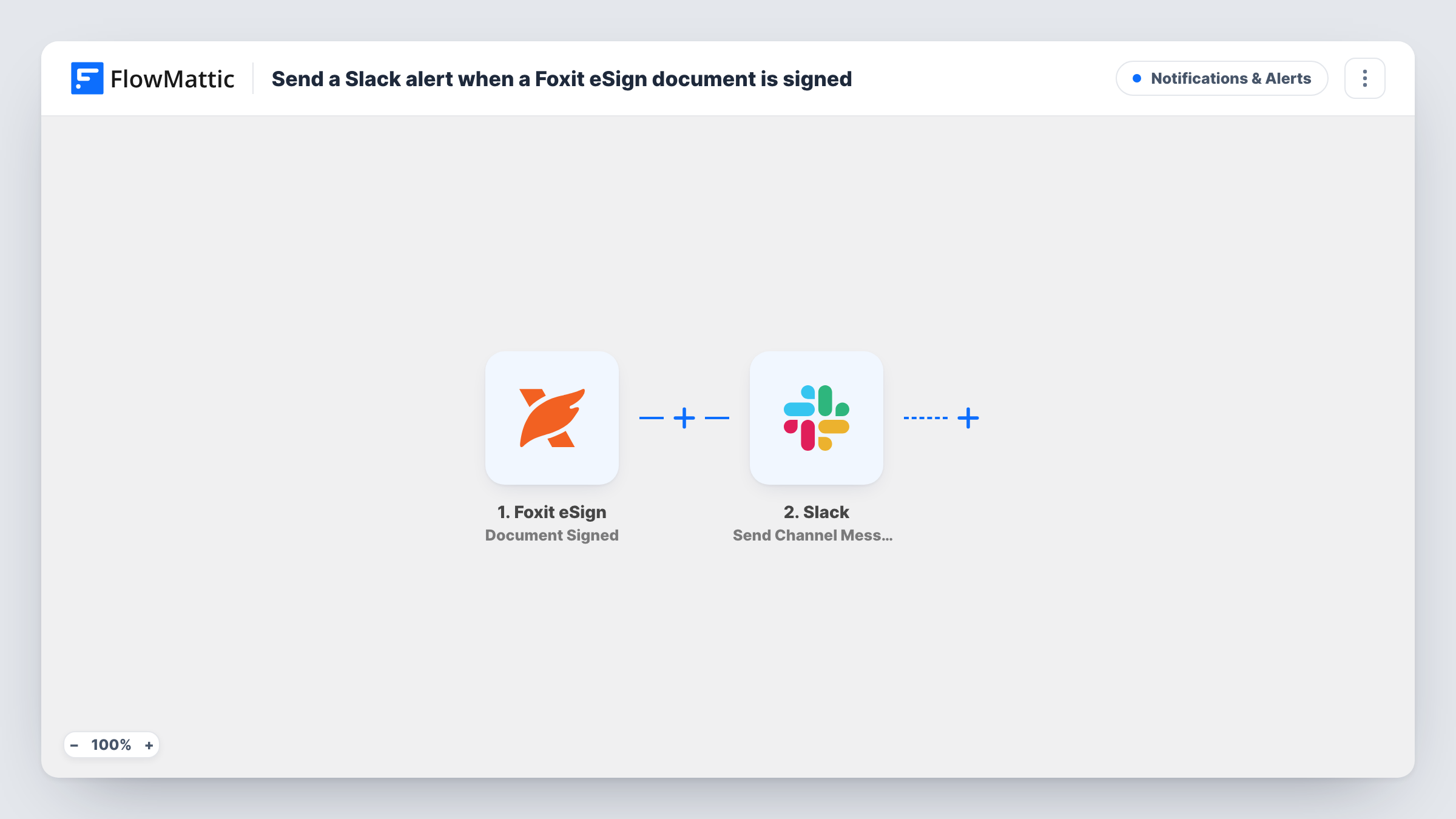
Whenever someone signs one of your Foxit eSign documents, this workflow posts a message to a Slack channel, so your team can follow signing progress without checking Foxit eSign.
 Foxit eSign
 Slack
2 steps Setup ~5 min Used on 2.6k sites Free to import
What this workflow does
Contracts, offer letters and service agreements stall while people wait to hear whether they've been signed. Checking Foxit eSign for updates is easy to forget, and the person who sent the document is not always the one who needs to act next. This workflow tells a Slack channel each time a signature comes in.
The Foxit eSign trigger is Document Signed, which fires whenever any party signs your document. FlowMattic passes the event data to the Slack step, which posts a message to the #channel you choose. You write the text and map in details from the signing event.
Because the trigger fires per signer, a document with three signers produces three Slack posts. That is useful when you want to see progress. If you only want one post once everyone has signed, Foxit eSign also has a Document Completed trigger that fires when all required parties have signed.
Sales contracts
A rep sends a contract through Foxit eSign. When the client signs, #sales sees it and the rep knows to countersign and start onboarding.
HR offer letters
Each signed offer letter posts to the HR channel, so the team can start equipment orders and account setup for the new hire.
Supplier agreements needing several signatures
Procurement watches each signature arrive in Slack and can chase the next signer when one goes quiet.
How this workflow runs
What happens at each step once the workflow is on, and what you need before you import it.
 Foxit eSign Document Signed
Fires whenever any party signs a document in your Foxit eSign account. A document with several signers starts one run per signature.
- Slack Send Channel Message
Shares a message in the Slack #channel set during setup. Write the text and map values from the Foxit eSign event so the team can tell which document was signed.
What you need
- FlowMatticCore
- Foxit eSign AccountAccount
- Slack AccountAccount
After importing, map your own data. To keep the template universal, not every step is pre-filled. Open each step in the builder and connect your accounts and fields (channels, lists, sheets, recipients) before you switch the workflow on.
Make it yours
Changes worth making after you import it.
- Swap the trigger for Foxit eSign's Document Completed if you want one Slack post per fully signed document instead of one per signer.
- Signed documents for a private Slack channel need the Send Private Channel Message action rather than the step this template ships with.
- Sign a test document yourself after import, then map the values FlowMattic captured into the Slack message before you turn the workflow on.
Questions about this workflow
Will I get a Slack message for every signer on a Foxit eSign document?
Yes. Document Signed fires whenever any party signs, so each signature produces its own Slack post.
Can I be told only when a Foxit eSign document is fully signed?
Yes. Replace the trigger with Document Completed, which fires when all required parties have signed. The Slack step can stay the same.
Does a declined Foxit eSign document post to Slack?
No. Declining or cancelling is a separate Foxit eSign event, Document Cancelled, which this workflow doesn't listen for.
More Notifications & Alerts workflows
Other ready-to-import templates from the same category.




Import this workflow into your WordPress site
Download the JSON, import it from the Workflows screen and connect your accounts. Every run stays on your server, with no per-task fees.
30-day money-back guarantee Unlimited workflows and runs Self-hosted