

Send a Slack alert when a GMass email is opened
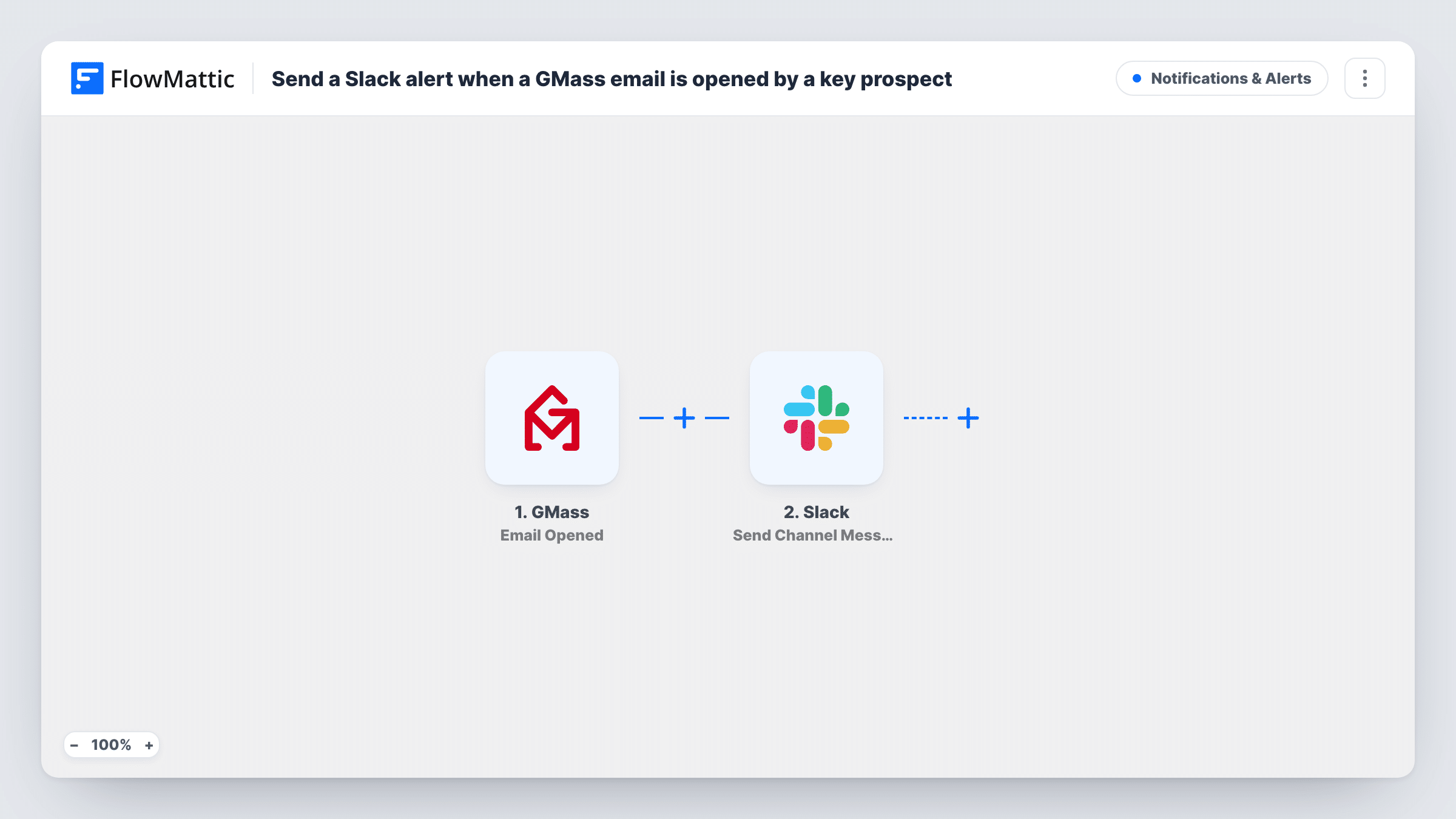
Each time GMass reports that one of your emails was opened, FlowMattic posts an alert to the Slack channel you choose, so your team knows who is reading your outreach.
 GMass
GMass
 Slack
Slack2 steps Setup ~5 min Used on 791 sites Free to import
What this workflow does
Cold outreach and follow-up campaigns run from Gmail with GMass, but open notifications are easy to miss if you have to go looking for them. This workflow brings each open into Slack, where a sales rep or founder can see it straight away and decide whether to follow up.
The GMass Email Opened trigger fires when an email is opened and sends the open's details to FlowMattic. Once GMass reports its first open after you connect it, look at the trigger's data to see which values arrive, such as the recipient's address and the campaign.
The Slack Send Channel Message step then posts to the public channel you pick. The message ships empty, so after import you write the alert yourself and map in the details your team needs, for example who opened which email.
Every open GMass reports starts a run, across all of your campaigns. A recipient who opens the same email several times may produce several alerts, and open tracking depends on the recipient's email app loading images, so treat an alert as a signal, not proof that someone read your message. Task History shows each run and what Slack returned.
Sales rep follows up on warm prospects
A founder sends GMass outreach to potential clients and watches a Slack channel for opens, calling the prospect while the email is fresh.
Agency tracks proposal emails
An agency sends proposals through a GMass campaign and posts each open to the account team's channel, so they know when a client is looking.
Recruiter sees candidate interest
A recruiter's outreach to candidates triggers a Slack alert on each open, which helps decide who to message again first.
How this workflow runs
What happens at each step once the workflow is on, and what you need before you import it.
 GMass Email Opened
Starts when GMass reports that an email was opened. Every reported open is one run, and its details, such as the recipient and campaign, become available to map into the Slack message.
- Slack Send Channel Message
Tells your team about the open in a public Slack channel of your choice. The text is empty in the template, so write it after import and map in the GMass open details your team should see.
What you need
- FlowMatticCore
- GMass AccountAccount
- Slack AccountAccount
After importing, map your own data. To keep the template universal, not every step is pre-filled. Open each step in the builder and connect your accounts and fields (channels, lists, sheets, recipients) before you switch the workflow on.
Make it yours
Changes worth making after you import it.
- To alert only on certain campaigns, put a Filter between the GMass trigger and the Slack step that checks the campaign value from a test open. Opens it stops send no message.
- Send the alert to the rep who owns the prospect with Slack's Send Direct Message action instead, if a shared channel gets too busy.
- Use the Email Replied trigger from FlowMattic's GMass integration in a second workflow if replies matter more to your team than opens.
Questions about this workflow
Will I get a Slack alert every time someone opens a GMass email?
Yes, for every open GMass reports, across all campaigns. Repeat opens of the same email may each send an alert. A Filter placed between the GMass trigger and the Slack step can limit alerts to the campaigns you care about.
Can GMass open alerts post to a private Slack channel?
The template's Send Channel Message step is for public channels. Swap it for Slack's Send Private Channel Message action to post to a private channel instead.
Is a GMass open a sure sign the email was read?
No. Open tracking relies on the recipient's email app loading a tracking image, so some reads are never reported and some reported opens aren't real reads. Treat alerts as a hint.
More Notifications & Alerts workflows
Other ready-to-import templates from the same category.



Import this workflow into your WordPress site
Download the JSON, import it from the Workflows screen and connect your accounts. Every run stays on your server, with no per-task fees.
30-day money-back guarantee Unlimited workflows and runs Self-hosted