

Send a Slack alert when a tag is added to an Ortto contact
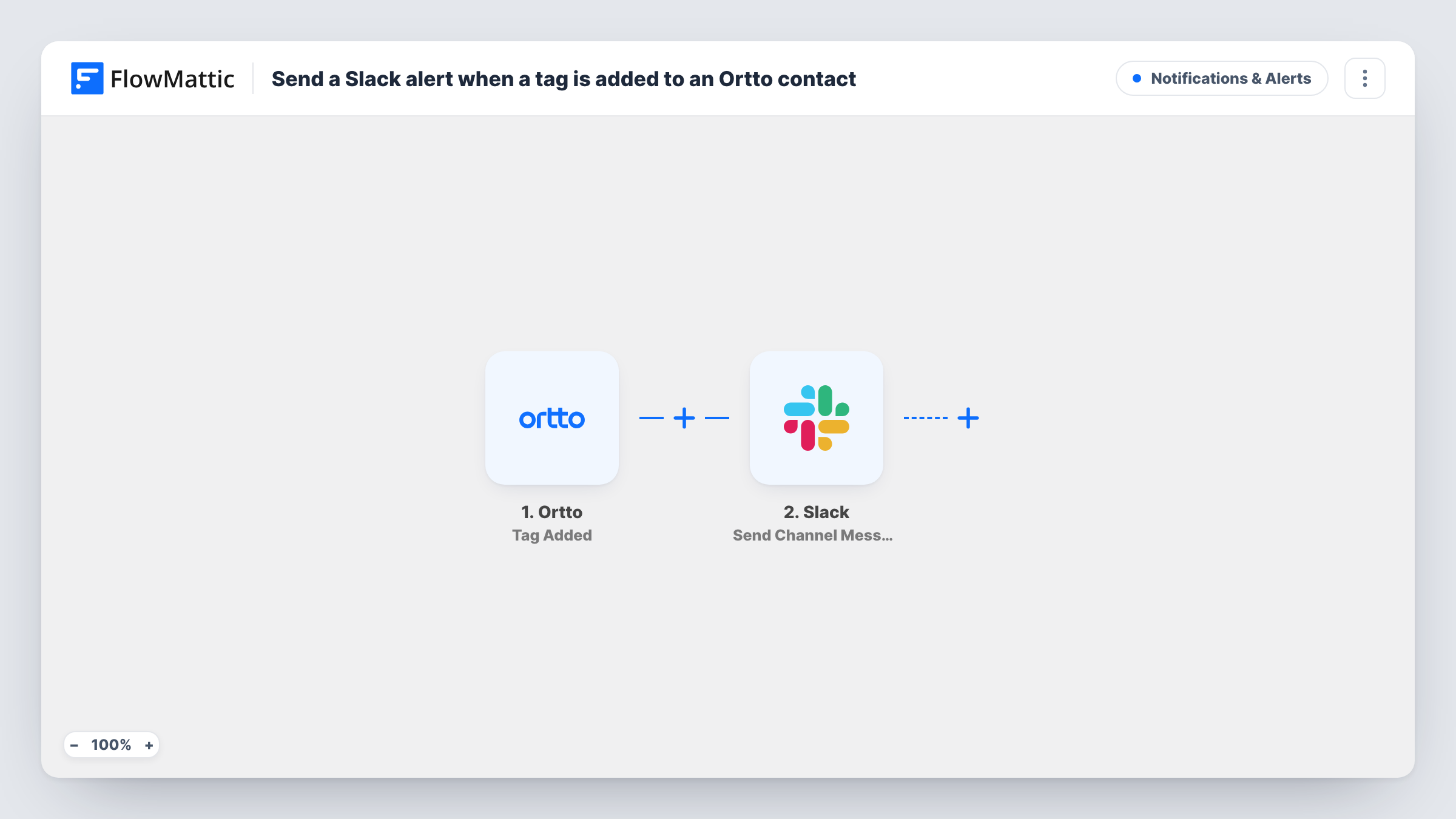
Whenever a tag is added to a record in Ortto, this workflow posts a message to a Slack channel you choose, so your team knows which contact was tagged without opening Ortto.
 Ortto
Ortto
 Slack
Slack2 steps Setup ~5 min Used on 1.4k sites Free to import
What this workflow does
Tags in Ortto often mark something your team should act on, like a contact who asked for a demo or reached a lead score. If nobody is watching Ortto when it happens, the tag sits there unnoticed. This workflow tells a Slack channel each time a tag is applied.
The Ortto trigger, Tag Added, fires when a tag is added to a record. FlowMattic receives the record and tag data and passes it to Slack. Send Channel Message posts a message you write, filled with values from the Ortto event such as the tag and the contact's name or email.
As imported, any tag on any record starts a run, because there is no Filter. That is fine when you only tag contacts for things the team should see. If you use many tags for segmenting, add a Filter so only the tags you care about post to Slack.
Demo requests for the sales team
When a contact gets your demo-requested tag in Ortto, the sales channel in Slack gets the contact's details so someone can book the call.
VIP customers flagged by marketing
A marketer tags a high-value customer in Ortto, and the account team sees the note in Slack without logging into Ortto.
Churn risk alerts
A tag your team adds for at-risk customers posts to the customer success channel, so the account owner can reach out.
How this workflow runs
What happens at each step once the workflow is on, and what you need before you import it.
 Ortto Tag Added
Fires when a tag is added to a record in your Ortto account. The record and tag data are passed on, ready to place in the Slack message.
- Slack Send Channel Message
Sends your message to whichever Slack channel the step points at. Put the tag name and contact details from Ortto into the text, then test once to see which Ortto fields arrive.
What you need
- FlowMatticCore
- Ortto AccountAccount
- Slack AccountAccount
After importing, map your own data. To keep the template universal, not every step is pre-filled. Open each step in the builder and connect your accounts and fields (channels, lists, sheets, recipients) before you switch the workflow on.
Make it yours
Changes worth making after you import it.
- Add a Filter after the Ortto trigger that continues only when the tag name equals the one your team acts on. Other tags then stop at the Filter and stay out of Slack.
- Add a Google Sheets Add New Row step after Slack to keep a dated list of tagged Ortto contacts you can review later.
- For a private Slack channel, replace the action with Send Private Channel Message. To tell the contact's owner directly, use Send Direct Message.
Questions about this workflow
Does every Ortto tag post to Slack?
Yes, as imported. The workflow has no Filter, so each tag added to any record starts a run. Add a Filter on the tag name to limit it.
Can Ortto tag alerts go to different Slack channels?
Not as imported, since there is one Slack step. Replace it with a Router that has one route per tag name, each with its own Send Channel Message step pointed at a different channel.
Will removing a tag in Ortto post anything to Slack?
No. The trigger is Tag Added, so only adding a tag starts a run. Removing one does nothing in this workflow.
Which Ortto details can appear in the Slack message?
Whatever Ortto sends with the Tag Added event. Tag a test contact after import, then pick the captured fields when you write the message.
More Notifications & Alerts workflows
Other ready-to-import templates from the same category.



Import this workflow into your WordPress site
Download the JSON, import it from the Workflows screen and connect your accounts. Every run stays on your server, with no per-task fees.
30-day money-back guarantee Unlimited workflows and runs Self-hosted