

Send a Slack alert when Halo Security sends a webhook event
Whenever Halo Security sends an event to your FlowMattic webhook, a message goes to the Slack channel you choose, so your team sees security activity without watching another dashboard.
 Halo Security
 Slack
2 steps Setup ~5 min Used on 3.3k sites Free to import
What this workflow does
Security alerts are easy to miss when they live in one more tool. Most teams already watch Slack, so this workflow puts Halo Security's webhook events in a channel where people will see them and can discuss what to do next.
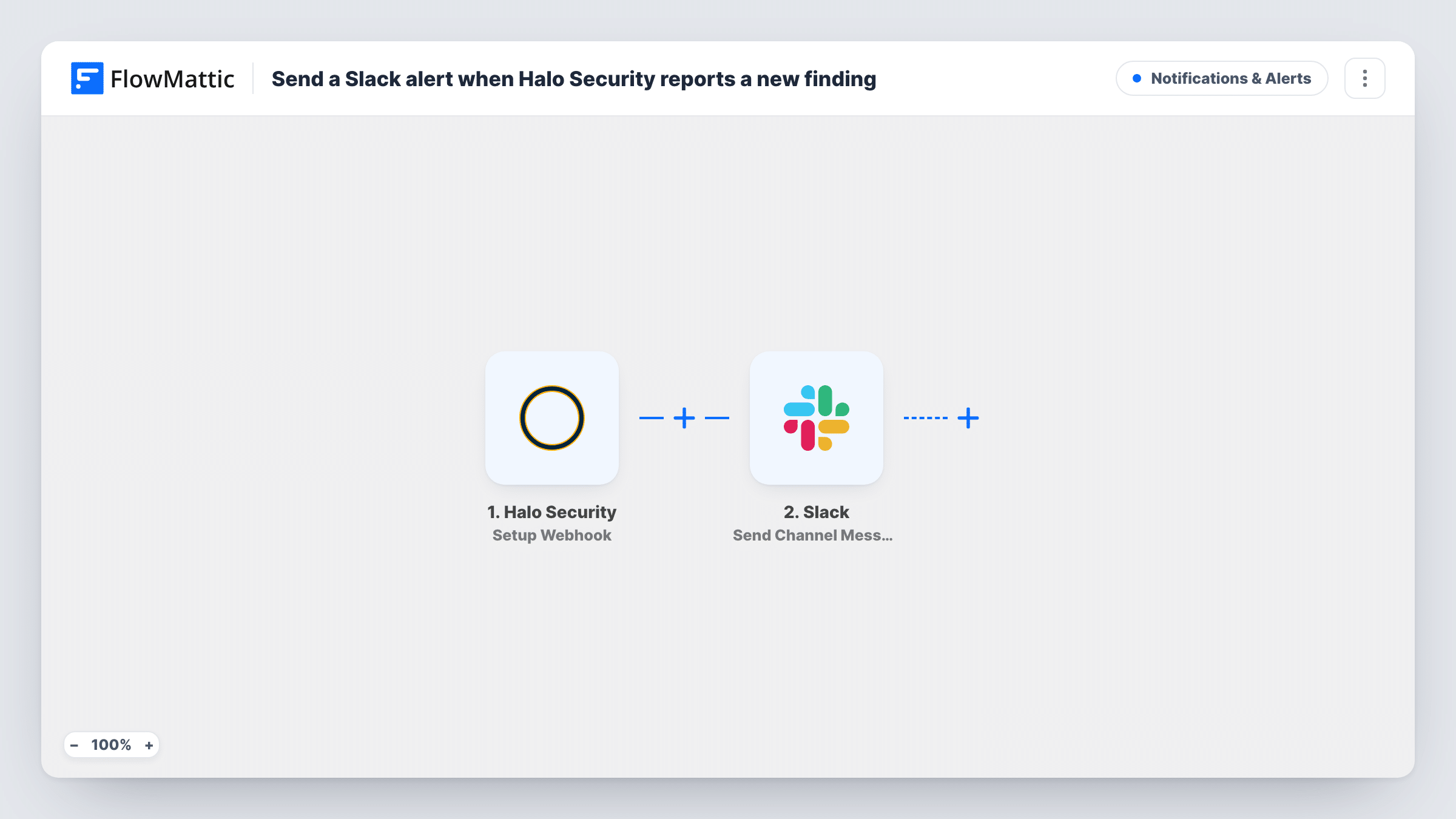
The Halo Security trigger, Setup Webhook, gives you a webhook URL to add in Halo Security. FlowMattic lists this trigger as covering every event type, which means any event Halo Security delivers to the URL kicks off the workflow. The event's data is then available to map into the message.
The Slack step, Send Channel Message, posts to the channel you pick. It ships unmapped: after import, connect your Slack workspace, choose the channel and write the message, mapping in the event details you want people to read. Send a test event from Halo Security first so you can see which details it includes.
One Halo Security event produces one post in the channel. If Halo Security sends a lot of events, the channel can get busy, so think about which ones deserve a post. Task History records each run and what Slack returned.
A shared channel for security events
A small IT team routes everything Halo Security reports into a #security-alerts channel, so whoever is on duty sees it and replies in a thread.
Client visibility for a managed service
A managed service provider posts a client's Halo Security events into a Slack channel shared with that client, so both sides follow the same updates.
Keeping developers in the loop
A web agency posts Halo Security events to the channel its developers use for the affected site, so fixes start in the same place the work happens.
How this workflow runs
What happens at each step once the workflow is on, and what you need before you import it.
 Halo Security Setup Webhook
Gives you a webhook URL to register in Halo Security. FlowMattic treats it as a trigger for all events, so each event Halo Security sends there starts a run with its data.
- Slack Send Channel Message
Sends a post to whichever Slack channel you set. It ships unmapped: connect Slack, pick the channel and write the message, mapping in the Halo Security event fields you want shown.
What you need
- FlowMatticCore
- Halo Security AccountAccount
- Slack AccountAccount
After importing, map your own data. To keep the template universal, not every step is pre-filled. Open each step in the builder and connect your accounts and fields (channels, lists, sheets, recipients) before you switch the workflow on.
Make it yours
Changes worth making after you import it.
- Send a sample event from Halo Security after you add the webhook URL, then build the Slack message from the fields that actually arrive.
- If only some events deserve a post, put a Filter between the Halo Security trigger and the Slack step that checks a field from the event, such as its type or severity. Use a field your test event actually contains.
- For a private channel, use Slack's Send Private Channel Message action instead, and use Send Direct Message to alert one person.
Questions about this workflow
Which Halo Security events start the workflow?
FlowMattic describes the Setup Webhook trigger as covering all events, so any event Halo Security sends to the webhook URL starts a run. Add a Filter between the trigger and the Slack step to post only some of them.
What will the Halo Security alert say in Slack?
The text is yours to write in the Slack step. The template leaves it empty, so after import you compose the text and map in details from the Halo Security event.
Can the Halo Security alert go to a private Slack channel?
This template uses Send Channel Message, which is for regular channels. For a private channel, swap in Slack's Send Private Channel Message action, which FlowMattic's Slack integration also has.
Do I set anything up inside Halo Security?
Yes. Copy the webhook URL from the trigger step in FlowMattic and add it where Halo Security lets you register webhooks, then send a test event so the workflow has sample data to map into Slack.
More Notifications & Alerts workflows
Other ready-to-import templates from the same category.




Import this workflow into your WordPress site
Download the JSON, import it from the Workflows screen and connect your accounts. Every run stays on your server, with no per-task fees.
30-day money-back guarantee Unlimited workflows and runs Self-hosted