

Email the team via Gmail when a MoreApp submission export finishes
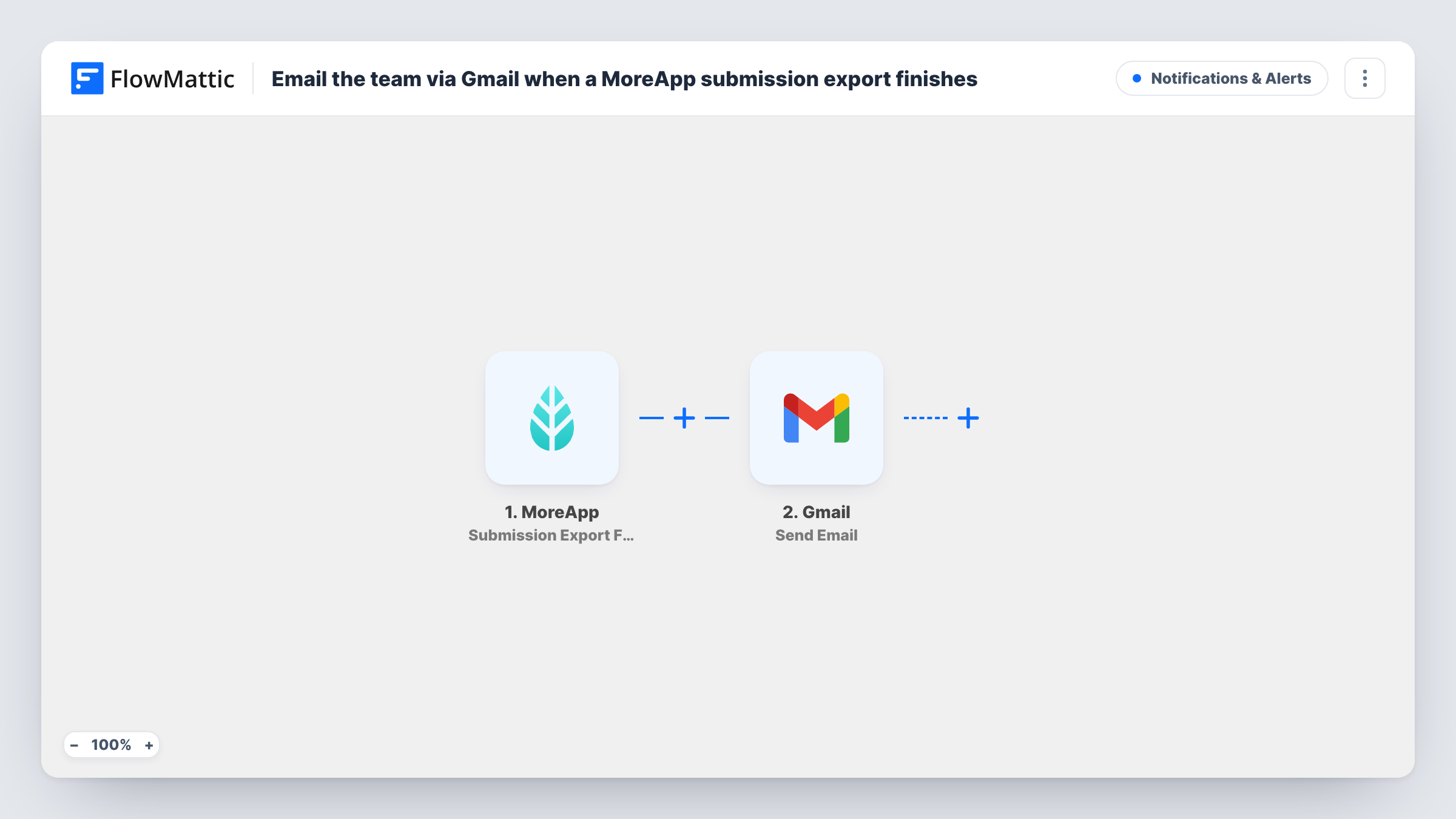
When a MoreApp submission export finishes, successfully or not, this workflow sends an email through Gmail to the team, so they know the export run has ended without checking MoreApp.
 MoreApp
 Gmail
2 steps Setup ~5 min Used on 2.9k sites Free to import
What this workflow does
Exporting MoreApp submissions can take a while when there are many forms to process. Someone usually has to keep checking whether it is done before they can pick up the file or rerun it. This workflow emails the team as soon as MoreApp reports that an export has finished.
The MoreApp trigger fires when a submission export has finished. Per FlowMattic's description of the trigger, that covers exports that succeeded and exports that failed. The Gmail step then sends an email from your connected Gmail account to the recipients you set, with the export details you map into the subject and body.
Because failed exports fire the same trigger, your email should include whatever status value MoreApp sends, so the team can tell a finished file from a failed run. Send a test export to see which values arrive. Task History lists every run with what was sent.
Weekly inspection reports
An inspection company exports a week of MoreApp submissions every Friday. The office team gets a Gmail message when the export run ends and goes to fetch the data.
Spotting failed exports quickly
Map the export status into the subject line, so a failed export stands out in the team inbox and someone can start it again the same day.
Handing data to a client
An account manager waits for a large MoreApp export before sending results on to a client, and the email tells them when the export has finished.
How this workflow runs
What happens at each step once the workflow is on, and what you need before you import it.
 MoreApp Submission Export Finished
Fires when a MoreApp submission export finishes, whether it succeeded or failed. The values in the event are passed to the Gmail step; run a test export to see them.
- Gmail Send Email
Sends an email through your connected Gmail account to the team addresses you set. Write the subject and message, and map in the export details, including its status, so readers know how it ended.
What you need
- FlowMatticCore
- MoreApp AccountAccount
- Gmail AccountAccount
After importing, map your own data. To keep the template universal, not every step is pre-filled. Open each step in the builder and connect your accounts and fields (channels, lists, sheets, recipients) before you switch the workflow on.
Make it yours
Changes worth making after you import it.
- Add a Filter after the MoreApp trigger on the status value if the team only wants to hear about successful exports, or only about failed ones.
- Use a Router with one route for a successful status and one for a failed status, each with its own Gmail step, so the two outcomes send different wording.
- Send the email to a shared team address rather than one person, so the notice still reaches someone when that person is away.
Questions about this workflow
Does a failed MoreApp export also send the Gmail email?
Yes. The Submission Export Finished trigger fires when an export ends, whether it succeeded or failed. Map the status into the message, or add a Filter on it, to tell the two apart.
Does the Gmail email include the exported MoreApp file?
Not as imported. The step sends the text you write with the export details you map. Check a test run to see whether MoreApp includes a link you can add to the message.
Which Gmail account sends the MoreApp export notice?
Whichever Gmail account you link to the Send Email step. The team sees the email as coming from that address.
Can I get a notice when a MoreApp export starts too?
Yes, in a separate workflow. MoreApp also has Submission Export Scheduled and Submission Export Started triggers in FlowMattic.
More Notifications & Alerts workflows
Other ready-to-import templates from the same category.




Import this workflow into your WordPress site
Download the JSON, import it from the Workflows screen and connect your accounts. Every run stays on your server, with no per-task fees.
30-day money-back guarantee Unlimited workflows and runs Self-hosted