

Send a Slack message when a new SalesIQ conversation is created
Each time a visitor starts a chat in Zoho SalesIQ, this workflow posts a message to the Slack channel you pick, so your team sees new conversations in the place they already work.
 Zoho SalesIQ
 Slack
Slack2 steps Setup ~5 min Used on 1.4k sites Free to import
What this workflow does
Live chat is only useful when someone answers it. If your operators spend the day in Slack, a new SalesIQ conversation can sit unnoticed in another tab. This workflow brings each new chat into a Slack channel as soon as the trigger fires.
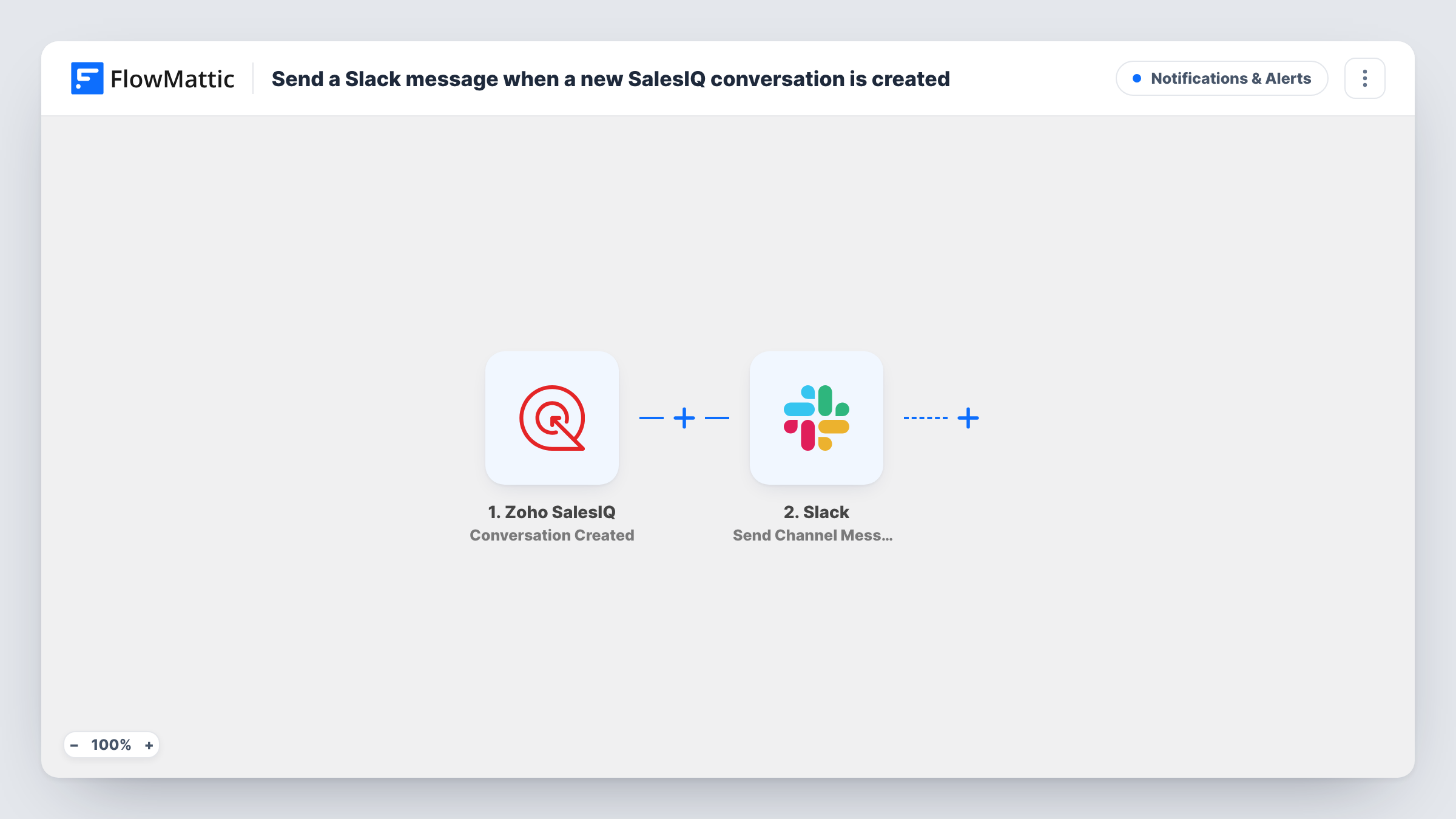
The Zoho SalesIQ trigger, Conversation Created, fires when a visitor starts a new conversation. FlowMattic hands the conversation data to Slack, where Send Channel Message posts to the #channel you choose. You write the message and map in whatever details SalesIQ sends with the event.
Every new conversation posts a message, whether or not an operator has already picked it up in SalesIQ. Task History records each run, which helps if a post looks empty and you need to check what SalesIQ sent.
Small sales team without a chat console open
Sales reps who live in Slack see each new website chat in #sales-chat and jump into SalesIQ to answer it.
Out-of-hours awareness
A founder who checks Slack on the phone sees chats that start in the evening and decides whether to reply now or first thing.
Chat volume at a glance
A support lead scrolls one channel to see how many conversations started during a product launch or campaign.
How this workflow runs
What happens at each step once the workflow is on, and what you need before you import it.
 Zoho SalesIQ Conversation Created
Runs as soon as SalesIQ reports a chat a visitor has just opened. The conversation data becomes available to map into the Slack message.
- Slack Send Channel Message
Sends the chat alert into one Slack #channel of your choosing. Connect your Slack workspace, choose the channel, and write the text, mapping in details from the SalesIQ conversation.
What you need
- FlowMatticCore
- Zoho SalesIQ AccountAccount
- Slack AccountAccount
After importing, map your own data. To keep the template universal, not every step is pre-filled. Open each step in the builder and connect your accounts and fields (channels, lists, sheets, recipients) before you switch the workflow on.
Make it yours
Changes worth making after you import it.
- Put the visitor details SalesIQ sends near the start of the Slack text, so the team can tell at a glance who is waiting.
- If a test run shows a department in the event data, add a Router with one route per department value, each posting to that team's channel.
- Build a second workflow on SalesIQ's Conversation Missed trigger that posts to the same channel, so the team also sees chats nobody answered.
Questions about this workflow
Can my team reply to the visitor from Slack?
No. Replies typed in Slack never reach the SalesIQ visitor; the post is just a heads-up. Operators answer the chat in Zoho SalesIQ as usual.
Does every conversation post to Slack?
Yes, as imported. Each new conversation sends one message. Add a Filter after the trigger if you only want some of them, based on a value SalesIQ includes in the event.
Which SalesIQ details can I put in the message?
Whatever SalesIQ sends with the Conversation Created event. Start a test chat after import, then look at the captured data in the trigger step to pick the fields.
Can the message go to a private Slack channel?
Usually yes, as long as the Slack connection can post there. If a post fails, Task History shows Slack's response on that step.
More Notifications & Alerts workflows
Other ready-to-import templates from the same category.




Import this workflow into your WordPress site
Download the JSON, import it from the Workflows screen and connect your accounts. Every run stays on your server, with no per-task fees.
30-day money-back guarantee Unlimited workflows and runs Self-hosted