

Send a Slack message when a new Zoho Writer document is created
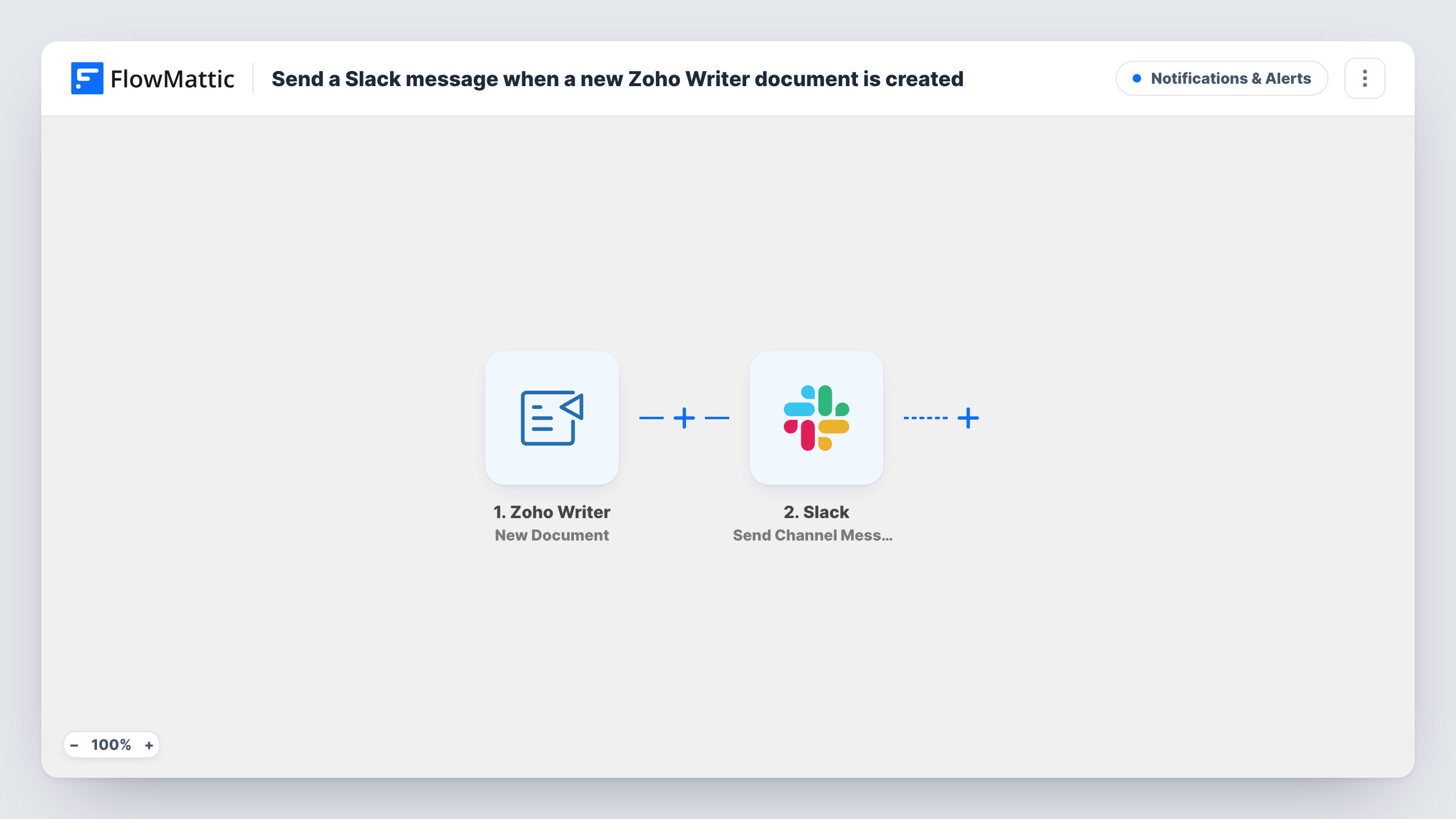
When a new document appears in your Zoho Writer account, this workflow posts a message to a Slack channel you pick, so your team hears about new docs without checking Zoho Writer.
 Zoho Writer
 Slack
2 steps Setup ~5 min Used on 508 sites Free to import
What this workflow does
New documents in Zoho Writer are easy to miss when your team talks in Slack all day. Someone drafts a proposal or a policy and then has to tell everyone it exists. This workflow posts that news to Slack for them.
The Zoho Writer trigger checks your account for documents created since the last check. It is a polled trigger, so FlowMattic asks Zoho Writer at intervals rather than being told the moment a document is made, and the message can arrive a little after the document is created. For each new document, the Slack Send Channel Message action posts to the channel you choose. You write the message and map document details into it, such as its name.
As imported, every new document in the connected account produces a message. The workflow does not share, publish or change the document, so people still need access in Zoho Writer to open it. Task History keeps each run if you want to see which documents were announced.
Proposal drafts ready for a second pair of eyes
A sales team posts to #proposals whenever a new Zoho Writer doc is created, so a reviewer knows a draft exists and can ask for access.
Content team writing in Zoho Writer
Writers start each article as a Zoho Writer document. Editors see a Slack message for every new draft in their editorial channel.
Keeping a small company informed
Owners who keep contracts and procedures in Zoho Writer get a quiet record in a #docs channel of every new file someone creates.
How this workflow runs
What happens at each step once the workflow is on, and what you need before you import it.
 Zoho Writer New Document
Checks your Zoho Writer account at intervals and fires once for each document created since the last check. The document's details are passed on for the Slack message.
- Slack Send Channel Message
Sends the announcement into one Slack channel of your choosing. Write the text and insert details from the Zoho Writer document. Connect your Slack workspace on import and run a test to see which details you can use.
What you need
- FlowMatticCore
- Zoho Writer AccountAccount
- Slack AccountAccount
After importing, map your own data. To keep the template universal, not every step is pre-filled. Open each step in the builder and connect your accounts and fields (channels, lists, sheets, recipients) before you switch the workflow on.
Make it yours
Changes worth making after you import it.
- Add a Filter after the trigger on the document name, for example continuing only when it contains Proposal, so only the documents your channel cares about are announced.
- Add the Zoho Writer Get Document step before Slack if the trigger data lacks the link you want; it returns the document's details and URLs for the message.
- Use a Router with conditions on the document name to post different kinds of documents to different Slack channels. Pick name rules that can't both match one document.
Questions about this workflow
How quickly does the Slack message arrive after a Zoho Writer document is created?
Not instantly. The trigger is polled, so FlowMattic finds new documents on its next check and the message follows then.
Does every Zoho Writer document trigger a Slack post?
Yes, as imported. Each new document the connected account can see runs the workflow. Add a Filter on the name to narrow it down.
Can my team open the Zoho Writer document from the Slack message?
Only if they have access to it in Zoho Writer. The workflow posts the details you map and does not change who can see the document.
Are edits to an existing Zoho Writer document announced?
No. The trigger only looks for newly created documents, so later edits do not post anything.
More Notifications & Alerts workflows
Other ready-to-import templates from the same category.




Import this workflow into your WordPress site
Download the JSON, import it from the Workflows screen and connect your accounts. Every run stays on your server, with no per-task fees.
30-day money-back guarantee Unlimited workflows and runs Self-hosted