

When a new lead is captured in LeadCapture.io, notify the sales team via Slack
Post a message to a Slack channel each time LeadCapture.io pushes a new lead, so your sales team sees who signed up and can pick up the follow-up from the channel they already watch.
 LeadCapture.io
 Slack
Slack2 steps Setup ~5 min Used on 3.1k sites Free to import
What this workflow does
Leads that sit unseen in a capture tool cool off. Sales reps spend their day in Slack, not in the LeadCapture.io dashboard, so an alert where they already work makes it easier to see a lead arrive. This workflow posts one when a lead comes in.
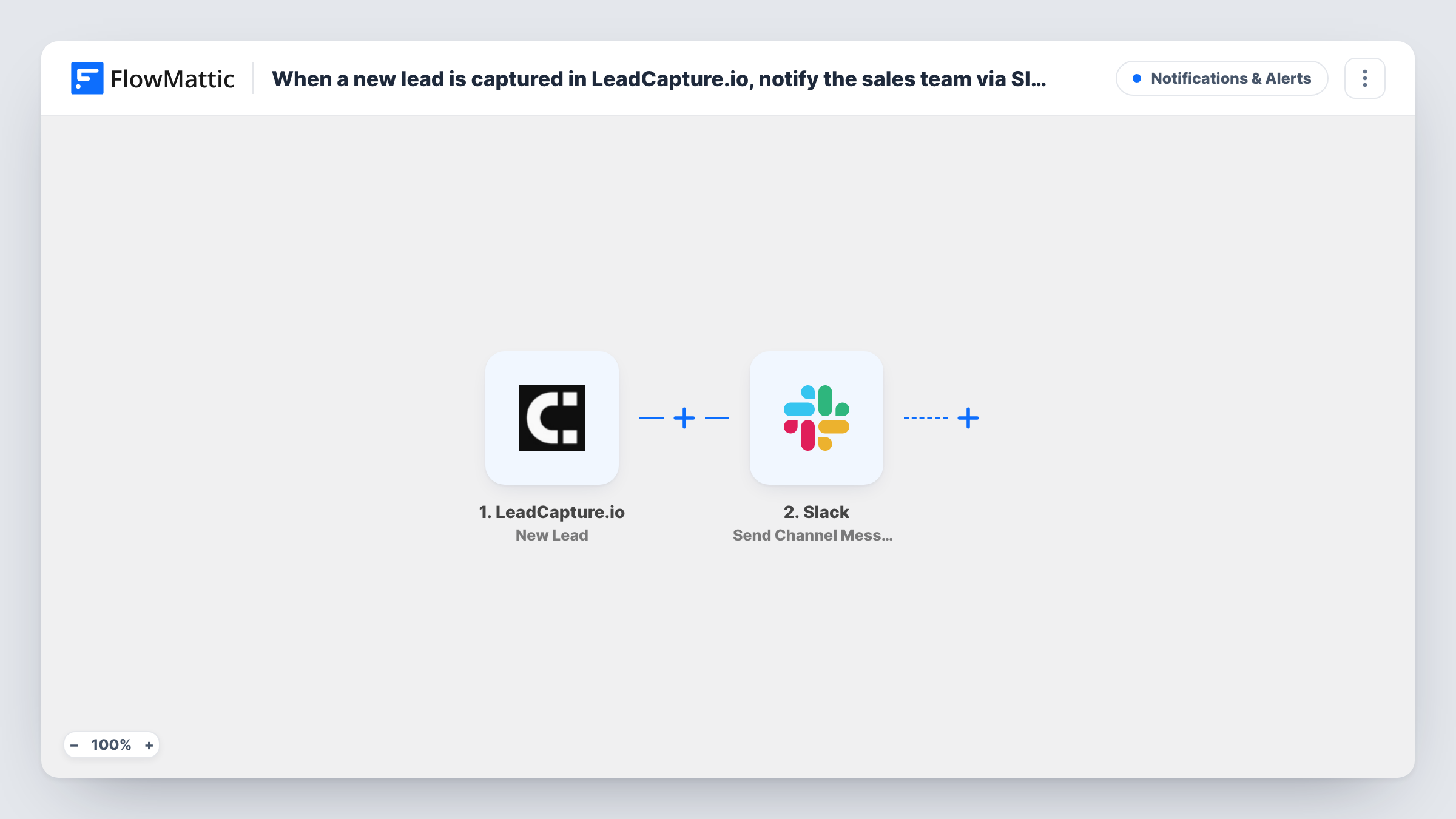
FlowMattic's LeadCapture.io trigger starts a run each time a fresh lead reaches your LeadCapture.io account. FlowMattic takes the lead's details and sends them to Slack with Send Channel Message, which posts in the public channel you pick. You write the message text and drop in lead values such as the name, email or the page they came from.
Every new lead produces a post, with no filtering. The lead itself stays in LeadCapture.io; Slack only gets the message. If an alert never shows up, open Task History to see what Slack said for that lead.
Shared #new-leads channel
Every lead from a LeadCapture.io form posts in #new-leads, and a rep replies in the thread to claim it so nobody calls the same person twice.
Campaign launch watch
During a launch week the marketing team watches the channel to see leads arriving from the new LeadCapture.io form in real time.
Small agency without a CRM
The founder gets each lead in Slack on their phone and replies to the prospect by email straight from the details in the post.
How this workflow runs
What happens at each step once the workflow is on, and what you need before you import it.
 LeadCapture.io New Lead
Starts a run for each lead LeadCapture.io adds to your account. The lead's captured details are handed to the Slack step for the message.
- Slack Send Channel Message
Posts a LeadCapture.io lead summary to the Slack channel set in this step. Write the text and insert lead values from the trigger, such as name and email, so the team sees who it is at a glance.
What you need
- FlowMatticCore
- LeadCapture.io AccountAccount
- Slack AccountAccount
After importing, map your own data. To keep the template universal, not every step is pre-filled. Open each step in the builder and connect your accounts and fields (channels, lists, sheets, recipients) before you switch the workflow on.
Make it yours
Changes worth making after you import it.
- Is your sales channel private? Then replace this step with Slack's Send Private Channel Message. To alert one rep only, use Send Direct Message instead.
- Add a Filter after the trigger if only some leads deserve an alert, for example leads whose email does not end in a free mail domain.
- Put a link to the lead in LeadCapture.io or your CRM into the message text, if the trigger provides an ID or URL, so reps can open the record in one click.
Questions about this workflow
Can this post to a private Slack channel?
Not with this action. Swap it for Send Private Channel Message, a separate Slack action in FlowMattic. Send Channel Message, as imported, is for a regular channel you pick.
Which LeadCapture.io details can go into the Slack message?
Whatever the New Lead trigger carries. Capture a test lead after import and look at the data FlowMattic received to see what you can insert.
Does the lead get saved anywhere besides Slack?
No. The template only sends the Slack message. Add a step such as Google Sheets or a CRM action after it if you also want a record.
More Notifications & Alerts workflows
Other ready-to-import templates from the same category.





Import this workflow into your WordPress site
Download the JSON, import it from the Workflows screen and connect your accounts. Every run stays on your server, with no per-task fees.
30-day money-back guarantee Unlimited workflows and runs Self-hosted