

Send a Slack notification when a new SurveyCTO form submission arrives
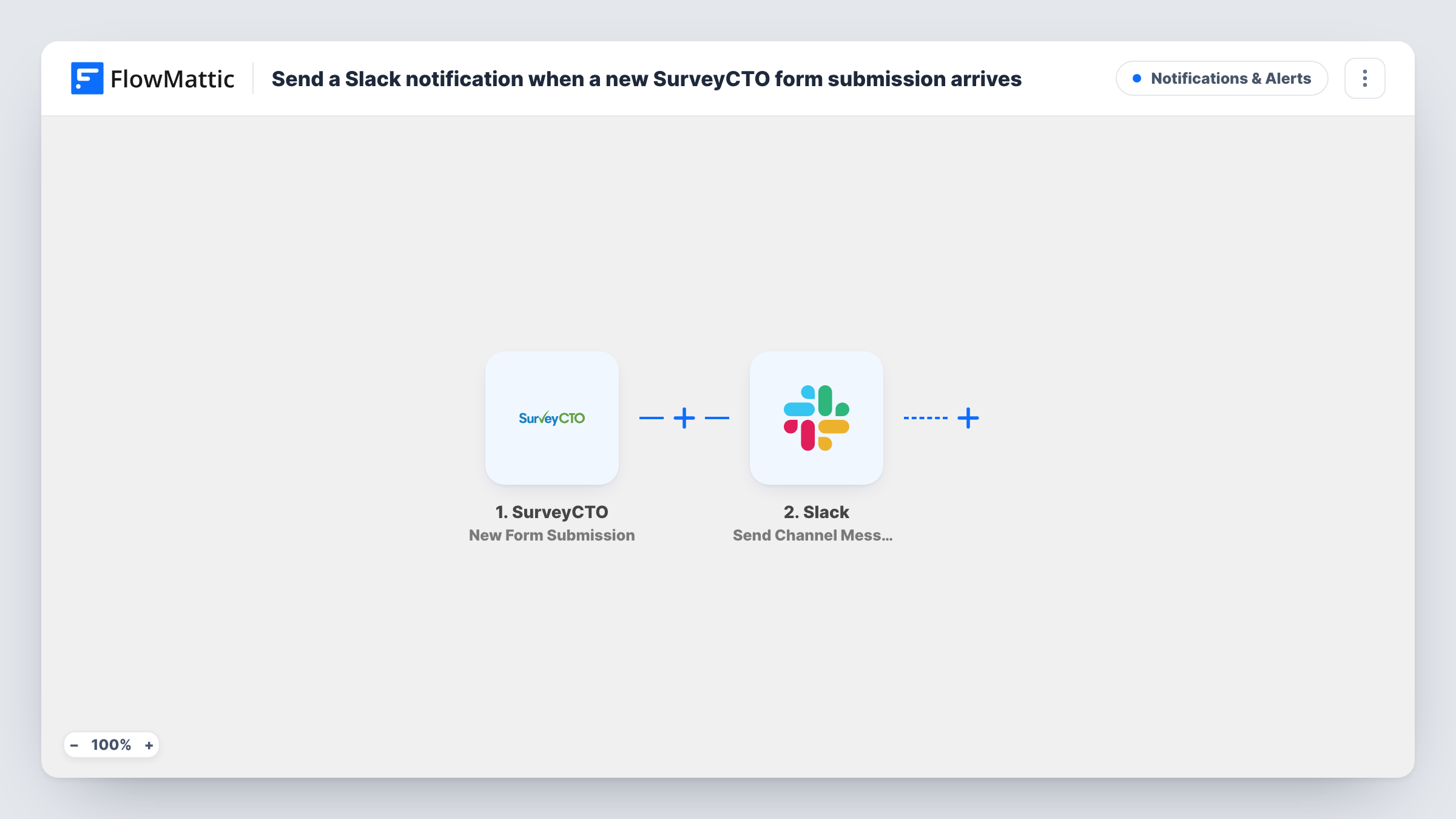
When a new SurveyCTO form submission comes in, FlowMattic posts a message to the Slack channel you choose, so your field team and coordinators hear about fresh data without logging in to check.
 SurveyCTO
 Slack
2 steps Setup ~5 min Used on 2.4k sites Free to import
What this workflow does
Field surveys arrive whenever enumerators sync, which can be early morning or late at night. Coordinators who want to review data quickly end up refreshing the SurveyCTO server through the day. A channel message for every submission lets the team know new data has landed.
The SurveyCTO trigger fires for each new form submission. The submission data it receives is ready to drop into a message. The Slack step then posts to the channel you pick, and you write the text yourself, adding values from the submission such as the form name, a region or an enumerator ID where SurveyCTO provides them.
Every submission produces one message, so a busy survey day means a busy channel. Point it at a dedicated channel if that would bury other conversations. The data stays on your SurveyCTO server; Slack only shows the parts you place in the message. Each run is listed in Task History with what was sent.
Monitoring a household survey in progress
The project lead watches a Slack channel during data collection and sees each SurveyCTO submission arrive, region by region, without opening the server console.
Spot-checking enumerator work
A supervisor sees which enumerator sent each submission in the message and picks a few to review in SurveyCTO the same day.
Keeping remote partners informed
Partners invited to a shared Slack channel follow survey activity there, while access to the raw SurveyCTO data stays limited to your team.
How this workflow runs
What happens at each step once the workflow is on, and what you need before you import it.
 SurveyCTO New Form Submission
Fires when SurveyCTO receives a new form submission. The submitted data comes through with the event, so you can add any of it to the Slack message.
- Slack Send Channel Message
Sends a survey alert into whichever Slack channel you select. Connect your Slack workspace, pick the channel, and write the message with values mapped from the SurveyCTO submission.
What you need
- FlowMatticCore
- SurveyCTO AccountAccount
- Slack AccountAccount
After importing, map your own data. To keep the template universal, not every step is pre-filled. Open each step in the builder and connect your accounts and fields (channels, lists, sheets, recipients) before you switch the workflow on.
Make it yours
Changes worth making after you import it.
- Add a Filter between the steps so only certain submissions reach Slack, for example ones from a particular district or with a flagged answer.
- Swap the single Slack step for a Router with one route per region, each posting to that region's channel, as long as the region values can't overlap.
- Submit one test form after import so the trigger captures real field names, then build the Slack message from them.
Questions about this workflow
Will Slack receive the whole SurveyCTO submission?
Only what you put in the message. You choose which submitted values appear, so sensitive answers can stay out of Slack entirely.
Can the SurveyCTO alerts go to a private Slack channel?
Usually yes, as long as the connected Slack account can post in that channel. Send a test submission to confirm the message appears where you expect.
What if my team collects hundreds of SurveyCTO forms a day?
Each one posts a message, as imported. Add a Filter to narrow it down, or send the alerts to a channel set aside for survey traffic.
Are submissions collected before the import announced in Slack?
No. Only new SurveyCTO submissions that arrive after the workflow is turned on produce a message.
More Notifications & Alerts workflows
Other ready-to-import templates from the same category.



Import this workflow into your WordPress site
Download the JSON, import it from the Workflows screen and connect your accounts. Every run stays on your server, with no per-task fees.
30-day money-back guarantee Unlimited workflows and runs Self-hosted