

Send a Telegram notification when a Pine Labs subscription is charged
Each successful charge on a Pine Labs subscription sends a text message to your Telegram chat, so you see recurring payments arrive on your phone without logging in to the payment dashboard.
 Pine Labs
 Telegram
2 steps Setup ~5 min Used on 3.3k sites Free to import
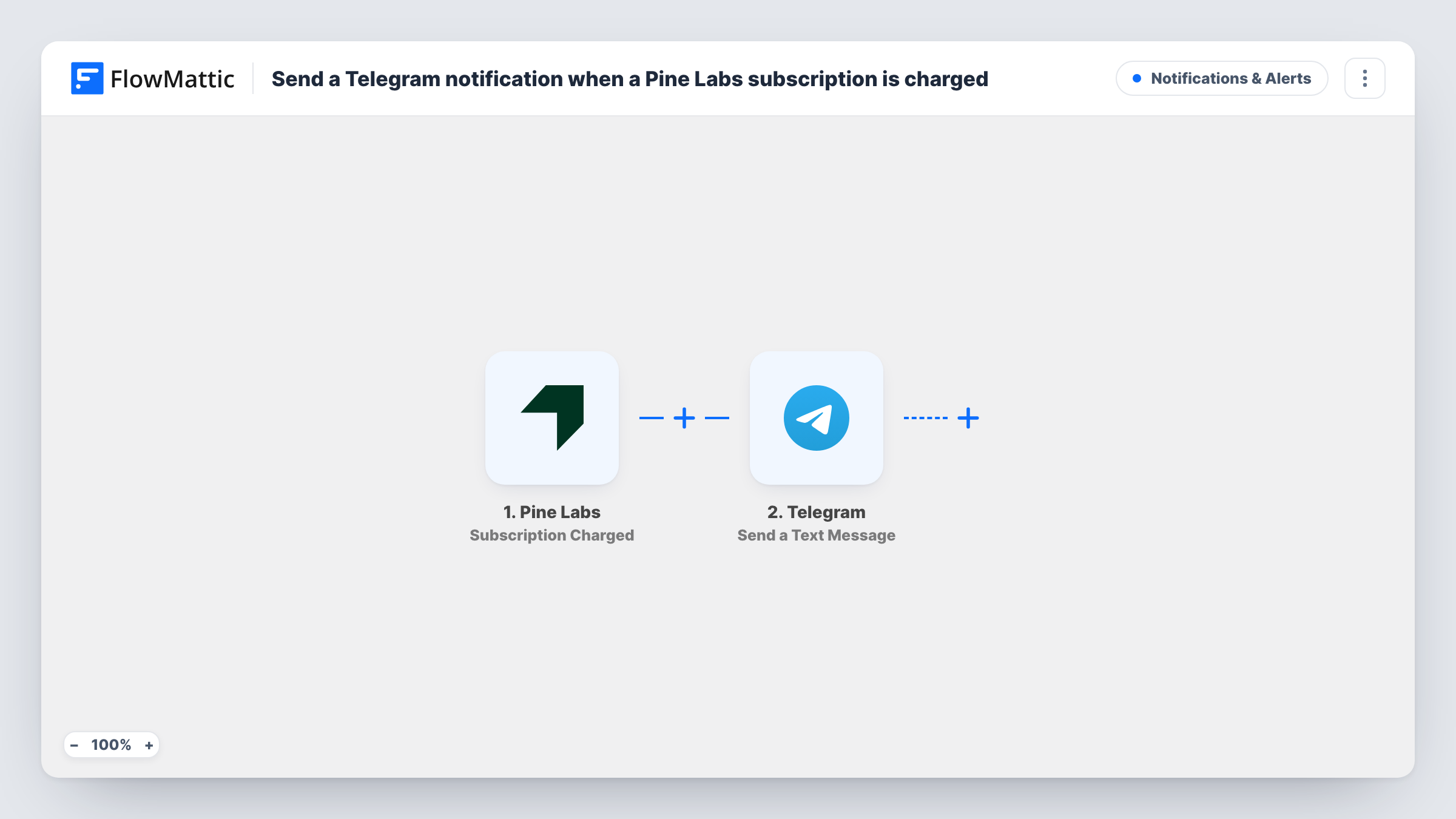
What this workflow does
Recurring billing runs in the background, which is the point, but it also means you rarely see it happen. If you like knowing when a subscriber's renewal goes through, a Telegram message is a light way to follow along. This workflow sends one each time a subscription charge succeeds.
The Pine Labs trigger, Subscription Charged, fires when a successful charge is made on a subscription. FlowMattic receives the charge details and passes them on. The Telegram step sends a text message through your bot to the chat you set. You write the text and insert values from the charge, such as the amount or the subscription reference.
The message is the only thing that happens. Nothing is recorded elsewhere, and failed charges don't send anything, because they aren't part of this trigger. Your bot has to be able to post in the target chat, so add it to the group or start a conversation with it first. Task History shows each charge that produced a message.
Founder keeping an eye on renewals
A founder of a small subscription service gets a Telegram message each time a Pine Labs renewal clears, and sees the month's recurring income build up in the chat.
Team group for a membership business
The bot posts each successful subscription charge in a Telegram group the team shares, so everyone sees renewals without dashboard access.
Spotting when charges stop arriving
If renewals normally appear in the chat every day and then go quiet, you know to check Pine Labs for failed or paused subscriptions.
How this workflow runs
What happens at each step once the workflow is on, and what you need before you import it.
 Pine Labs Subscription Charged
Fires when Pine Labs makes a successful charge on a subscription. The charge details are passed to the Telegram step for use in the message.
- Telegram Send a Text Message
Sends a text message from your Telegram bot to the chat you set. Write the wording and insert charge values, then connect your bot on import.
What you need
- FlowMatticCore
- Pine Labs AccountAccount
- Telegram AccountAccount
After importing, map your own data. To keep the template universal, not every step is pre-filled. Open each step in the builder and connect your accounts and fields (channels, lists, sheets, recipients) before you switch the workflow on.
Make it yours
Changes worth making after you import it.
- Add a second copy of the workflow with Pine Labs' Subscription Cancelled trigger, so cancellations reach the same Telegram chat as charges.
- Include the amount and the subscription reference in the message text, so you can look up the subscription in Pine Labs straight from the chat.
- Run a test charge or wait for the first real one, then check the Telegram step's mapping in FlowMattic with the captured data before relying on it.
Questions about this workflow
Does this send a Telegram message for failed subscription charges?
No. Subscription Charged fires only on successful charges. For problems, Pine Labs also has triggers such as Payment Failed and Subscription Halted, which you can use in a second workflow that posts to the same chat.
Can the Telegram notification go to a group?
Yes, if your bot is a member of that group and you set the group as the chat in the Telegram step. A test message after import confirms it can post there.
Will customers see these Pine Labs alerts?
No. The message goes only to the Telegram chat you configure, which is usually you or your team. Customers are not contacted by this workflow.
More Notifications & Alerts workflows
Other ready-to-import templates from the same category.


Import this workflow into your WordPress site
Download the JSON, import it from the Workflows screen and connect your accounts. Every run stays on your server, with no per-task fees.
30-day money-back guarantee Unlimited workflows and runs Self-hosted