

When someone subscribes to PETE’s newsletter, notify the team in Slack
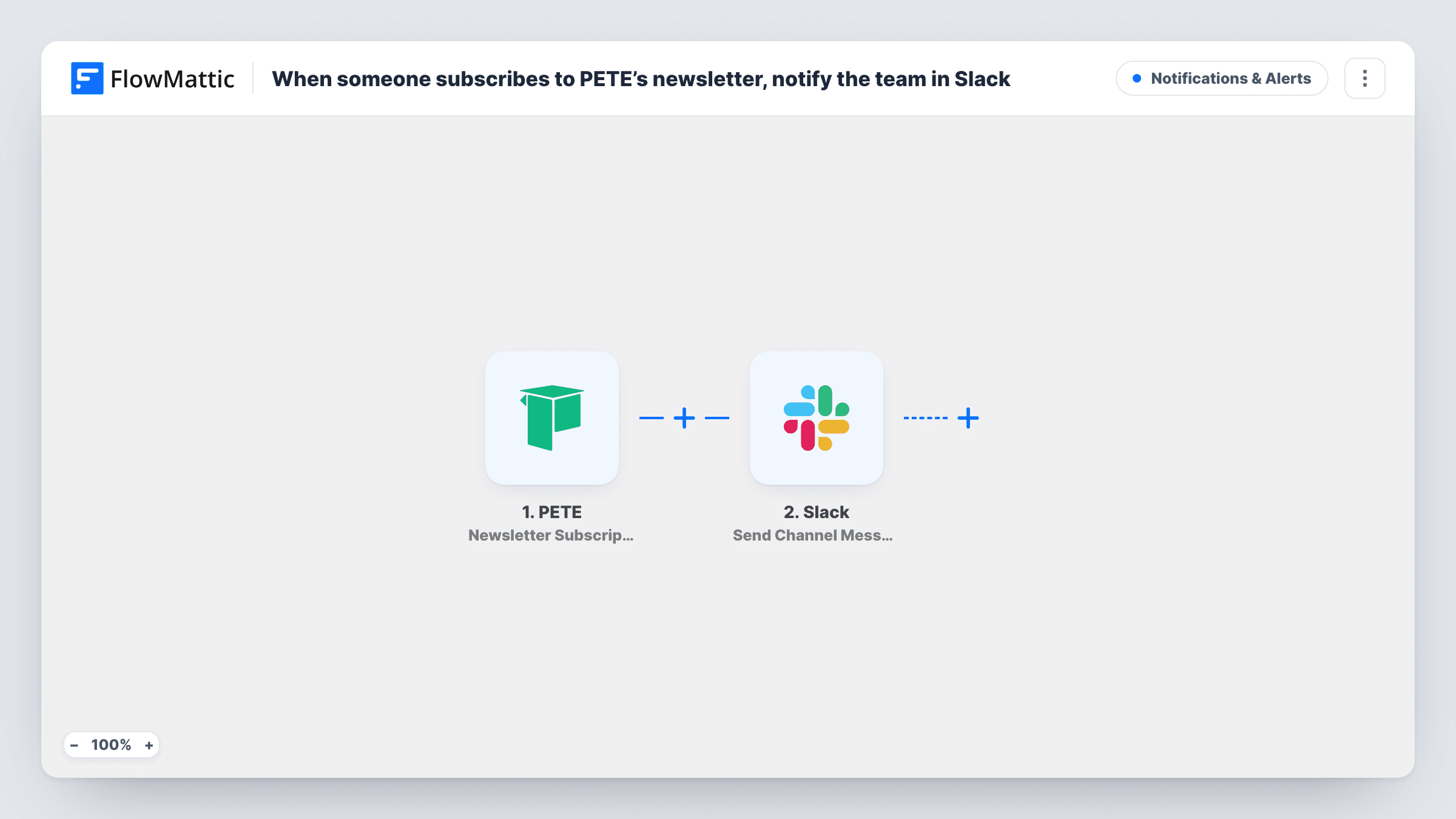
When someone signs up for your PETE newsletter and confirms their email, this workflow posts a message to a Slack channel, so your team sees each new confirmed subscriber as it happens.
 PETE
PETE
 Slack
Slack2 steps Setup ~5 min Used on 598 sites Free to import
What this workflow does
Newsletter growth is easy to lose track of when the numbers sit inside your course platform. A quick note in Slack for each sign-up helps a small team notice which launches, webinars or posts bring people in. This workflow sends that note whenever PETE records a confirmed subscription.
The PETE Newsletter Subscription trigger fires when someone submits your newsletter form and confirms their email by clicking the link in the mail PETE sends. Sign-ups that never confirm don't start a run. FlowMattic passes the subscriber's details to Slack, where Send Channel Message posts to the channel you choose with the details you map in.
Every confirmed subscription produces one message, because the template has no Filter. If your list grows quickly, consider a quieter channel so sign-up alerts don't bury other conversations. Task History logs each run if you need to see what was posted.
Course creator watching a launch
During a launch week, each confirmed PETE newsletter sign-up appears in a launch channel, so you can see interest building in real time.
Coach checking which content works
When a webinar or blog post goes out, the team watches the Slack channel to see whether new confirmed subscribers follow.
Small team celebrating growth
A dedicated sign-ups channel gives everyone a light view of list growth without anyone logging in to PETE to check.
How this workflow runs
What happens at each step once the workflow is on, and what you need before you import it.
 PETE Newsletter Subscription
Runs when someone submits your PETE newsletter form and confirms their email through the link PETE emails them. Their subscription details are passed on to Slack.
- Slack Send Channel Message
Sends a message to the Slack channel you pick for each confirmed subscriber. Write the text and map in PETE details, such as the subscriber's name or email, if your team should see them.
What you need
- FlowMatticCore
- PETE AccountAccount
- Slack AccountAccount
After importing, map your own data. To keep the template universal, not every step is pre-filled. Open each step in the builder and connect your accounts and fields (channels, lists, sheets, recipients) before you switch the workflow on.
Make it yours
Changes worth making after you import it.
- Sign up with a test address after import and confirm it, so FlowMattic captures the PETE subscriber data before you write the Slack message.
- If the alert should go to a private channel, use Slack's Send Private Channel Message action, which is separate from Send Channel Message.
- Add a Google Sheets Add New Row step after Slack to keep a dated list of confirmed PETE subscribers alongside the alerts.
Questions about this workflow
Does the Slack message go out before the PETE subscriber confirms?
No. The trigger fires only after the person clicks the confirmation link in PETE's email, so unconfirmed sign-ups never reach Slack.
Can the Slack message show the new PETE subscriber's email?
Yes, if PETE includes it with the subscription and you map it into the message. Leave it out if the channel is open to people who shouldn't see subscriber details.
Will course enrolments in PETE post to Slack too?
Not with this template. PETE has a separate Course Enrollment trigger in FlowMattic that you could use in a second workflow.
More Notifications & Alerts workflows
Other ready-to-import templates from the same category.





Import this workflow into your WordPress site
Download the JSON, import it from the Workflows screen and connect your accounts. Every run stays on your server, with no per-task fees.
30-day money-back guarantee Unlimited workflows and runs Self-hosted