

Send HARO Query Alerts via Webhooks to Your Preferred Platform
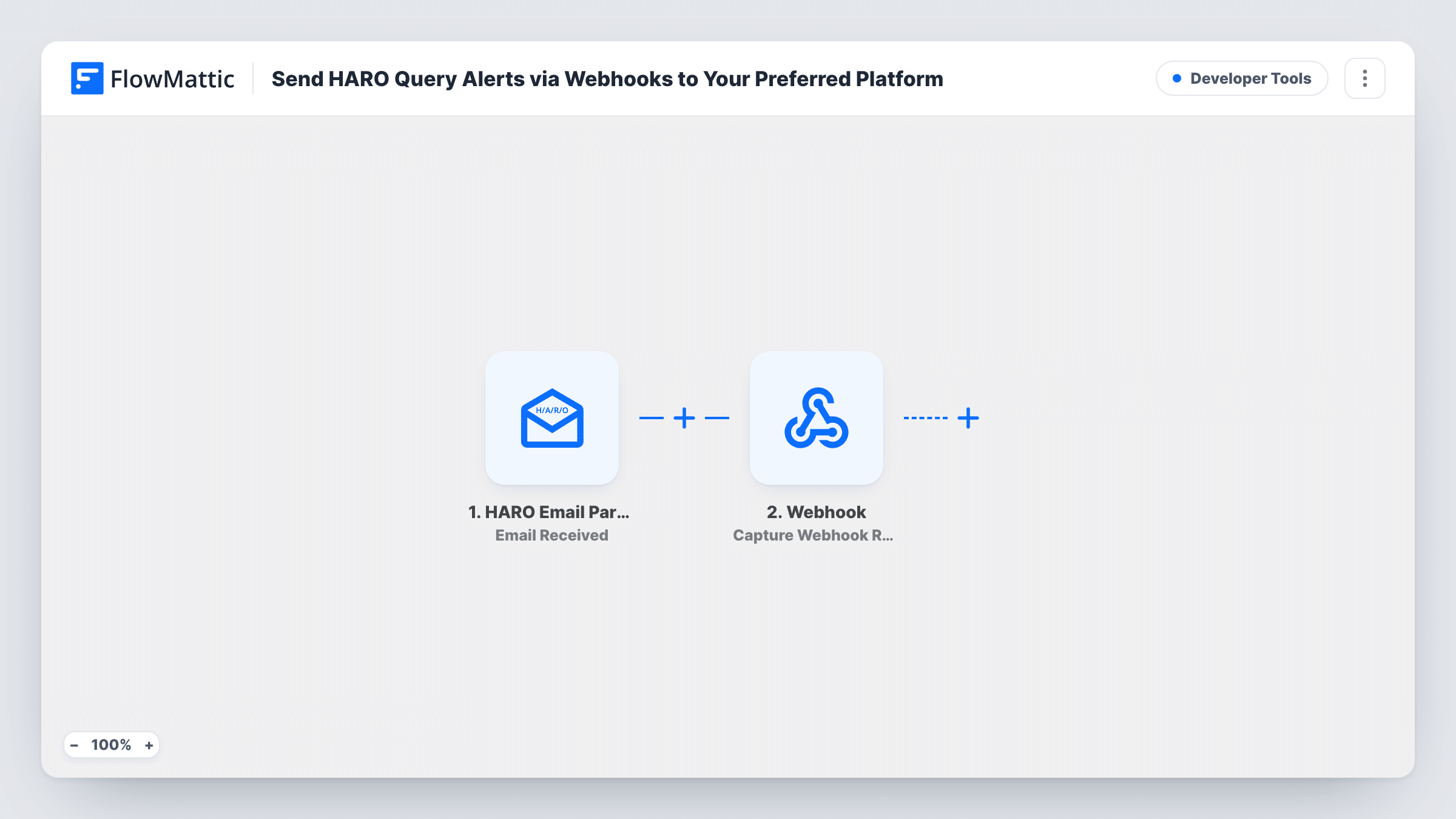
Forward your HARO query emails to FlowMattic’s HARO Email Parser and each parsed email is posted as JSON to a webhook URL you choose, so your own tool, chat or database receives the journalist requests.
 HARO Email Parser
 Webhook Outgoing
2 steps Setup ~5 min Used on 1.3k sites Free to import
What this workflow does
HARO (Help A Reporter Out) sends journalist requests by email, and the useful bits are buried in long digests. If you track media opportunities in your own system, copying them out by hand takes time you'd rather spend pitching. This workflow hands the parsed queries to any platform that accepts a webhook.
The HARO Email Parser trigger gives this workflow its own email address. When an email arrives at that address, the trigger starts a run and the parser pulls out the query information from the message. You forward your HARO emails to the address, for example with a forwarding rule in your inbox. The parser needs a valid FlowMattic license key to show its address.
The Webhook Outgoing Submit Data to Webhook step then sends the data with a JSON POST request. It ships without a URL or mapping: paste in the receiving webhook address and map the parsed values you want, such as the query title, the outlet or the deadline, if the parser returns them.
Each email that reaches the parser address produces one webhook request. Forward a real HARO email first and look in Task History to see how the parsed fields arrive, then map them to match what your receiving platform expects.
Media requests in a team chat
A PR agency posts each parsed HARO email to its chat tool's incoming webhook, so account managers see new journalist requests where they already talk.
Pitch tracker in a custom database
A founder sends HARO queries to a small internal app through its webhook endpoint and marks which ones they've pitched.
Feeding another automation service
A marketer passes the parsed requests to another automation tool's webhook URL, where existing processes sort them by topic.
How this workflow runs
What happens at each step once the workflow is on, and what you need before you import it.
 HARO Email Parser Email Received
Starts a run whenever an email arrives at this workflow's HARO Email Parser address. The parser extracts the HARO query information from the message and passes it on.
- Webhook Outgoing Submit Data to Webhook
Posts the parsed data as JSON to the webhook URL you enter. The template leaves the URL and data empty, so add the receiving address and map the parser's values that the other platform needs.
What you need
- FlowMatticCore
After importing, map your own data. To keep the template universal, not every step is pre-filled. Open each step in the builder and connect your accounts and fields (channels, lists, sheets, recipients) before you switch the workflow on.
Make it yours
Changes worth making after you import it.
- Set up an automatic forwarding rule in the inbox that receives HARO emails, so every digest reaches the parser address without you forwarding it by hand.
- If you only want queries on certain topics, put a Filter between the HARO Email Parser trigger and the webhook step on a parsed field, such as a category or title, if a test run shows one.
- Forward only HARO emails to the parser address. Other emails sent there start runs too and would be posted to your webhook.
- Include a fixed value such as "HARO" in the webhook data, so a receiver that collects leads from several sources can tell where each one came from.
Questions about this workflow
How do HARO emails reach FlowMattic?
The HARO Email Parser trigger shows an email address unique to this workflow. Forward your HARO emails to it, by hand or with a rule in your email account, and each one starts a run.
What does the webhook receive from the HARO parser?
The values you map in the Submit Data to Webhook step, sent as JSON with a POST request. Nothing is mapped in the template, so check a test run to see the parsed fields and pick the ones you need.
Does each HARO query become a separate webhook request?
One run starts per email received. Forward a real HARO email and check Task History to see how its queries arrive. If they come as a list, an Iterator between the HARO Email Parser trigger and the webhook step can send one request per query.
Do I need a FlowMattic license for the HARO Email Parser?
Yes. The parser's email address only appears when FlowMattic has a valid license key. Without one, the trigger shows a license message instead of an address.
More Developer Tools workflows
Other ready-to-import templates from the same category.





Import this workflow into your WordPress site
Download the JSON, import it from the Workflows screen and connect your accounts. Every run stays on your server, with no per-task fees.
30-day money-back guarantee Unlimited workflows and runs Self-hosted