

Send messages in Telegram when bookings are rescheduled in Trafft
Whenever a Trafft appointment is rescheduled, this workflow sends a Telegram message through your bot, so staff in a chat or group see the change without checking the Trafft dashboard.
 Trafft
 Telegram
2 steps Setup ~5 min Used on 1.7k sites Free to import
What this workflow does
A rescheduled appointment is easy to miss. The customer moves the time, Trafft updates the calendar, and the staff member assigned to it may not notice until the slot comes around. A short message in a Telegram chat your team reads puts the change in front of them.
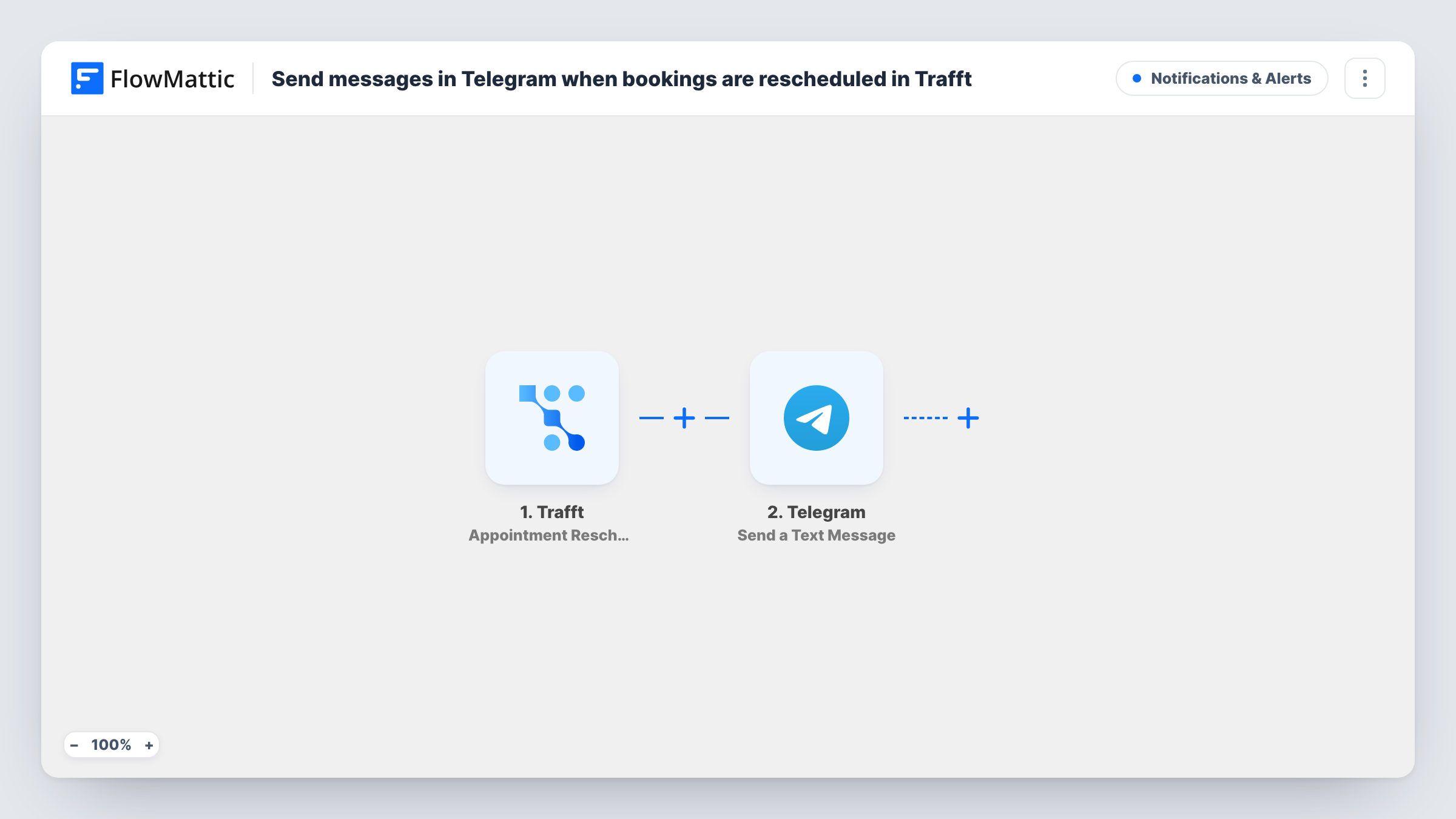
The Trafft trigger is Appointment Rescheduled. It fires when an appointment is moved to another time. FlowMattic passes the appointment's data to Telegram, where Send a Text Message posts text through your bot, with support for markup. You write the message and insert Trafft values such as the service, the customer and the new time.
Telegram bots can only message a chat where the bot has been started or added. That makes this flow a good fit for a staff group or a manager's chat. Trafft does not hold your customers' Telegram chat IDs, so sending to customers needs more setup than this template has. Task History shows each run and Telegram's reply.
Staff group for a barbershop
Barbers share a Telegram group. When a client moves an appointment in Trafft, the group gets a message with the barber, the service and the new slot.
Manager alerts for a clinic
The clinic manager gets each rescheduled appointment in a private chat with the bot and can reassign rooms for the new time.
Freelance coach on the go
A coach running sessions through Trafft gets each moved session on Telegram, which is quicker to read between calls than email.
How this workflow runs
What happens at each step once the workflow is on, and what you need before you import it.
 Trafft Appointment Rescheduled
Runs when an appointment is rescheduled in Trafft. The appointment's data, including details you can map, is passed to the Telegram step.
- Telegram Send a Text Message
Sends a text message through your Telegram bot to the chat you set, with markup if you want it. Write the text and insert values from the rescheduled Trafft appointment.
What you need
- FlowMatticCore
- Trafft AccountAccount
- Telegram AccountAccount
After importing, map your own data. To keep the template universal, not every step is pre-filled. Open each step in the builder and connect your accounts and fields (channels, lists, sheets, recipients) before you switch the workflow on.
Make it yours
Changes worth making after you import it.
- Add the bot to your staff group and send it a message first, so the bot can post there and the group's chat ID can be found.
- Put the new date and time in bold with Telegram markup, so the change is the first thing people notice in the message.
- Want cancellations covered as well? Build a second workflow from Trafft's Appointment Canceled trigger and send its message to the same group.
Questions about this workflow
Can this message my Trafft customers on Telegram?
Not as imported. A bot can only message people who have started it, and Trafft does not give you their Telegram chat IDs. Use it for staff chats, or send customers an email instead.
Does the Telegram message show the old appointment time?
Only if Trafft includes it in the rescheduled appointment's data. Run a test reschedule after import and check which time values appear before writing the message.
Do I need a Telegram bot for the Trafft alerts?
Yes. The Send a Text Message action posts through a bot you connect in FlowMattic, so create one first and add it to the chat that should receive the alerts.
Does a new Trafft booking send a Telegram message too?
No. The trigger is Appointment Rescheduled, so only moved appointments run the workflow.
More Notifications & Alerts workflows
Other ready-to-import templates from the same category.




Import this workflow into your WordPress site
Download the JSON, import it from the Workflows screen and connect your accounts. Every run stays on your server, with no per-task fees.
30-day money-back guarantee Unlimited workflows and runs Self-hosted