

Tag a FluentCRM contact when an Attentive subscriber unsubscribes from SMS
When a subscriber opts out of SMS in Attentive, this workflow adds the tags you choose to their existing FluentCRM contact, so your WordPress CRM shows who no longer wants text messages.
 Attentive
 FluentCRM
2 steps Setup ~5 min Used on 905 sites Free to import
What this workflow does
An SMS opt-out in Attentive stays in Attentive. If you also run campaigns or segments from FluentCRM, that list has no idea the person asked to stop receiving texts. This workflow marks the person in FluentCRM with a tag the moment they opt out, so you can build segments around it.
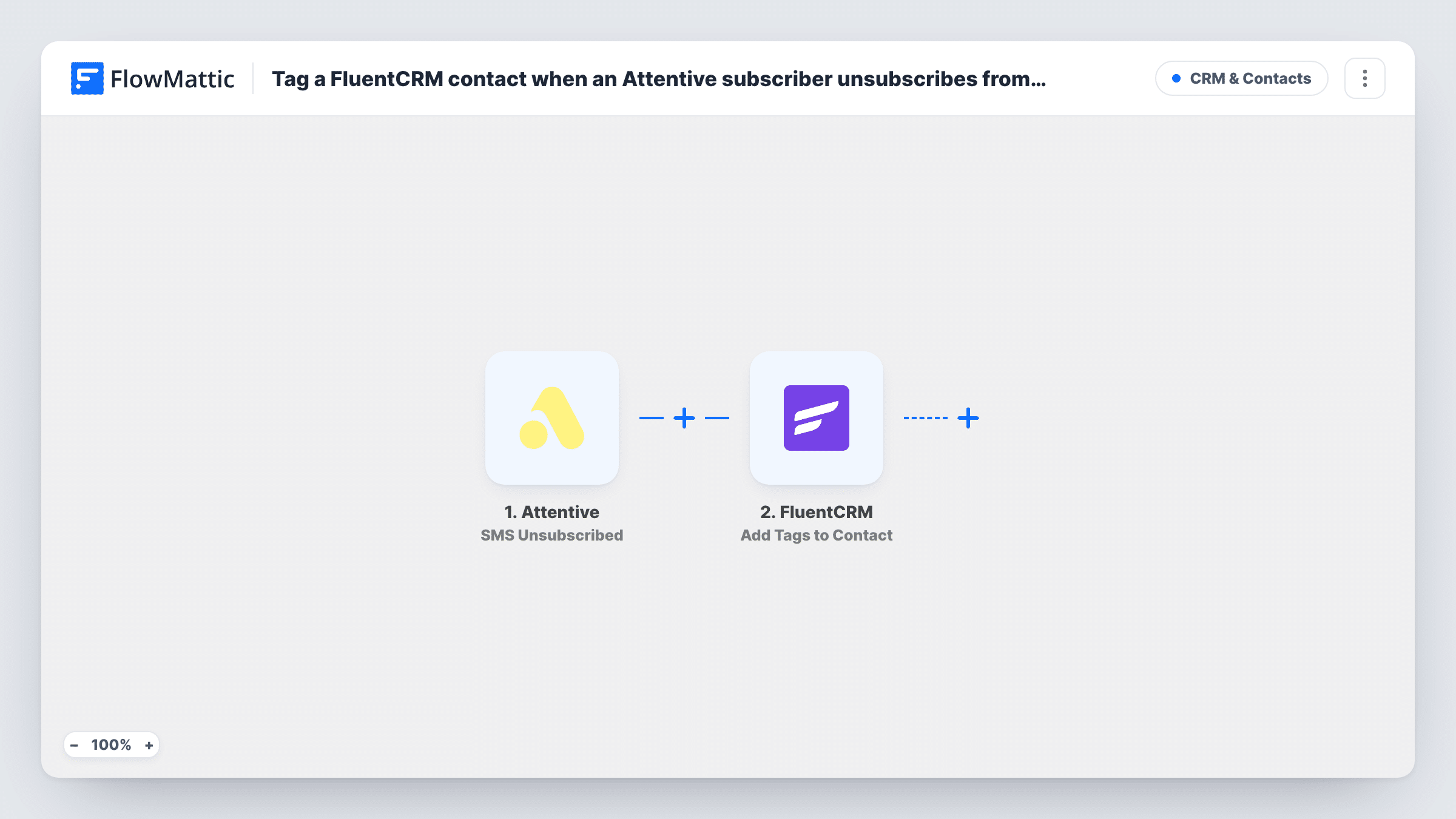
The Attentive trigger, SMS Unsubscribed, fires when a user opts out of SMS. FlowMattic passes the subscriber data from that event to FluentCRM, where Add Tags to Contact puts one or more tags on an existing contact. You pick the tags, for example SMS opt-out, and map the subscriber details that identify the contact.
The action works on contacts that are already in FluentCRM. It does not create one, so an Attentive subscriber with no matching contact gets no tag, and Task History shows the error for that run. Run a test opt-out with a number tied to a known contact and confirm the tag lands before you rely on it.
Segment out texters who opted out
You promote offers by email in FluentCRM and by SMS in Attentive. The opt-out tag lets you build a FluentCRM segment of customers to reach only by email from now on.
Keep support aware of SMS preferences
Your team checks FluentCRM before contacting a customer. The tag on the contact shows at a glance that the person stopped SMS in Attentive.
Trigger a FluentCRM follow-up
A FluentCRM automation that starts when the opt-out tag is applied can send one email asking which channel the customer prefers.
How this workflow runs
What happens at each step once the workflow is on, and what you need before you import it.
 Attentive SMS Unsubscribed
Fires when a user opts out of SMS in Attentive. The subscriber details in the event are passed on so the FluentCRM step can find the matching contact.
- FluentCRM Add Tags to Contact
Adds the tags you choose to a contact that already exists in FluentCRM. Map the subscriber details that identify the contact, and check with a test run that the right contact is tagged.
What you need
- FlowMatticCore
- Attentive AccountAccount
- FluentCRM PluginPlugin
After importing, map your own data. To keep the template universal, not every step is pre-filled. Open each step in the builder and connect your accounts and fields (channels, lists, sheets, recipients) before you switch the workflow on.
Make it yours
Changes worth making after you import it.
- Opt out from a test phone number linked to a contact you know, then open the Attentive sample in FlowMattic to see which subscriber details the event carries before you map the FluentCRM step.
- If you want people who are missing from FluentCRM added too, put a FluentCRM Create or Update Contact step before the tag step. That only works when the Attentive event includes an email address.
- Use a separate workflow with the Attentive Email Unsubscribed trigger and a different tag if you also want email opt-outs reflected in FluentCRM.
Questions about this workflow
Does this unsubscribe the person from FluentCRM emails?
No. It only adds tags. The contact's FluentCRM subscription status stays as it was, so build your segments or automations around the tag if you want to act on it.
What happens if the Attentive subscriber is not a FluentCRM contact?
Add Tags to Contact needs an existing contact, so nothing is tagged for that person. The run is recorded in Task History with the response from FluentCRM.
Are people who opted out of Attentive SMS in the past tagged?
No. Only opt-outs that happen after you turn the workflow on start a run. Earlier ones would need tagging by hand in FluentCRM.
Can I remove the tag if the person subscribes to Attentive SMS again?
You can build that as its own workflow: the Attentive SMS Subscribed trigger feeding FluentCRM's Remove Tags From Contact action, set to the same tag.
More CRM & Contacts workflows
Other ready-to-import templates from the same category.





Import this workflow into your WordPress site
Download the JSON, import it from the Workflows screen and connect your accounts. Every run stays on your server, with no per-task fees.
30-day money-back guarantee Unlimited workflows and runs Self-hosted