

Create a HubSpot CRM deal when a Foxit eSign document is completed
When every required party has signed a Foxit eSign document, FlowMattic creates a deal in HubSpot CRM, so signed agreements appear in your sales pipeline without anyone entering them.
 Foxit eSign
 HubSpot CRM
2 steps Setup ~5 min Used on 3.5k sites Free to import
What this workflow does
A signed contract is often the moment a deal becomes real, yet the signing tool and the CRM rarely talk. Sales reps end up adding the deal in HubSpot after checking their Foxit eSign inbox, or forget to. This workflow creates the deal as soon as the paperwork is fully signed.
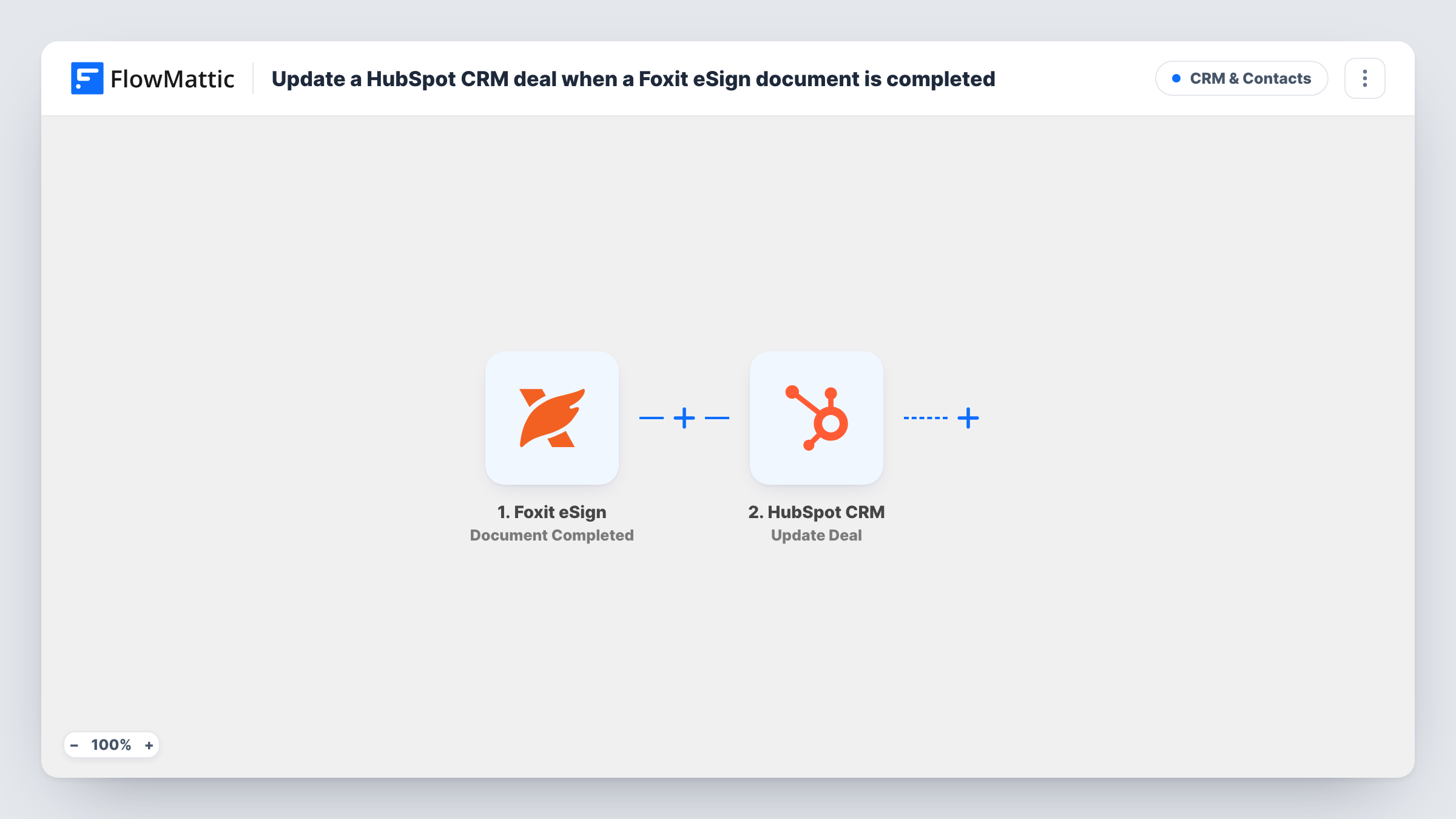
The Foxit eSign trigger, Document Completed, fires whenever a document or folder is signed by all required parties. Partly signed documents don't start it. FlowMattic receives the completed document's details, such as its name and the parties who signed; a test signing shows the exact fields.
The HubSpot CRM step creates a deal. It ships unmapped, so after import you connect HubSpot and map the document name or client into the deal name, then fill in whatever other deal details the step offers. Run a test to confirm the deal lands where you expect in your pipeline.
Every completed document creates a new deal, whatever kind of document it was. If you also send NDAs, consent forms or internal paperwork through Foxit eSign, those would become deals too, so see the Filter tip. Complete a test document and check Task History for the deal HubSpot returned.
Signed proposals become pipeline deals
A web agency sends proposals through Foxit eSign, and each one the client signs lands in HubSpot as a deal for the project manager to pick up.
Service agreements tracked in the CRM
A maintenance company's signed service agreements create HubSpot deals, so renewal dates and values can be tracked in one pipeline.
Reporting on signed contracts
A sales leader counts deals created from signed Foxit eSign documents each month in HubSpot reports, without asking reps to log them.
How this workflow runs
What happens at each step once the workflow is on, and what you need before you import it.
 Foxit eSign Document Completed
Starts the workflow once all required parties have signed a Foxit eSign document or folder. The completed document's details are passed to the HubSpot step.
- HubSpot CRM Create Deal
Adds the signed agreement to HubSpot CRM as a deal. Map the deal name from the Foxit document after import, plus any other deal details the step lets you set.
What you need
- FlowMatticCore
- Foxit eSign AccountAccount
- HubSpot CRM AccountAccount
After importing, map your own data. To keep the template universal, not every step is pre-filled. Open each step in the builder and connect your accounts and fields (channels, lists, sheets, recipients) before you switch the workflow on.
Make it yours
Changes worth making after you import it.
- If you sign other paperwork in Foxit eSign too, put a Filter between the Document Completed trigger and the Create Deal step that checks the document name for your contract or proposal wording.
- Name your Foxit eSign documents with the client and project, so the deal name mapped from the document is readable in HubSpot.
- After the first test, open the new deal in HubSpot and check its pipeline and stage. If the step lets you set them, pick a stage that means signed.
Questions about this workflow
Does the HubSpot deal get created before everyone signs the Foxit document?
No. Document Completed fires only when all required parties have signed, so partial signatures don't create a deal.
Will the deal be linked to a HubSpot contact or company?
Not by this template, which only creates the deal from the fields you map. Check the Create Deal step after import to see what it lets you set, and test with one document.
What if a deal for this client already exists in HubSpot?
Create Deal makes a new deal every time and doesn't look for an existing one. If reps already create deals earlier in the sales process, this template would add a second one.
More CRM & Contacts workflows
Other ready-to-import templates from the same category.






Import this workflow into your WordPress site
Download the JSON, import it from the Workflows screen and connect your accounts. Every run stays on your server, with no per-task fees.
30-day money-back guarantee Unlimited workflows and runs Self-hosted