

When a Formdesk form is submitted, create a Zoho CRM lead and notify the team in Slack
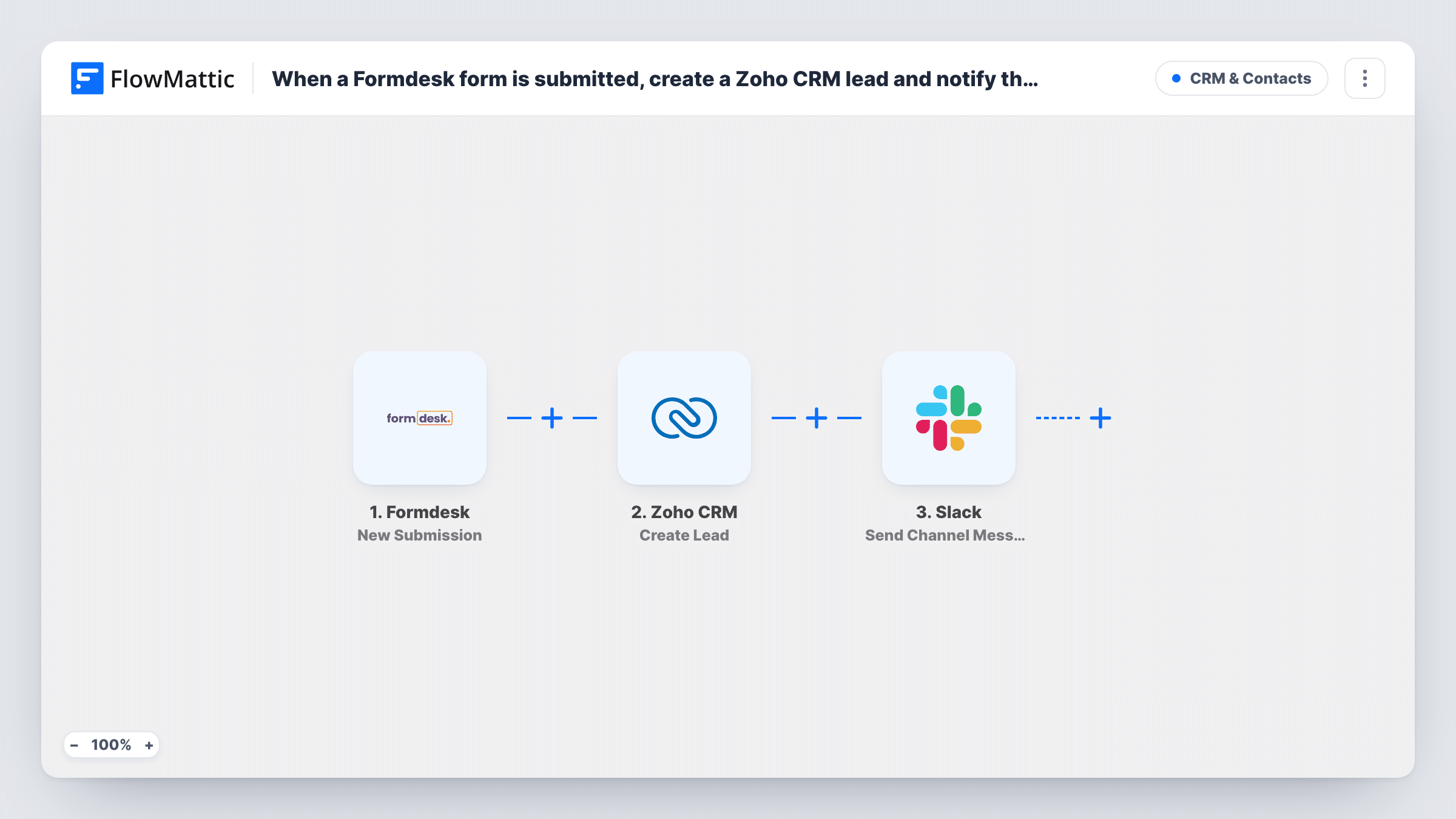
Each Formdesk form submission becomes a new lead in Zoho CRM, then a Slack message tells your team the lead is there to follow up.
 Formdesk
 Zoho CRM
 Slack
Slack3 steps Setup ~5 min Used on 1.5k sites Free to import
What this workflow does
A Formdesk enquiry form is only the start of a sale. Someone has to type the details into Zoho CRM and tell the person who will call back. This workflow does both, in that order, for every entry.
The Formdesk trigger fires on a new form submission. FlowMattic sends the answers to Zoho CRM, where Create Lead adds a new lead from the fields you map, such as name, company and email. A message then goes to a Slack channel, where you can include the form answers and details Zoho CRM returns about the new lead.
Create Lead always adds a lead. A person who fills in the form twice appears twice in Zoho CRM. Task History shows what Zoho CRM and Slack returned for each entry.
Quote and demo requests
Prospects ask for a quote through Formdesk. The lead goes into Zoho CRM and the sales channel hears about it right away.
Trade show sign-up forms
Visitors fill in a Formdesk form on a tablet at your stand, and each one becomes a Zoho CRM lead the team can work after the event.
Partner enquiries
Companies interested in reselling submit a Formdesk form, and the partnerships channel in Slack sees each new Zoho CRM lead.
How this workflow runs
What happens at each step once the workflow is on, and what you need before you import it.
 Formdesk New Submission
Starts when a new Formdesk submission arrives. All the answers are passed on for mapping into Zoho CRM and Slack.
- Zoho CRM Create Lead
Creates a new lead in Zoho CRM from the submission. Connect Zoho CRM and map the form answers to the lead, including any fields your Zoho setup requires.
- Slack Send Channel Message
Posts a message about the new lead in a Slack channel you choose. Write the text and add Formdesk answers or data returned by Zoho CRM.
What you need
- FlowMatticCore
- Formdesk AccountAccount
- Zoho CRM AccountAccount
- Slack AccountAccount
After importing, map your own data. To keep the template universal, not every step is pre-filled. Open each step in the builder and connect your accounts and fields (channels, lists, sheets, recipients) before you switch the workflow on.
Make it yours
Changes worth making after you import it.
- Map the form's source or campaign into the lead if your Zoho CRM tracks where leads come from, so Formdesk leads are easy to report on.
- Add a Filter between the Formdesk trigger and the Zoho CRM step so test or spam entries, such as ones from your own email domain, don't become leads or Slack posts.
- Send the Slack alert to one sales rep with Send Direct Message instead of a channel if a single person handles these leads.
Questions about this workflow
Will a repeat Formdesk submission create a second Zoho CRM lead?
Yes. Create Lead adds a new lead each time, so the same person can appear more than once. Zoho CRM's own duplicate tools can merge them later.
Which Zoho CRM lead fields should the Formdesk answers fill?
Any fields your Zoho setup requires, plus the answers you want to keep, such as name, company and email. The Create Lead step ships unmapped, so map those Formdesk answers after import and check the test lead in Zoho CRM.
Can the Slack message link to the Zoho CRM lead?
Data Zoho CRM returns after creating the lead can be mapped into the message. Run a test to see which fields come back.
More CRM & Contacts workflows
Other ready-to-import templates from the same category.






Import this workflow into your WordPress site
Download the JSON, import it from the Workflows screen and connect your accounts. Every run stays on your server, with no per-task fees.
30-day money-back guarantee Unlimited workflows and runs Self-hosted