

When Factors.ai adds a new company, create a HubSpot CRM record and alert sales on Slack
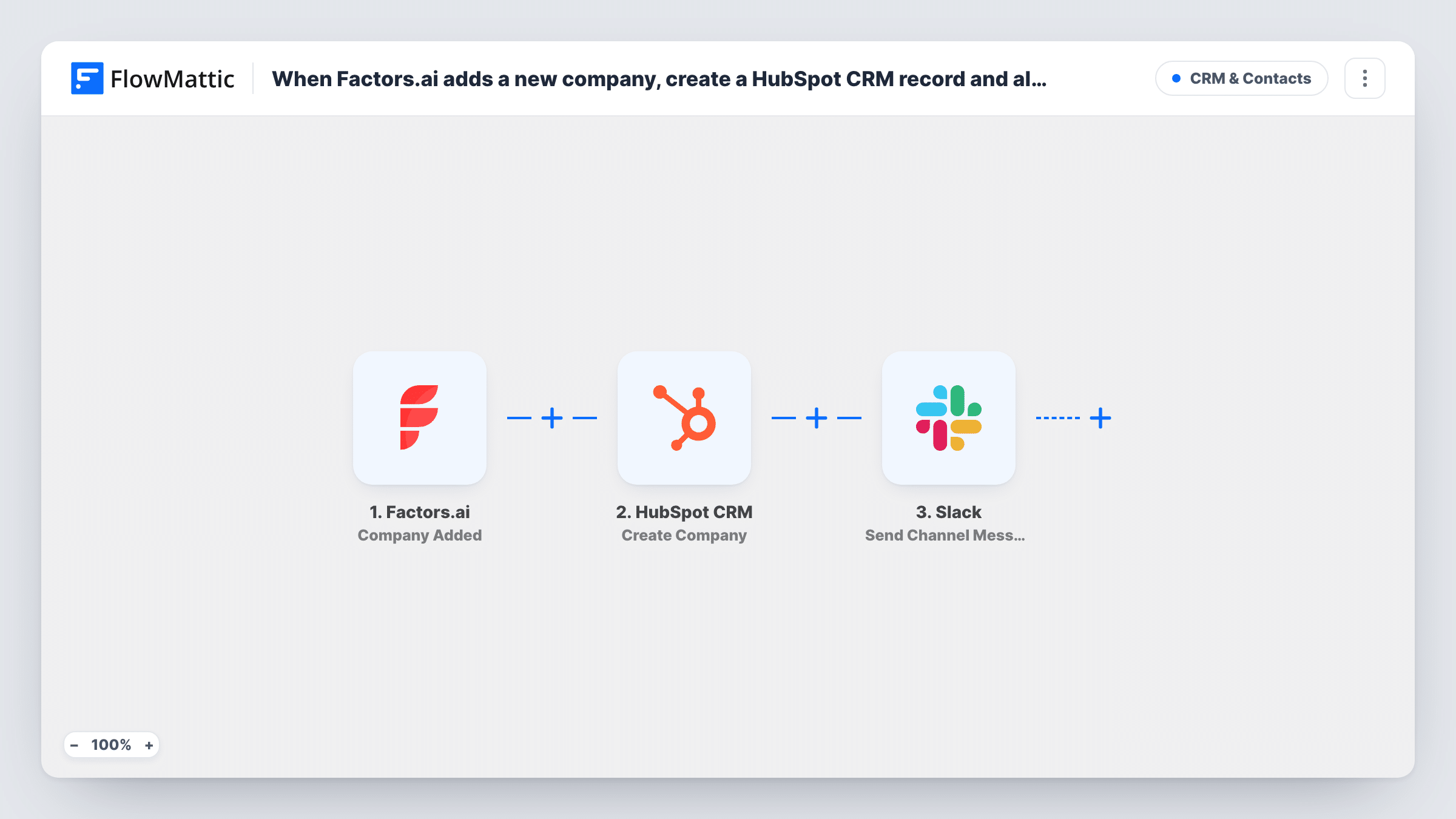
When Factors.ai places a company in one of your segments, this workflow creates a HubSpot CRM company record for it and then posts a Slack message so sales knows the account is there to work.
 Factors.ai
 HubSpot CRM
 Slack
3 steps Setup ~5 min Used on 2.5k sites Free to import
What this workflow does
Spotting a company on your website is only the start. Someone has to put it in the CRM and someone has to follow it up. When those jobs depend on people remembering, accounts slip through. This workflow does both in one run.
It begins with the Factors.ai trigger, which runs when a company is added to a segment. FlowMattic sends the company's details to HubSpot CRM and creates a company record from the fields you map, such as name and domain. Next, a message goes to the Slack channel you pick, built from the Factors.ai data and, if you like, the HubSpot step's response.
The HubSpot action creates companies only and doesn't check for an existing match, so a company already in your CRM can be added again. Task History shows each run and what HubSpot returned, including any error from the Create Company step.
Account-based selling
Your target-account segment in Factors.ai creates each company in HubSpot and tells the account team in Slack, so they can start outreach from the CRM record.
SDR queue for high-intent visitors
A segment of companies that viewed your pricing or demo pages feeds HubSpot, and the SDR channel gets a message to claim each one.
Founder-led sales at a small startup
With no ops team, the founders still get every segment company into HubSpot and see a Slack note about it in their main channel.
How this workflow runs
What happens at each step once the workflow is on, and what you need before you import it.
 Factors.ai Company Added
Runs whenever a company is added to one of your Factors.ai segments. Its details go to both the HubSpot and Slack steps.
- HubSpot CRM Create Company
Adds a company record in HubSpot CRM using the Factors.ai fields you map, such as company name and domain. You link your HubSpot account while importing.
- Slack Send Channel Message
Posts a note to a Slack channel you pick, telling sales the company was added. Insert the company name and other fields, then connect your Slack workspace.
What you need
- FlowMatticCore
- Factors.ai AccountAccount
- HubSpot CRM AccountAccount
- Slack AccountAccount
After importing, map your own data. To keep the template universal, not every step is pre-filled. Open each step in the builder and connect your accounts and fields (channels, lists, sheets, recipients) before you switch the workflow on.
Make it yours
Changes worth making after you import it.
- Add a Filter between the Factors.ai trigger and the HubSpot step on a company field such as industry or employee count. A Filter stops every later step, so only accounts that pass reach HubSpot and the sales channel.
- Map a fixed source value, such as Factors.ai, into a HubSpot company property so these records are easy to report on later.
- Add the HubSpot record ID or link from the HubSpot step's response to the Slack text, if the response includes it, so reps can open the company directly.
Questions about this workflow
Can this workflow create duplicate HubSpot companies?
Yes, it can. Create Company does not search HubSpot first. A company that already exists, or that enters a second segment, may be created again.
Do I have to map the HubSpot company fields after importing?
Yes. The Create Company step ships unmapped, so after import you connect HubSpot and map the Factors.ai values, such as company name and domain, into it. Add a test company to a segment first to see what Factors.ai sends.
Which companies does Factors.ai send to HubSpot and Slack?
Those added to a segment after the workflow is on. Your segment rules in Factors.ai decide which companies those are.
Can I assign the HubSpot company to a sales rep?
Look at the Create Company step after import and run a test. If it exposes an owner property, map a rep there; otherwise assign owners inside HubSpot.
More CRM & Contacts workflows
Other ready-to-import templates from the same category.




Import this workflow into your WordPress site
Download the JSON, import it from the Workflows screen and connect your accounts. Every run stays on your server, with no per-task fees.
30-day money-back guarantee Unlimited workflows and runs Self-hosted