

When a booking is created in TuCalendi, check if the email is valid with ZeroBounce, and create a new lead in Maillbluster
Each new TuCalendi booking has the booker’s email address checked by ZeroBounce, then the person is added to Mailbluster as a new lead, with the verification result available to map alongside them.
 TuCalendi
 ZeroBounce
 Mailbluster
3 steps Setup ~5 min Used on 1.1k sites Free to import
What this workflow does
People who book a call or a session with you are warm contacts, and you probably want them in your email tool. Typing them into Mailbluster after every booking is slow, and a mistyped address only shows up later as a bounce. This workflow passes each booking to Mailbluster for you and runs the address through a verification service on the way.
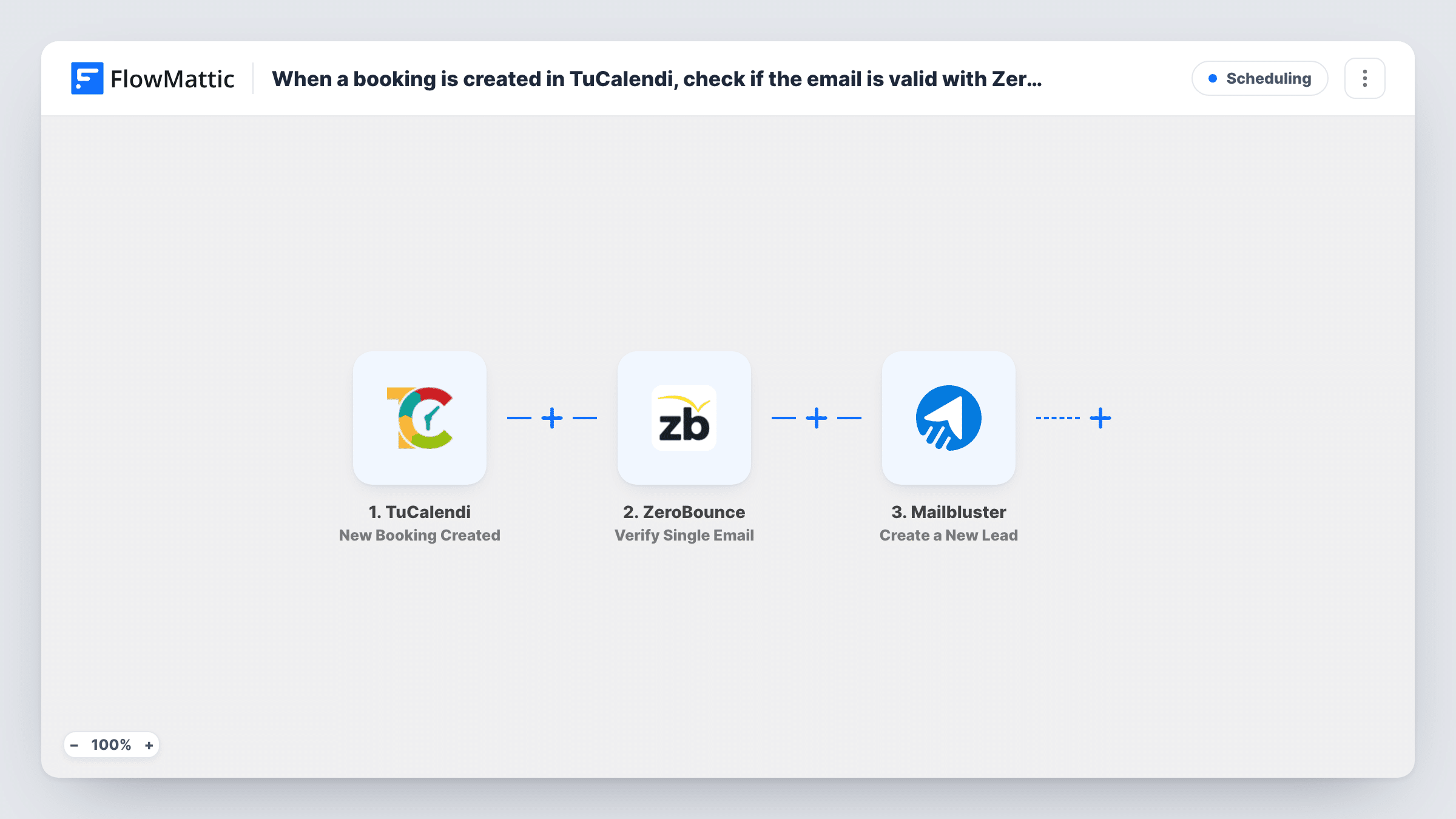
Each time someone books with you, the TuCalendi trigger starts a run. FlowMattic sends the booker's email to ZeroBounce with its Verify Single Email action, and the reply from ZeroBounce becomes data you can use in the next step. Then Mailbluster gets a new lead built from what the booker entered.
As imported, there is no Filter between the check and Mailbluster. Every booking becomes a lead, whatever ZeroBounce says about the address. If you want only verified addresses in Mailbluster, add a Filter on the ZeroBounce result, as the tips explain. Task History records each run, so you can see the verification response and the Mailbluster reply for every booking.
Discovery calls for a consultant
Prospects book a free intro call in TuCalendi and land in Mailbluster as leads, ready for the follow-up emails you send after the call.
Class or workshop bookings
A trainer adds each booked attendee to Mailbluster, so reminders and future class announcements reach people who have already booked once.
Checking booking addresses before a campaign
Map the ZeroBounce result into the lead so you can tell, inside Mailbluster, which bookers gave an address that failed the check.
How this workflow runs
What happens at each step once the workflow is on, and what you need before you import it.
 TuCalendi New Booking Created
Starts a run for every booking someone makes through your TuCalendi page. The booking data, including the booker's email address, is passed on for the next two steps to use.
- ZeroBounce Verify Single Email
Sends the booker's email address to ZeroBounce to verify it. Map the email from the TuCalendi booking and connect your ZeroBounce account. The response is available to the Mailbluster step.
- Mailbluster Create a New Lead
Adds the booker to your Mailbluster account as a lead. Map the booker's email and any other booking details you want on the lead, and connect your Mailbluster account. Run a test booking to see what the step accepts.
What you need
- FlowMatticCore
- TuCalendi AccountAccount
- ZeroBounce AccountAccount
- Mailbluster AccountAccount
After importing, map your own data. To keep the template universal, not every step is pre-filled. Open each step in the builder and connect your accounts and fields (channels, lists, sheets, recipients) before you switch the workflow on.
Make it yours
Changes worth making after you import it.
- Add a Filter between ZeroBounce and Mailbluster that continues only when the verification status matches the value ZeroBounce returns for a valid address. Bookings with failed addresses then stop before the lead is created.
- Make a test booking with your own address after import, so FlowMattic captures the TuCalendi fields and the ZeroBounce response before you map the Mailbluster step.
- TuCalendi also has Booking Cancelled and Booking Edited triggers. Build a second workflow on Booking Cancelled if you want a record of cancellations kept somewhere else.
Questions about this workflow
Does ZeroBounce stop invalid TuCalendi bookers reaching Mailbluster?
Not as imported. The check runs, but no step acts on its result, so every booking continues to Mailbluster. Add a Filter after the ZeroBounce step to hold back addresses that fail.
Will an edited TuCalendi booking create another Mailbluster lead?
No. The trigger is New Booking Created, so it fires when the booking is made. Changes to that booking fire TuCalendi's separate Booking Edited trigger, which this workflow does not use.
Can the same TuCalendi booker end up in Mailbluster twice?
That depends on how Mailbluster treats a repeat email on Create a New Lead. Book twice with the same address while testing, then check the Mailbluster step in Task History to see the response.
Do I need accounts with ZeroBounce and Mailbluster?
Yes. Each step runs through your own account in that service, which you connect when you import the workflow, along with your TuCalendi account for the trigger.
More Scheduling workflows
Other ready-to-import templates from the same category.







Import this workflow into your WordPress site
Download the JSON, import it from the Workflows screen and connect your accounts. Every run stays on your server, with no per-task fees.
30-day money-back guarantee Unlimited workflows and runs Self-hosted