

When a booking is created in TuCalendi, check if the email is valid with Mailboxlayer, and create a new lead in Maillbluster
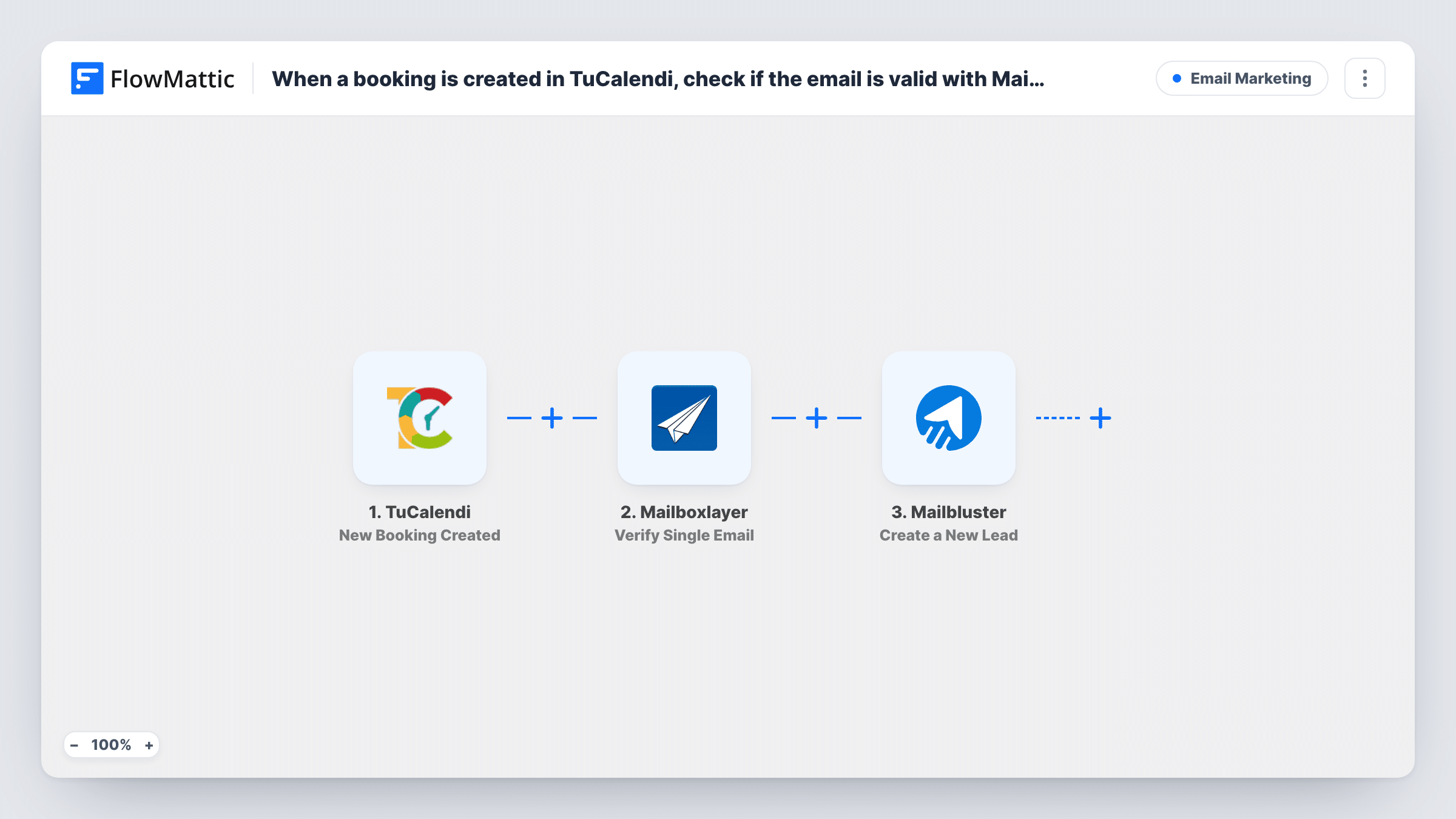
Each new TuCalendi booking has its email address checked by Mailboxlayer, then the person is added to Mailbluster as a new lead. As imported, every booking becomes a lead whatever the check returns.
 TuCalendi
 Mailboxlayer
 Mailbluster
3 steps Setup ~5 min Used on 1.7k sites Free to import
What this workflow does
People who book a call or appointment give you an email address, and it's worth knowing whether that address works before you start emailing them. This workflow checks each booking's address with Mailboxlayer and then creates the lead in Mailbluster, so the check happens before the person reaches your email list.
The TuCalendi trigger runs when a booking is created. FlowMattic sends the booker's email to Mailboxlayer with the Verify Single Email action, and the response becomes data you can map. The last step creates a new lead in Mailbluster from the booking details.
As imported, there is no Filter between the check and Mailbluster, so every booking becomes a lead whatever Mailboxlayer says. If you want only valid addresses on your list, add a Filter between the Mailboxlayer step and the Mailbluster step. None of the steps are mapped in the template, so connect all three accounts and map the email, names and any result values after a test booking.
Free consultation bookings
Prospects book a discovery call in TuCalendi. Each one is checked and added to Mailbluster, where you send the follow-up after the call.
Class or workshop sign-ups
Attendees book a session slot, and the workflow adds them to your Mailbluster list for reminders and future class announcements.
Spotting mistyped addresses on bookings
Look at each run's Mailboxlayer response in Task History to see which booked clients may have entered an address that won't receive email, then contact them another way.
How this workflow runs
What happens at each step once the workflow is on, and what you need before you import it.
 TuCalendi New Booking Created
Runs when a new booking is created in TuCalendi. The booker's details, including their email address, become available to the next two steps. Make a test booking to see the values.
- Mailboxlayer Verify Single Email
Sends the booking's email address to Mailboxlayer for verification. Connect your Mailboxlayer account and map the email from the trigger. The response is passed on to the Mailbluster step.
- Mailbluster Create a New Lead
Creates a new lead in Mailbluster. Connect your account and map the booker's email and name from TuCalendi. A test run shows whether the step has room for the Mailboxlayer result as well.
What you need
- FlowMatticCore
- TuCalendi AccountAccount
- Mailboxlayer AccountAccount
- Mailbluster AccountAccount
After importing, map your own data. To keep the template universal, not every step is pre-filled. Open each step in the builder and connect your accounts and fields (channels, lists, sheets, recipients) before you switch the workflow on.
Make it yours
Changes worth making after you import it.
- Add a Filter between Mailboxlayer and Mailbluster that continues only when the verification result shows a valid address, so addresses the check doesn't accept never become leads.
- Use a test booking with a made-up address and one with your real address, then compare the two Mailboxlayer responses in Task History before you set the Filter condition.
- If you take several kinds of bookings, add a Filter between the TuCalendi trigger and the Mailboxlayer step. Only bookings that pass it are checked and reach Mailbluster; the rest stop there.
Questions about this workflow
Are TuCalendi bookings with invalid emails kept out of Mailbluster?
Not as imported. Every booking becomes a Mailbluster lead. Add a Filter between the Mailboxlayer step and the Mailbluster step to leave out addresses the check marks as invalid.
Does the Mailboxlayer check stop or change the TuCalendi booking?
No. The booking is already made when the workflow starts. The check only affects what you do with the address in FlowMattic.
Do I need accounts for Mailboxlayer and Mailbluster?
Yes. Each step runs through your own account for that service, connected in FlowMattic. Check your Mailboxlayer plan for how many checks it covers.
Where do I see what Mailboxlayer said about a booker's address?
In Task History. Open a run and look at the Mailboxlayer step to see what it returned for that booking's email. Those values are what you map or test in a Filter later.
More Email Marketing workflows
Other ready-to-import templates from the same category.







Import this workflow into your WordPress site
Download the JSON, import it from the Workflows screen and connect your accounts. Every run stays on your server, with no per-task fees.
30-day money-back guarantee Unlimited workflows and runs Self-hosted