

When a Builder.io form is submitted, add the lead to ActiveCampaign and post an alert in Discord
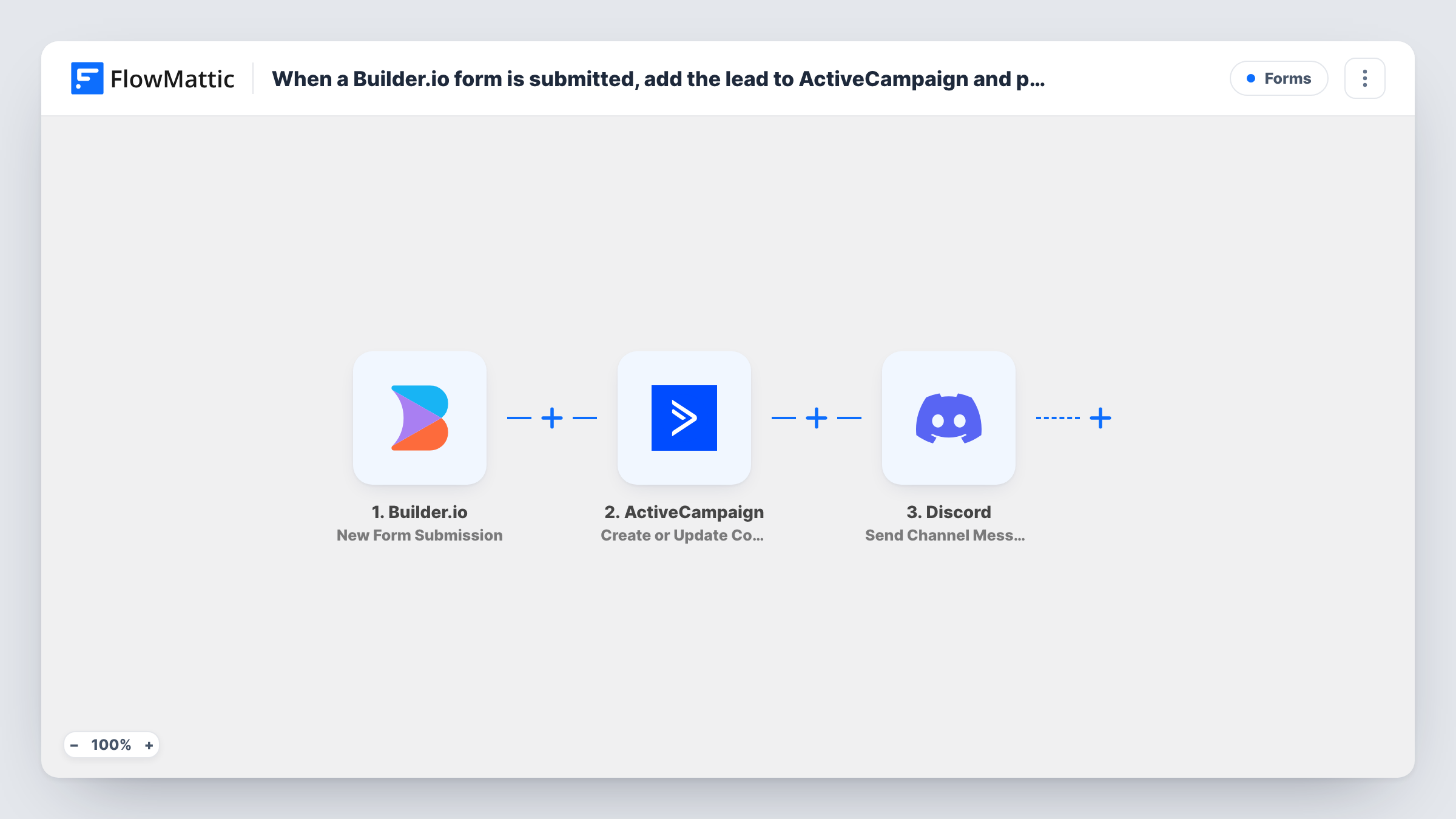
When a visitor submits a Builder.io form, this workflow creates or updates them as an ActiveCampaign contact and posts a message in a Discord channel, so your team hears about each new lead.
 Builder.io
 ActiveCampaign
 Discord
3 steps Setup ~5 min Used on 635 sites Free to import
What this workflow does
A form on your Builder.io site is often the first contact you have with a lead. You want that person in your email marketing tool so follow-up can begin, and you want your team to know someone just got in touch. This workflow handles both from one submission.
A new entry on any of your forms fires the Builder.io trigger. FlowMattic sends the submitted email and other fields to ActiveCampaign, which creates a new contact or updates the contact if it already exists. The last step posts a message to the Discord channel you choose, written from the form data.
Every Builder.io entry goes through both actions, first ActiveCampaign, then Discord. Task History shows what each step returned for every entry.
Demo request form for a SaaS product
A Builder.io demo form adds the prospect to ActiveCampaign, and the sales channel in Discord gets a message with their name and company.
Community or newsletter sign-up
A creator's sign-up form puts subscribers into ActiveCampaign and posts in a private team channel each time someone joins.
Contact form for a small studio
Every enquiry becomes an ActiveCampaign contact for follow-up emails while the whole studio sees the message in Discord.
How this workflow runs
What happens at each step once the workflow is on, and what you need before you import it.
 Builder.io New Form Submission
Fires when a visitor submits a form on your Builder.io content. Every submitted value is available to the ActiveCampaign and Discord steps.
- ActiveCampaign Create or Update Contact
Creates a new contact in ActiveCampaign, or updates the existing one. Map the form's email field and any name fields, and connect your ActiveCampaign account.
- Discord Send Channel Message
Sends a lead alert to a Discord channel of your choice. Write the text from the form fields, for example the lead's name, email and message.
What you need
- FlowMatticCore
- Builder.io AccountAccount
- ActiveCampaign AccountAccount
- Discord AccountAccount
After importing, map your own data. To keep the template universal, not every step is pre-filled. Open each step in the builder and connect your accounts and fields (channels, lists, sheets, recipients) before you switch the workflow on.
Make it yours
Changes worth making after you import it.
- Add a Filter between the Builder.io trigger and the ActiveCampaign step that requires the email field to be filled. A Filter stops every later step, so entries without an email reach neither ActiveCampaign nor Discord.
- Include a short summary in the Discord message, such as name and company, and leave the full details in ActiveCampaign.
- Submit a test entry on your Builder.io form after import, then map fields in both later steps from that sample.
Questions about this workflow
What if the lead is already an ActiveCampaign contact?
The step is Create or Update Contact, so the existing contact is updated with the new details instead of a duplicate being created.
Is the Discord alert text already written?
No. The Send Channel Message step ships unmapped, so after a test entry you write the message and map the Builder.io fields you want in it, such as the lead's name, email and message.
Can I add the Builder.io lead to a specific ActiveCampaign list?
Run a test to see what the Create or Update Contact step offers. If list choice isn't there, add another ActiveCampaign action after it for list or tag changes.
Which Discord channel gets the Builder.io alert?
The channel you pick in the Send Channel Message step after connecting Discord. Use a private channel if lead details shouldn't be widely visible.
More Forms workflows
Other ready-to-import templates from the same category.







Import this workflow into your WordPress site
Download the JSON, import it from the Workflows screen and connect your accounts. Every run stays on your server, with no per-task fees.
30-day money-back guarantee Unlimited workflows and runs Self-hosted