

When a Chip purchase is paid, add a row to Google Sheets and post a confirmation to Discord
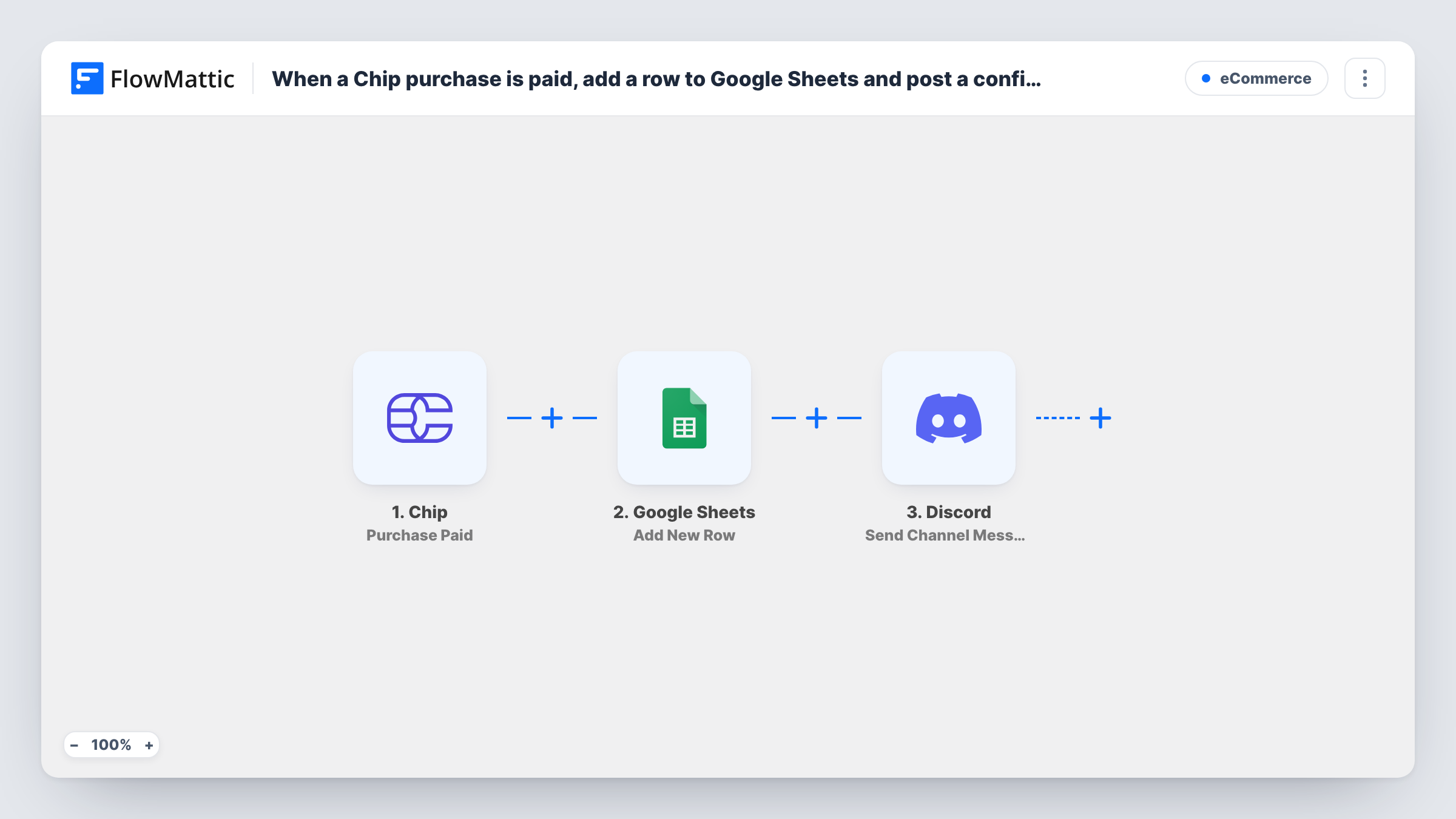
Each time a Chip purchase is paid, this workflow adds the payment to a Google Sheets row and posts a confirmation in a Discord channel, giving you a sales log and a team notice from one event.
 Chip
Chip
 Google Sheets
 Discord
3 steps Setup ~5 min Used on 794 sites Free to import
What this workflow does
Chip records your payments, but the people who run the business day to day may live in a spreadsheet and a Discord server. Copying each payment into a sheet and telling the team about it are two small chores that pile up. This workflow does both every time a payment goes through.
The Chip trigger fires when a purchase is paid. FlowMattic first sends the payment data to Google Sheets, where Add New Row writes it to the spreadsheet and tab you choose. It then posts a message to the Discord channel you set, with the text you write and values from the purchase mapped in.
Only paid purchases start a run, so unpaid or abandoned purchases stay out of both the sheet and the channel. Every paid purchase produces one row and one message. Task History records each run, and if Discord or Google Sheets returns an error, you see it on that step.
Daily sales record for a small shop
An online store taking payments through Chip keeps a Google Sheet of each paid purchase for bookkeeping and month-end totals.
Order alerts for a fulfilment team
Staff who pack orders watch a Discord channel, and each paid Chip purchase appears there so they know there is something to send out.
Event ticket payments
Ticket payments taken with Chip land in a sheet that doubles as the guest list, while organisers see each new payment in Discord.
How this workflow runs
What happens at each step once the workflow is on, and what you need before you import it.
 Chip Purchase Paid
Runs when a purchase is paid in Chip. The payment details sent with the event become available for the sheet row and the Discord message.
- Google Sheets Add New Row
Records the paid purchase as a new row in the Google Sheets file and tab you pick. Connect your Google account and map each payment value to a column.
- Discord Send Channel Message
Posts a confirmation to the Discord channel you choose. Connect Discord, pick the channel, and write the message using values from the Chip purchase.
What you need
- FlowMatticCore
- Chip AccountAccount
- Google Sheets AccountAccount
- Discord AccountAccount
After importing, map your own data. To keep the template universal, not every step is pre-filled. Open each step in the builder and connect your accounts and fields (channels, lists, sheets, recipients) before you switch the workflow on.
Make it yours
Changes worth making after you import it.
- Make a small paid purchase after import so FlowMattic captures real Chip data, then map the sheet columns and the Discord message from it.
- Keep customer details out of the Discord message if the channel is widely shared. Post the amount and product there, and keep names and emails in the sheet.
- Add a Filter between the Google Sheets step and the Discord step if you only want large payments announced, for example when the amount is greater than a set value. Every payment is still logged, and the comparison uses whole numbers.
Questions about this workflow
Do unpaid Chip purchases reach Google Sheets or Discord?
No. The trigger is Purchase Paid, so a run starts only once a purchase has been paid. Purchases that are created but never paid don't appear.
Can I choose which Chip payment details go in each sheet column?
Yes. Add New Row ships unmapped, so after a test payment you pick the spreadsheet and tab and map each Chip value you want, such as the amount, to its own column.
Are refunds shown in the sheet?
No. This template only reacts to paid purchases and only adds rows, so a later refund in Chip doesn't change the row.
Can the confirmation go to more than one Discord channel?
Yes. Add another Discord Send Channel Message step after the first one and pick a different channel in it.
More E-Commerce workflows
Other ready-to-import templates from the same category.






Import this workflow into your WordPress site
Download the JSON, import it from the Workflows screen and connect your accounts. Every run stays on your server, with no per-task fees.
30-day money-back guarantee Unlimited workflows and runs Self-hosted