

When a contact unsubscribes, update the Google Sheets list and notify the team in Slack
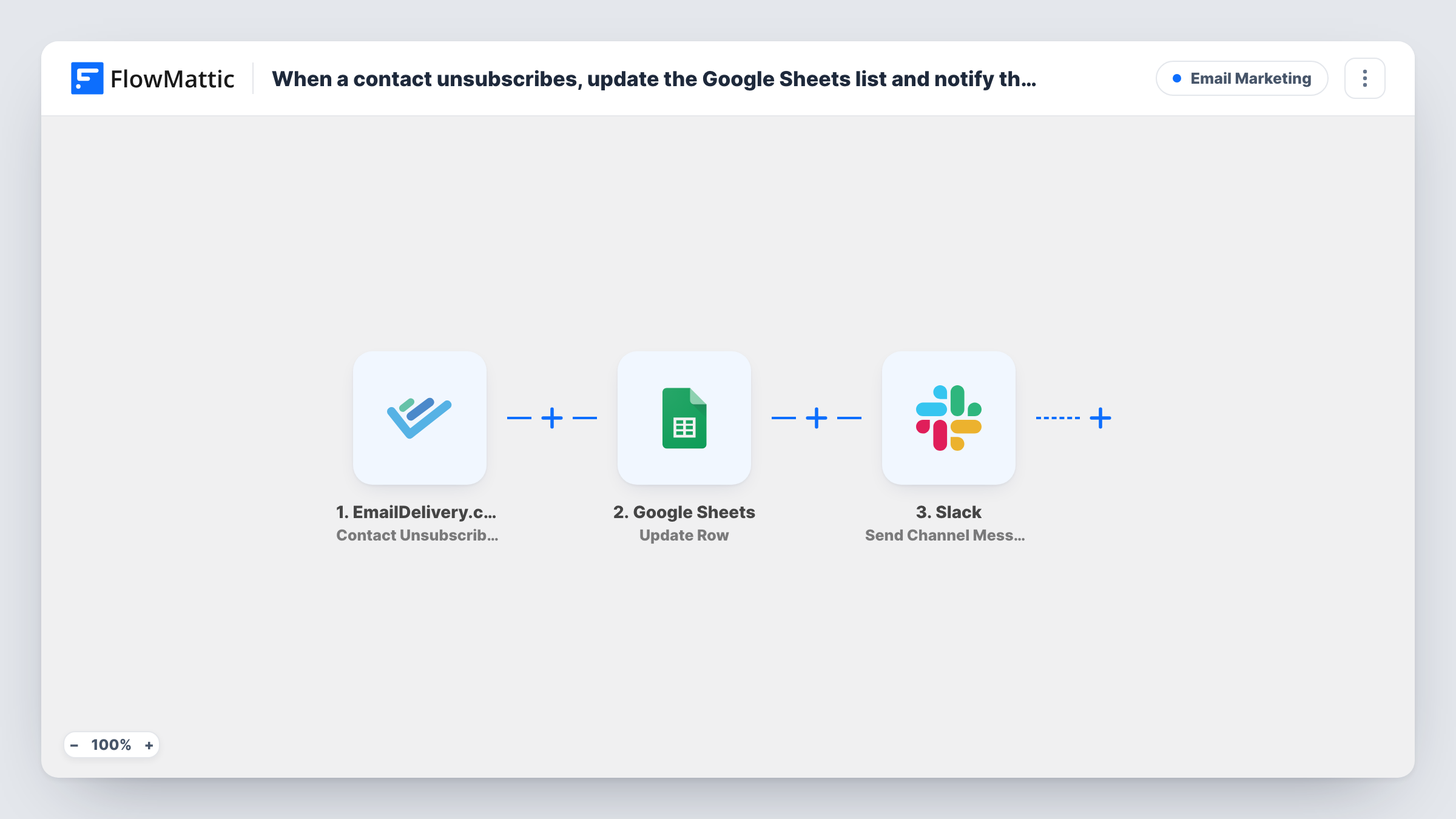
When a contact unsubscribes in EmailDelivery.com, FlowMattic looks up their row in your Google Sheets list, posts a note to a Slack channel, then updates that row to show the change.
 EmailDelivery.com
 Google Sheets
 Slack
Slack4 steps Setup ~8 min Used on 562 sites Free to import
What this workflow does
Plenty of teams keep a contact list in Google Sheets next to their email tool, for sales calls, event invites or partner outreach. When someone opts out of your emails, that sheet should say so, or a colleague may keep contacting a person who asked you to stop. This workflow marks the change in the sheet and tells the team in Slack.
The EmailDelivery.com trigger fires when a contact is unsubscribed and passes on the contact's details, such as the email address. The first Google Sheets step, Lookup Row Data, searches your spreadsheet for that contact, usually by matching the email column.
Next, Slack posts a message to the channel you choose, so the people who use the list hear about the opt-out. The last step, Update Row, writes your mapped values into the row the lookup found, for example a status of Unsubscribed and the date.
None of the three actions is mapped in the template. After import you pick the spreadsheet and the column to search, write the Slack message, and point Update Row at the row the lookup returned. If a contact isn't in the sheet, the lookup has nothing to find, so test with an address you know is listed and check Task History for each step's result.
Sales list that respects opt-outs
A B2B team keeps prospects in a shared sheet. When one unsubscribes from the newsletter, their row is marked so reps stop adding them to email sequences.
Event invite list kept current
An events coordinator maintains invitee rows in Google Sheets and sees in Slack which guests opted out before the next invitation round.
Spotting a jump in unsubscribes
A marketing manager watches the Slack channel after a campaign goes out and sees each unsubscribe as it happens, with the name and email.
How this workflow runs
What happens at each step once the workflow is on, and what you need before you import it.
 EmailDelivery.com Contact Unsubscribed
Fires when a contact is unsubscribed in EmailDelivery.com. The contact's details, including the email address, become available to the Google Sheets and Slack steps.
- Google Sheets Lookup Row Data
Searches your spreadsheet for the unsubscribed contact. The step ships unmapped: choose the spreadsheet and sheet, pick the column that holds emails, and map the email from the trigger as the value to find.
- Slack Send Channel Message
Sends the opt-out notice to a Slack channel of your choosing. Write the text after import and map the contact's name and email from the trigger, plus anything from the found row you want the team to see.
- Google Sheets Update Row
Updates the row the lookup found with the values you map, such as an Unsubscribed status and the date. Point the step at that row using the lookup's result; a test run shows what the lookup hands back.
What you need
- FlowMatticCore
- EmailDelivery.com AccountAccount
- Google Sheets AccountAccount
- Slack AccountAccount
After importing, map your own data. To keep the template universal, not every step is pre-filled. Open each step in the builder and connect your accounts and fields (channels, lists, sheets, recipients) before you switch the workflow on.
Make it yours
Changes worth making after you import it.
- Add a Status column and a Date column to the sheet before you import, so the Update Row step has clear places to write the opt-out.
- To post only for contacts who are on your list, put a Filter between the Lookup Row Data step and the Slack step that continues only when the lookup found a row. Contacts it stops get no message and no row update.
- For a private team channel, use Slack's Send Private Channel Message action in place of Send Channel Message.
Questions about this workflow
What if the unsubscribed EmailDelivery.com contact isn't in my Google Sheet?
Then the lookup has no row to hand to Update Row, so the sheet doesn't change for that person. Task History shows what the lookup and each later step returned on that run.
Does the workflow delete the contact's row?
No. It updates the existing row with the values you map. Your records stay in the sheet, marked with whatever status you choose to write.
Do spam complaints count as unsubscribes here?
This trigger is Contact Unsubscribed only. FlowMattic's EmailDelivery.com integration also has a Contact Unsubscribed/Complained trigger if you want spam-button reports handled the same way.
Which column does the Google Sheets lookup search?
The one you choose when you set up the step. Most lists match on email, so pick the email column and map the address from EmailDelivery.com.
More Email Marketing workflows
Other ready-to-import templates from the same category.





Import this workflow into your WordPress site
Download the JSON, import it from the Workflows screen and connect your accounts. Every run stays on your server, with no per-task fees.
30-day money-back guarantee Unlimited workflows and runs Self-hosted