

When a form is published or updated in RegFox, send a notification to a Slack channel
Post a Slack channel message when a RegFox registration form is published, whether it is new or an update to one already live, so your event team knows the latest version of the form is out.
 RegFox
 Slack
2 steps Setup ~5 min Used on 718 sites Free to import
What this workflow does
A registration form going live, or changing after launch, is something the whole event team should know about. Marketing wants to share the link, support needs to know the latest details, and someone may want to check a price change. Here, a Slack message does the telling for each publish.
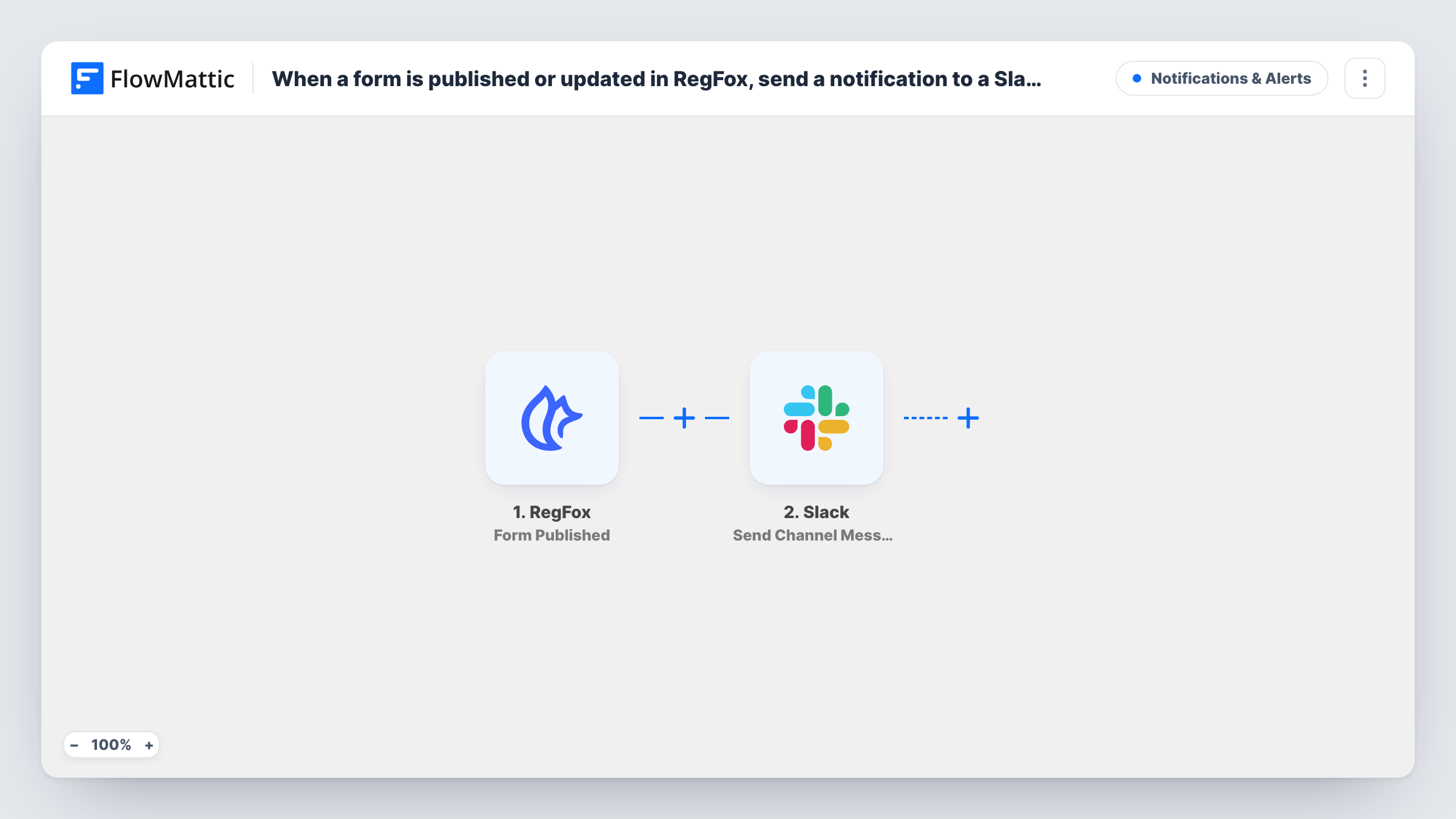
The RegFox trigger fires when a form you select from your form list is published, whether that is the first publish or an update. FlowMattic passes the form data to the Slack Send Channel Message action, which posts to the channel you choose. You write the message and map in values from the form, such as its name.
Because updates also fire the trigger, each republish posts again. That is useful when you want a record of changes, but expect several messages for a form you edit often. Task History lists every run and the data RegFox sent with it.
Launching a conference registration
When the registration form is published, the events channel gets a message, and marketing knows it can start sharing the link.
Tracking changes to a live form
A coordinator edits pricing on a published form. The republish posts to Slack, so the support team knows the details changed.
Agency running forms for clients
An agency publishes RegFox forms for several clients. A shared Slack channel shows each publish so account managers can tell the client.
How this workflow runs
What happens at each step once the workflow is on, and what you need before you import it.
 RegFox Form Published
Fires when a RegFox form selected from your form list is published, either for the first time or as an update. The form data is passed on. Publish a test form to see which values arrive.
- Slack Send Channel Message
Sends your RegFox announcement into one Slack channel of your choosing. Connect your Slack workspace, pick the channel and write the text, mapping in RegFox values such as the form name.
What you need
- FlowMatticCore
- RegFox AccountAccount
- Slack AccountAccount
After importing, map your own data. To keep the template universal, not every step is pre-filled. Open each step in the builder and connect your accounts and fields (channels, lists, sheets, recipients) before you switch the workflow on.
Make it yours
Changes worth making after you import it.
- Put the form name and its public link in the message, if the trigger data includes them, so people can open the form straight from Slack.
- Announcing to a private Slack group? Replace this step with Send Private Channel Message, or with Send Direct Message for a single teammate.
- Add a second step after Slack, such as an email to your client, if people outside your workspace also need to hear when the form is published.
Questions about this workflow
Will editing a published RegFox form post again?
Yes. The trigger fires when a form is published, whether new or updated, so each republish sends another Slack message.
Does it fire for every RegFox form?
It fires for the form you select from the form list in the trigger. To cover another form, run a second copy of this workflow set to that form.
Can the RegFox alert go to a private Slack channel?
Send Channel Message posts to the channel you pick. Private channels need Slack's separate Send Private Channel Message action, which you can put in its place.
Does it notify us about new registrations?
No. This template reacts to forms being published. RegFox has a separate registrations and orders trigger in FlowMattic for sign-ups.
More Notifications & Alerts workflows
Other ready-to-import templates from the same category.



Import this workflow into your WordPress site
Download the JSON, import it from the Workflows screen and connect your accounts. Every run stays on your server, with no per-task fees.
30-day money-back guarantee Unlimited workflows and runs Self-hosted