

When a form is submitted on Global Patron, send SMS notifications via Twilio
Each new Global Patron form submission sends a text message through your Twilio account, either to your own phone as an alert or to the number the person entered, with details from the form.
 Global Patron
 Twilio
2 steps Setup ~5 min Used on 3.1k sites Free to import
What this workflow does
Some form entries need a fast response: a booking request, a donation pledge, a call-back request. Email alerts get buried, and you may not be at your desk. This workflow sends a text message through Twilio the moment a Global Patron form is submitted.
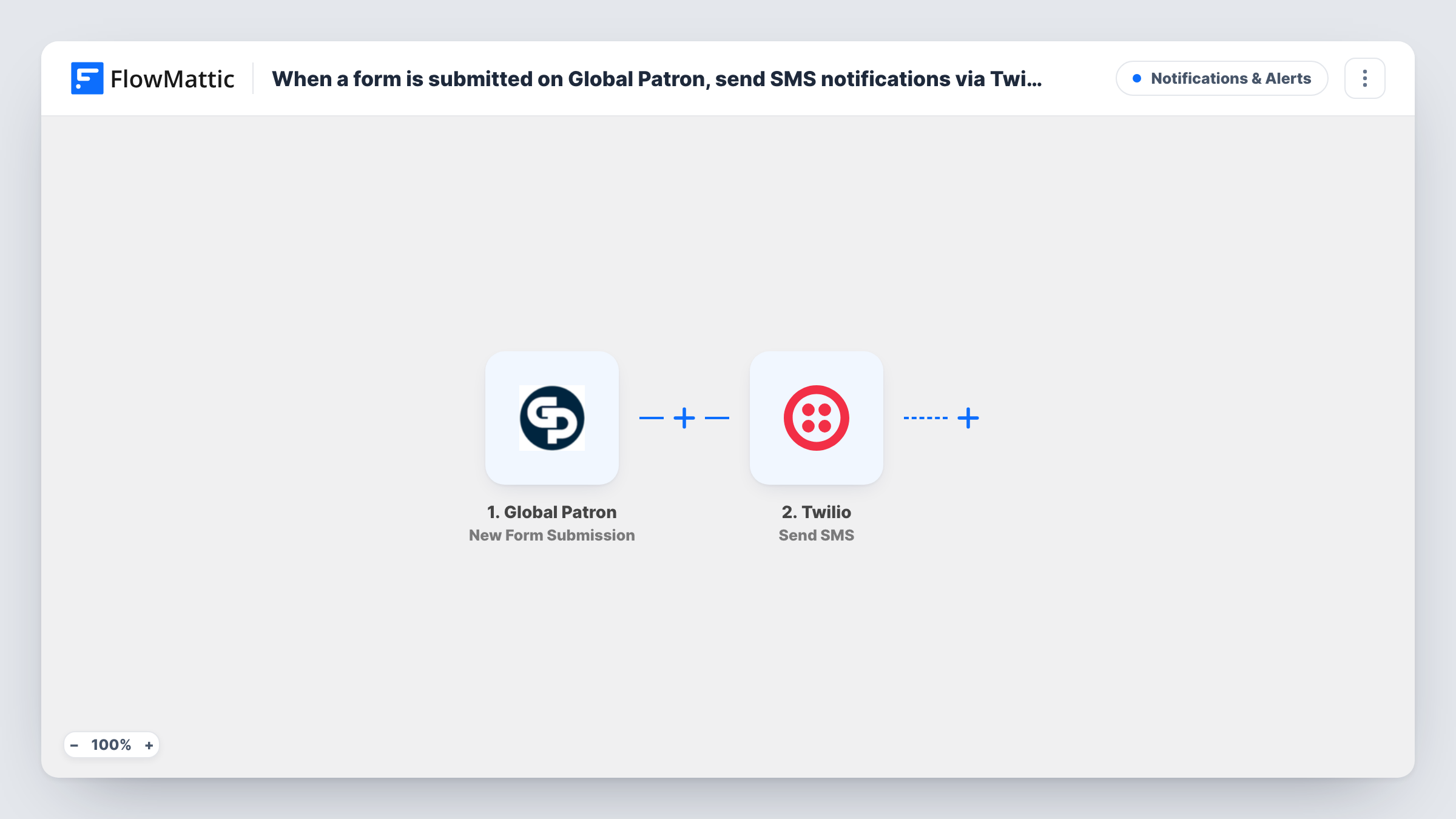
The Global Patron trigger starts a run for each new entry on your Global Patron form. FlowMattic passes the submitted fields to Twilio, where Send SMS sends a text from your Twilio number. You choose the recipient: type in your own or a teammate's phone number for an internal alert, or map the phone field from the form to text the person who submitted.
Every submission sends one SMS. Write the message with values from the form, such as the person's name or what they asked for, so the text makes sense on its own.
Instant alert for new enquiries
A sales lead fills in your Global Patron enquiry form. The account manager gets an SMS with the person's name and request and can call back.
Confirmation text to the person
Map the phone field from the form as the recipient, and each person who submits receives a text confirming you got their request.
On-call alert for urgent requests
An urgent-help form on your site texts the on-call staff member's number, so after-hours requests don't wait until morning.
How this workflow runs
What happens at each step once the workflow is on, and what you need before you import it.
 Global Patron New Form Submission
Fires when a new Global Patron form is submitted. The answers, including any name and phone fields, are available to map into the SMS.
- Twilio Send SMS
Sends a text message from your Twilio number to the recipient you set. Enter a fixed phone number or map the form's phone field, then write the message with form values.
What you need
- FlowMatticCore
- Global Patron AccountAccount
- Twilio AccountAccount
After importing, map your own data. To keep the template universal, not every step is pre-filled. Open each step in the builder and connect your accounts and fields (channels, lists, sheets, recipients) before you switch the workflow on.
Make it yours
Changes worth making after you import it.
- To text the person who submitted, the form must collect a phone number. Ask for it in international format so Twilio can deliver to it.
- Add a Filter after the trigger that continues only for one form, or for answers marked urgent, if you don't want a text for every submission.
- Want both an alert and a confirmation? Add a second Twilio Send SMS step, one to your number and one to the phone the form collected.
Questions about this workflow
Who receives the SMS from Global Patron submissions?
Whoever you set in the Twilio step: your own number, a teammate's, or the phone field from the form. Two Send SMS steps can cover both.
Which number do the Global Patron texts come from?
A sending number on your own Twilio account, which you connect when you import the workflow.
What if the phone number on the form is invalid?
Twilio returns an error and the SMS is not delivered. Task History shows the response, which tells you which number failed.
Can the text include the form answers?
Yes. Insert any submitted value into the message body, such as the name, the service requested or a preferred time.
More Notifications & Alerts workflows
Other ready-to-import templates from the same category.




Import this workflow into your WordPress site
Download the JSON, import it from the Workflows screen and connect your accounts. Every run stays on your server, with no per-task fees.
30-day money-back guarantee Unlimited workflows and runs Self-hosted