

When a form submission received in Fluent Forms, generate a PDF document in Crove and upload the PDF to Google Drive
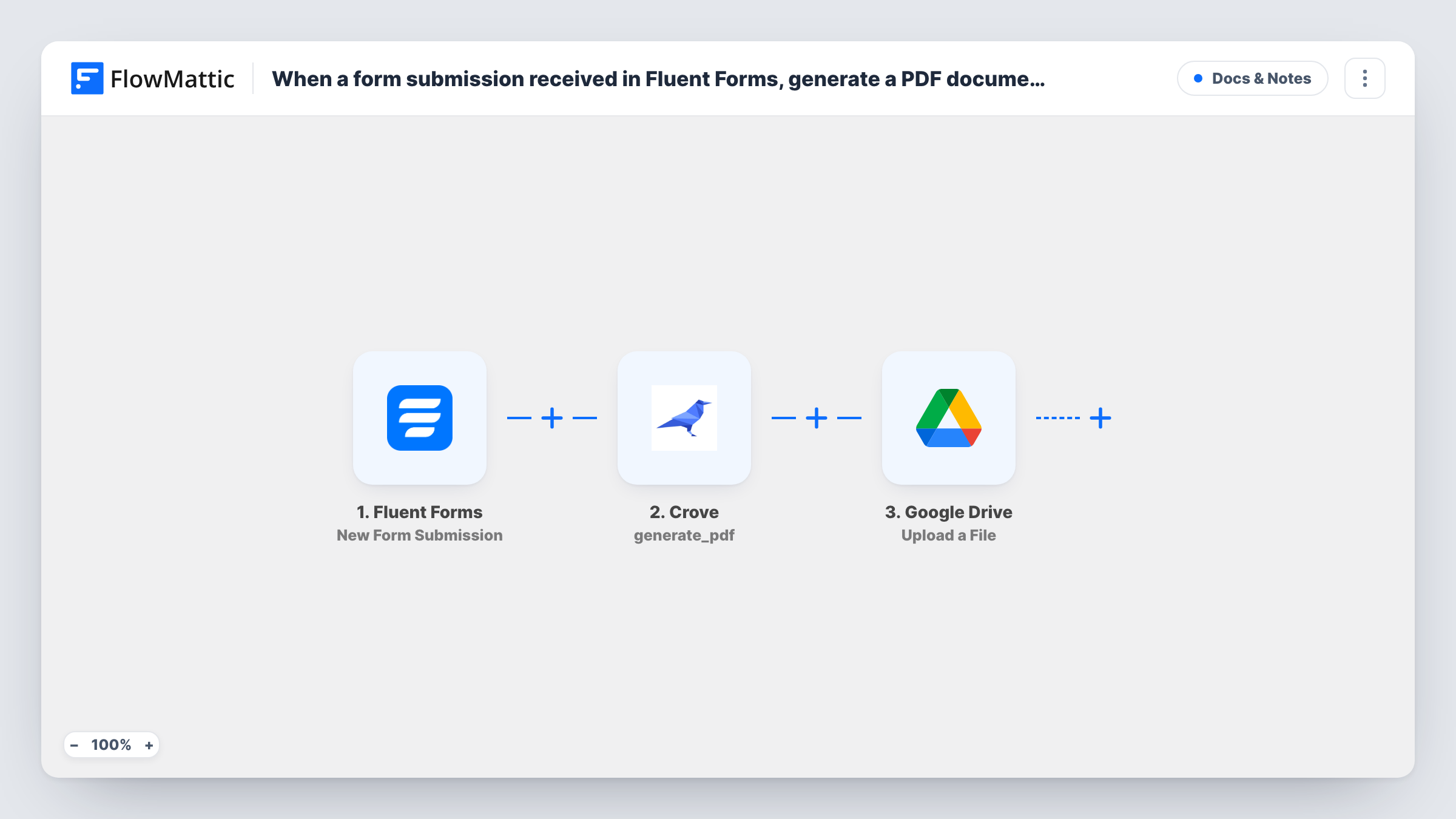
Each Fluent Forms submission fills a Crove template to make a PDF, and FlowMattic then uploads that document to Google Drive, so every entry has a stored copy you can open or share.
 Fluent Forms
 Crove
Crove
 Google Drive
3 steps Setup ~5 min Used on 3.0k sites Free to import
What this workflow does
Some forms need a document at the end: an application summary, a signed-off checklist, a booking confirmation. Copying the answers into a template by hand is slow, and keeping the files in one place takes more effort again. This workflow turns each entry into a PDF and files it for you.
When a visitor submits a Fluent Forms form, FlowMattic passes the answers to Crove. Its Generate PDF action fills one of your Crove templates with the fields you map and produces a PDF. The last step uploads a file to Google Drive, where you map the document from the Crove response.
You need a template in Crove before the flow can run, with placeholders for the answers you want on the page. Send a test entry after import, then look at what Crove returned to find the file to map in the Drive step. Each submission makes one PDF and one upload, and Task History shows every run.
Rental applications
A letting agent's Fluent Forms application becomes a filled-in PDF in Crove, stored in a Drive folder the team reviews before calling the applicant.
Site inspection reports
An inspector completes a form on a tablet. Crove lays the answers out as a report and the PDF lands in Google Drive for the office to send on.
Course enrolment records
Each enrolment form produces a PDF summary of the student's choices, saved to Drive so staff have one file per student to check against.
How this workflow runs
What happens at each step once the workflow is on, and what you need before you import it.
 Fluent Forms New Form Submission
Starts with every new Fluent Forms entry on your site. The answers are passed on so you can map them into your Crove template.
- Crove Generate PDF
Asks Crove to generate a PDF from your template, filled with the Fluent Forms answers you map. Connect your Crove account, then run a test to see what Crove sends back.
- Google Drive Upload a File
Uploads a file to Google Drive. Map the generated PDF from the Crove step's response, which a test run shows you, and connect your Google account.
What you need
- FlowMatticCore
- Fluent Forms PluginPlugin
- Crove AccountAccount
- Google Drive AccountAccount
After importing, map your own data. To keep the template universal, not every step is pre-filled. Open each step in the builder and connect your accounts and fields (channels, lists, sheets, recipients) before you switch the workflow on.
Make it yours
Changes worth making after you import it.
- Name the uploaded file with a form field, such as the person's name and the date, if the Drive step lets you set a file name. Files are then easy to find in the folder.
- If one site has several Fluent Forms forms, add a Filter after the trigger so only the form meant for PDFs runs the Crove step.
- Add an Email step after the upload to tell your team a new PDF is in Drive, and map the file's link from the Google Drive response if it returns one.
Questions about this workflow
Do I need a Crove template before importing this Fluent Forms flow?
Yes. The Generate PDF step fills a template you already have in Crove. Build the template with placeholders for your form answers, then map the fields after import.
Does the person who filled in the form get the PDF?
Not as imported. The PDF is only saved to Google Drive. Add an email step after Crove or Drive and map the document if you want to send it to them.
Where in Google Drive does the PDF go?
Into the location you set in the Upload a File step when you configure it. Run a test entry and check Drive to confirm the file lands where you expect.
What if the Crove step returns an error?
The run carries on to the Drive step, which then has no PDF to upload. You'll see Crove's error message in Task History, on that step, and can correct the template or the field mapping.
More Docs & Notes workflows
Other ready-to-import templates from the same category.







Import this workflow into your WordPress site
Download the JSON, import it from the Workflows screen and connect your accounts. Every run stays on your server, with no per-task fees.
30-day money-back guarantee Unlimited workflows and runs Self-hosted