

When a Frontly action executes, save it to Notion and ping the team on Discord
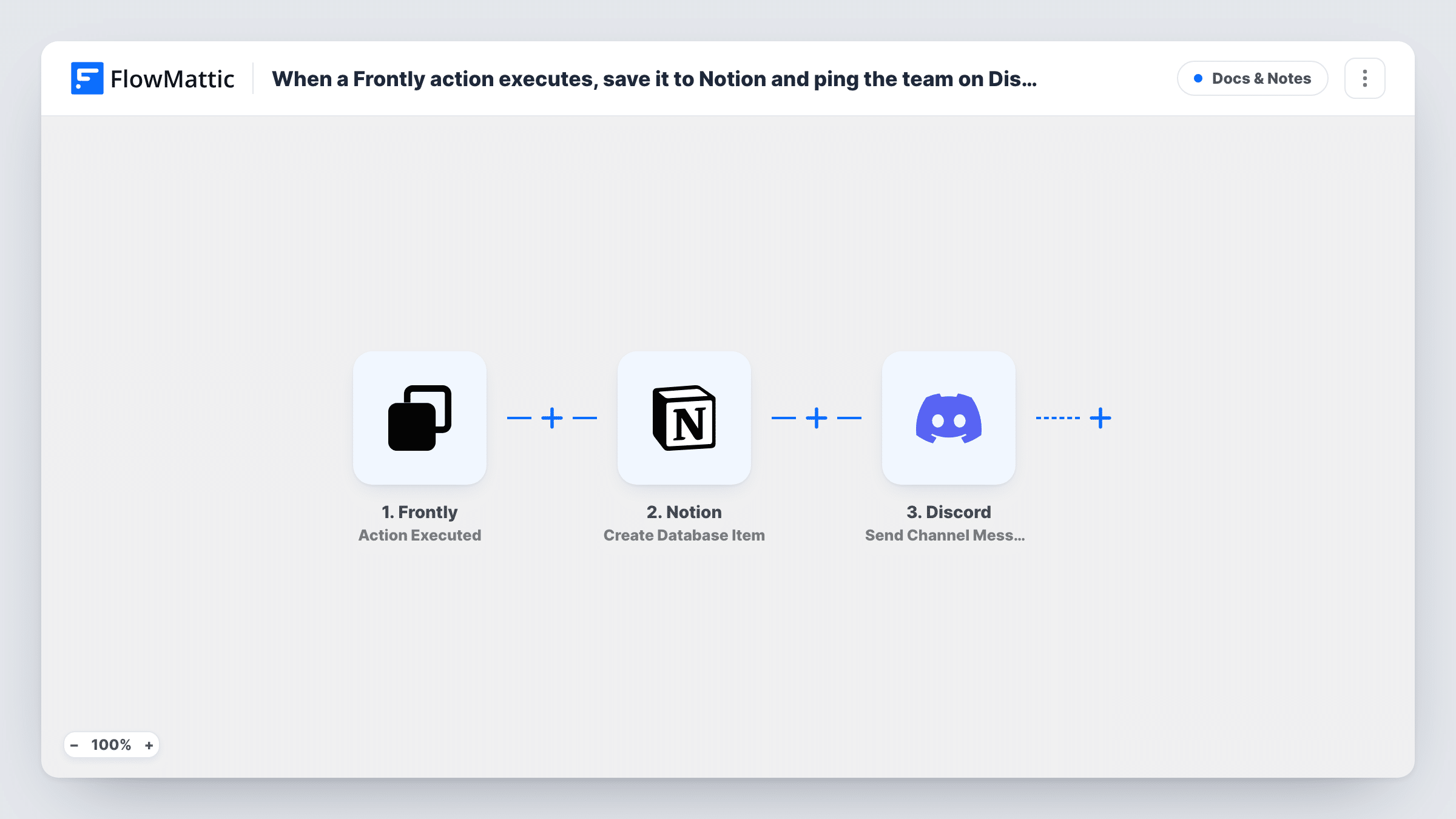
Whenever an action runs in your Frontly app, this workflow records it as an item in a Notion database and then posts a message about it to a Discord channel your team watches.
 Frontly
 Notion
 Discord
3 steps Setup ~5 min Used on 2.2k sites Free to import
What this workflow does
Frontly apps are where your users press buttons and submit records, but the history of those actions and the people who need to hear about them are usually elsewhere. This workflow keeps a running log in Notion and tells your team on Discord each time a Frontly action is executed.
The Frontly trigger fires on every executed action and passes its data to FlowMattic. The Notion step creates an item in the database you choose, with Frontly values mapped into its properties. The Discord step then posts a message to a channel, and it can use both the Frontly data and what Notion returned about the new item.
Nothing in the template narrows which actions count, so each execution gives you one Notion item and one Discord message. For any single execution, Task History shows what Notion and Discord sent back.
Audit trail for an admin tool
Your team built an internal Frontly tool for changing customer records. Each action is stored in a Notion database as a record of who did what, and the ops channel sees it on Discord.
New requests from a community portal
Members submit requests through a Frontly app. A Notion item tracks each request, and moderators get a Discord message to pick it up.
Release checklist actions
A Frontly app marks build steps as done. Notion keeps the history, while the Discord dev channel shows progress as each step is executed.
How this workflow runs
What happens at each step once the workflow is on, and what you need before you import it.
 Frontly Action Executed
Starts a run each time your Frontly app executes an action. Everything the action sends becomes available for the Notion item and the Discord message.
- Notion Create Database Item
Creates an item in a Notion database you pick. Map Frontly values into the database properties, and share the database with the Notion connection so FlowMattic can write to it.
- Discord Send Channel Message
Posts a message to a Discord channel you choose. Build the text from the Frontly data, and include the link to the new Notion item if the Notion step returns one in your test run.
What you need
- FlowMatticCore
- Frontly AccountAccount
- Notion AccountAccount
- Discord AccountAccount
After importing, map your own data. To keep the template universal, not every step is pre-filled. Open each step in the builder and connect your accounts and fields (channels, lists, sheets, recipients) before you switch the workflow on.
Make it yours
Changes worth making after you import it.
- To log only certain Frontly actions, add a Filter between the Frontly trigger and the Notion step that checks a value the action sends, such as its name. Other actions get no item and no message.
- Keep the Notion log but mute routine actions on Discord by adding a Filter between the Notion and Discord steps.
- Add a date property to your Notion database and map the run's timestamp into it, so you can sort the Frontly log by when each action happened.
Questions about this workflow
Must the Notion database for the Frontly log exist before I import?
Yes. The Notion step creates an item in an existing database, so set up the database and its properties first, then pick it when you configure the step.
Can the Discord message post to several channels?
One Send Channel Message step posts to one channel. Add a second Discord step for another channel.
Does the Frontly log database need sharing with the Notion connection?
Yes. Notion only lets a connection write to databases that have been shared with it, so add the FlowMattic connection to the Frontly log database before your first test.
Does this send anything back to Frontly?
No. Frontly only starts the run. The workflow writes to Notion and Discord and leaves your Frontly app as it is.
More Docs & Notes workflows
Other ready-to-import templates from the same category.





Import this workflow into your WordPress site
Download the JSON, import it from the Workflows screen and connect your accounts. Every run stays on your server, with no per-task fees.
30-day money-back guarantee Unlimited workflows and runs Self-hosted