

When a GrooveSell purchase is made, add the buyer to ActiveCampaign and notify the team on Discord
Each GrooveSell product purchase creates or updates the buyer as an ActiveCampaign contact, then posts a message to a Discord channel so your team knows about the sale.
 GrooveSell
 ActiveCampaign
 Discord
3 steps Setup ~5 min Used on 2.1k sites Free to import
What this workflow does
A sale in GrooveSell usually means two follow-ups: the buyer should join your email system, and the team wants to hear about it. Doing both by hand after every order is easy to forget on a busy launch day. This workflow does them in order for each purchase.
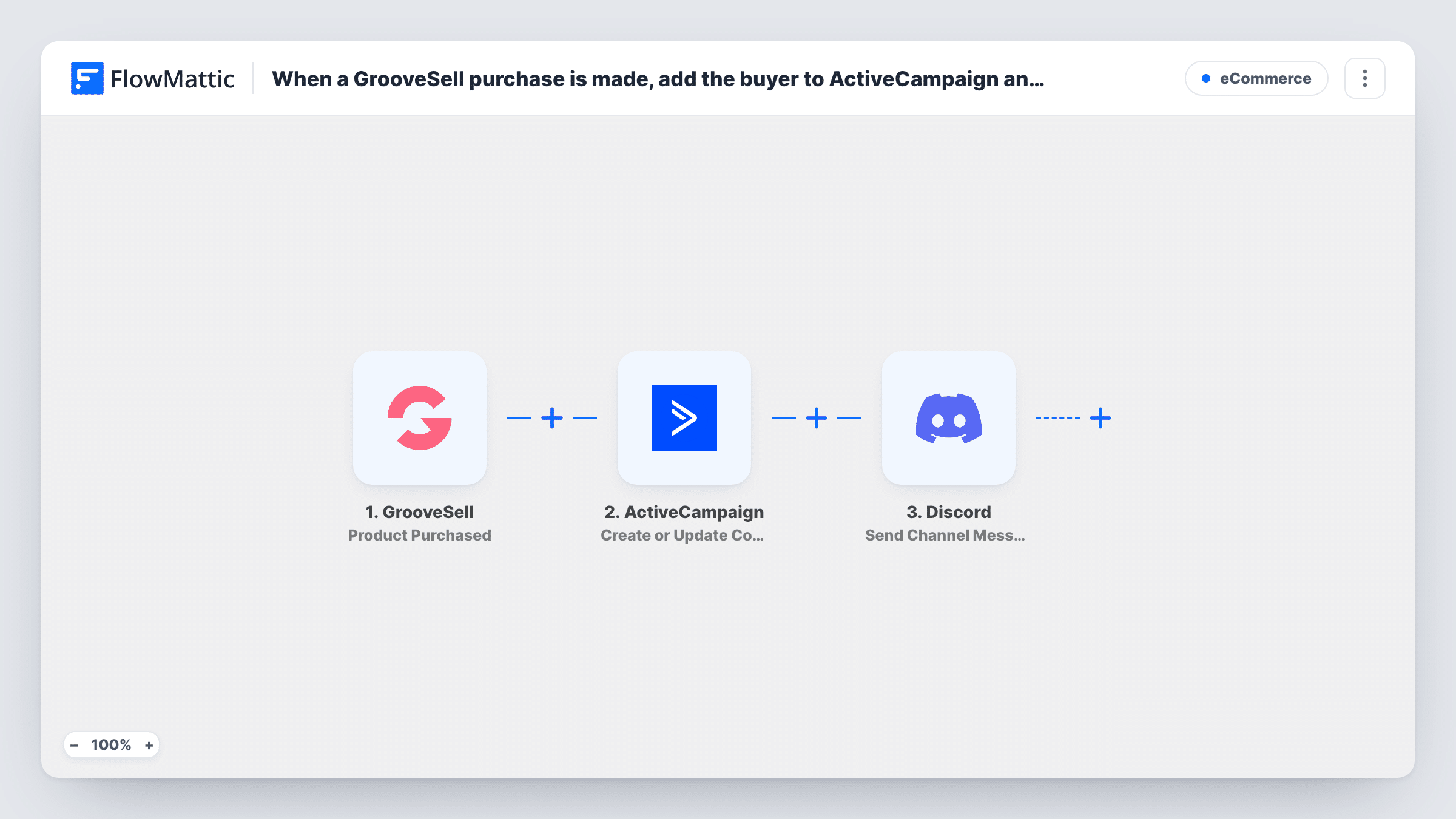
The GrooveSell trigger fires on the Product Purchased event. FlowMattic then runs Create or Update Contact in ActiveCampaign, which adds the buyer as a contact or updates the existing one. Last, it posts a channel message in Discord.
All three steps come without mappings. After import, make a test purchase or use a recent one, then map the buyer's details into the ActiveCampaign contact and write the Discord message using the purchase data you want the team to see. Every purchase runs both actions, since nothing filters them.
Launch day for a digital product
Each sale on launch day adds the buyer to ActiveCampaign and posts in the team's Discord, so everyone can follow the launch in one channel.
Course creator with a support crew
When a student buys a course, ActiveCampaign holds them as a contact for course emails, and the Discord post lets moderators expect a new member.
Affiliate promotion week
During a promotion, the Discord channel shows each purchase as it happens, while ActiveCampaign builds the list of new buyers.
How this workflow runs
What happens at each step once the workflow is on, and what you need before you import it.
 GrooveSell Product Purchased
Starts the workflow when a product is purchased in GrooveSell. The purchase and buyer details become available to the ActiveCampaign and Discord steps. Connect GrooveSell on import.
- ActiveCampaign Create or Update Contact
Creates the buyer as an ActiveCampaign contact, or updates the contact if one with that email exists. Nothing is mapped as imported, so connect ActiveCampaign and map the buyer's email and other details.
- Discord Send Channel Message
Posts a message to a Discord channel about the purchase. The message is empty in the template, so connect Discord, write the text and map in the purchase details you want the team to see.
What you need
- FlowMatticCore
- GrooveSell AccountAccount
- ActiveCampaign AccountAccount
- Discord AccountAccount
After importing, map your own data. To keep the template universal, not every step is pre-filled. Open each step in the builder and connect your accounts and fields (channels, lists, sheets, recipients) before you switch the workflow on.
Make it yours
Changes worth making after you import it.
- Write the Discord message from a test purchase, so you can see which product and buyer details GrooveSell sends before choosing what to show.
- Add a Filter after the trigger if only some GrooveSell products should run the workflow, using a field from the test data that tells products apart.
- Use a Router with one route per product, each with its own ActiveCampaign step, if buyers of different products belong in different places. Give the routes conditions that can't both match.
Questions about this workflow
What if the GrooveSell buyer is already an ActiveCampaign contact?
ActiveCampaign keeps one contact per email, and this action updates that record with the new purchase details rather than adding another. Discord still gets its post.
What does the Discord message about the GrooveSell sale say?
Whatever you write. The Send Channel Message step is empty in the template, so you compose it and map purchase details into it after import.
Are past GrooveSell purchases sent to ActiveCampaign?
No. Only purchases made after you switch the workflow on start a run.
More E-Commerce workflows
Other ready-to-import templates from the same category.





Import this workflow into your WordPress site
Download the JSON, import it from the Workflows screen and connect your accounts. Every run stays on your server, with no per-task fees.
30-day money-back guarantee Unlimited workflows and runs Self-hosted