

When a Hireflix interview finishes, add a row to Google Sheets, notify the team in Slack, then mark the row reviewed
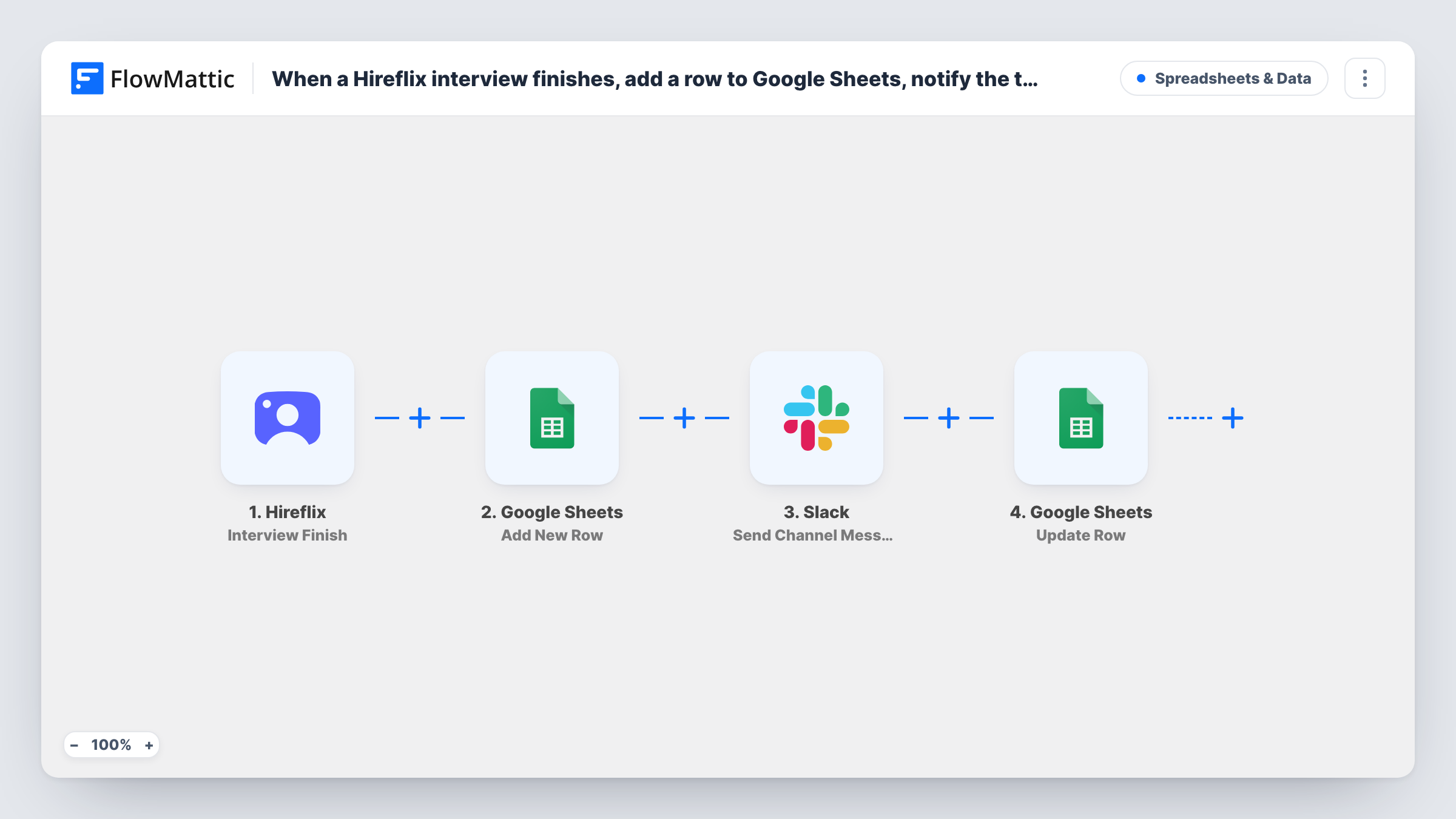
When a candidate finishes a Hireflix interview, FlowMattic adds a row to Google Sheets, posts a Slack message for your hiring team, then updates that same row by its row number to mark it reviewed.
 Hireflix
 Google Sheets
 Slack
Slack4 steps Setup ~8 min Used on 1.4k sites Free to import
What this workflow does
One-way video interviews in Hireflix arrive whenever candidates find time, often outside office hours. Hiring teams need a list of who has finished and a nudge to go and watch. This workflow builds that list in Google Sheets, posts each finished interview to Slack, and then writes a status on the candidate's row.
The Hireflix Interview Finish trigger fires when an interview is finished. Google Sheets Add New Row writes the candidate's details and returns the number of the row. A Slack message goes to your hiring channel next. Update Row finishes the run and already has {google_spreadsheets2.row_number} as its row number, so it edits the candidate's own row.
After import, run a test interview, pick the spreadsheet and sheet, map the Hireflix fields into columns, choose the Slack channel and write the message. In Update Row, choose the same sheet and set the status column to Reviewed, as the title suggests, or to wording that fits your process.
Be aware that the status is written by the workflow straight after the Slack post, before anyone has watched the video. If you need to track real reviews, use a value such as Ready for review and add a column reviewers fill in. Task History shows each finished interview and the steps' replies.
Candidate tracker for a hiring round
A recruiter running a graduate intake keeps a Google Sheet of everyone who finished their Hireflix interview, sorted by position.
Hiring managers know when to watch
A hiring manager sees each finished interview in #hiring on Slack and watches the recording that afternoon instead of checking Hireflix repeatedly.
Shared shortlist notes
A panel of reviewers adds scores and comments in columns beside each candidate's row, all in one sheet the recruiter started.
How this workflow runs
What happens at each step once the workflow is on, and what you need before you import it.
 Hireflix Interview Finish
Starts a run as soon as a Hireflix interview is finished. The interview data goes to the next steps; a test run in Task History shows which candidate and position fields are available.
- Google Sheets Add New Row
Adds the finished interview as a new row in the spreadsheet and sheet you choose and returns the row's number. Map candidate fields from Hireflix into your columns, since the template maps none.
- Slack Send Channel Message
Posts to your hiring channel in Slack. You write the message after import and map in Hireflix details such as the candidate's name and the position.
- Google Sheets Update Row
Sets a status on the row from step 2, found by the row number that step returned, already mapped. Use the same spreadsheet and sheet and set the status column to Reviewed or your own wording.
What you need
- FlowMatticCore
- Hireflix AccountAccount
- Google Sheets AccountAccount
- Slack AccountAccount
After importing, map your own data. To keep the template universal, not every step is pre-filled. Open each step in the builder and connect your accounts and fields (channels, lists, sheets, recipients) before you switch the workflow on.
Make it yours
Changes worth making after you import it.
- Set the Update Row status to Ready for review rather than Reviewed if your team uses the sheet to see which interviews still need watching.
- Add Reviewer and Decision columns to the sheet for your panel to fill in by hand next to each candidate.
- Map the interview's link from the Hireflix data into the Slack message, if a test run shows one, so reviewers can open the recording directly.
Questions about this workflow
Does Reviewed mean someone watched the Hireflix interview?
No. The workflow writes it right after the Slack message, without waiting for a person. Pick a value like Ready for review, or add a column reviewers fill in, if you need to track real reviews.
How does Update Row reach the candidate's row?
Add New Row returns the number of the row it added, and Update Row uses {google_spreadsheets2.row_number} as its row number, so it changes that same row.
Can I send the alert to one hiring manager instead of a channel?
Yes. Switch the Slack step to the Send Direct Message action and choose the person, then write the same message.
More Spreadsheets & Data workflows
Other ready-to-import templates from the same category.



Import this workflow into your WordPress site
Download the JSON, import it from the Workflows screen and connect your accounts. Every run stays on your server, with no per-task fees.
30-day money-back guarantee Unlimited workflows and runs Self-hosted