

When a Juro contract is signed, create a deal in HubSpot CRM and post a notification in Slack
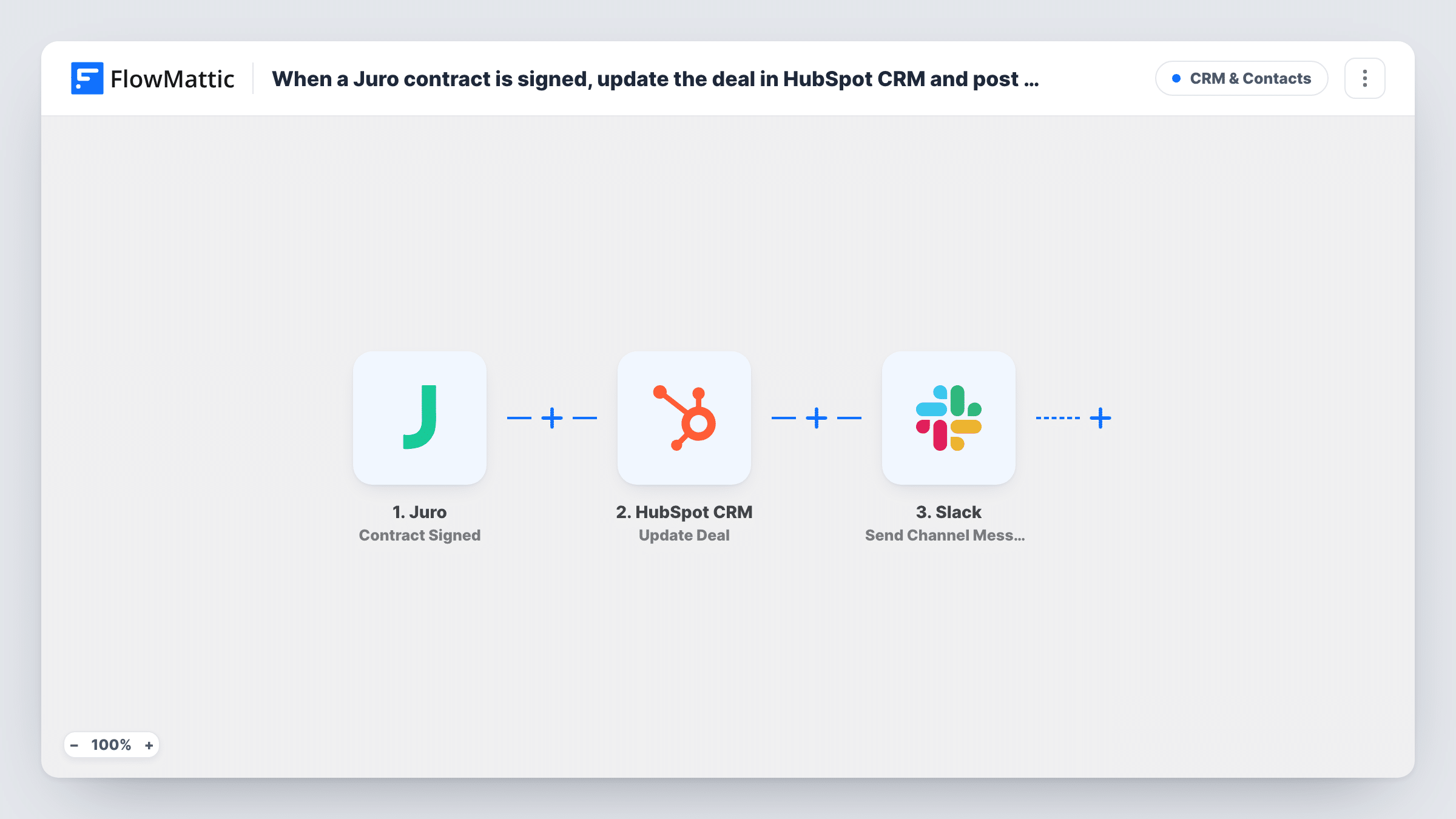
When a contract is signed in Juro, FlowMattic creates a deal in HubSpot CRM from the contract details and posts a message to Slack so the team knows it has been signed.
 Juro
Juro
 HubSpot CRM
 Slack
Slack3 steps Setup ~5 min Used on 2.2k sites Free to import
What this workflow does
A signed contract is the point where legal hands the customer over to sales and delivery. If the deal only appears in HubSpot when someone remembers to add it, pipeline reports lag and the team hears late. This workflow records each signed Juro contract as a HubSpot deal and announces it in Slack.
The Juro trigger fires when a contract instance is signed and passes on the contract's data. The HubSpot CRM Create Deal step then opens a deal for that contract. It ships unmapped, so after import connect HubSpot and map contract details into the deal, such as the contract name as the deal name and any value or counterparty fields Juro sends.
The final step sends an announcement to a Slack channel. Choose the channel and write the message after import, mapping in details such as the contract name and, from the HubSpot step, the new deal's ID.
The deal is always new: this template doesn't look for a deal that already exists for the customer. If your team creates deals before contracts go out, look at the Update Deal action instead. Sign a test contract and check Task History to see the fields Juro sent and what HubSpot and Slack returned.
Closed-won deals from signed contracts
A SaaS company that only counts revenue once paperwork is signed creates the HubSpot deal from Juro, so the pipeline matches what legal has closed.
Signed-contract alerts for delivery
An agency posts each signed Juro contract to its #new-clients Slack channel, so the delivery lead can schedule a kickoff call that day.
Recording renewals in HubSpot
A services firm sends renewal contracts through Juro and gets a fresh HubSpot deal for each signed renewal, with the Slack post telling account managers.
How this workflow runs
What happens at each step once the workflow is on, and what you need before you import it.
 Juro Contract Signed
Starts a run once a Juro contract instance has been signed. The contract's details, such as its name and fields, are passed on for the HubSpot deal and the Slack message.
- HubSpot CRM Create Deal
Opens a fresh HubSpot CRM deal for the signed contract. The step comes unmapped: connect HubSpot, then map the contract name and any value or company fields from Juro into the deal properties you use.
- Slack Send Channel Message
Posts a Slack message about the signed contract to the channel you pick. Write the text after import and map details from the Juro contract or the new HubSpot deal into it.
What you need
- FlowMatticCore
- Juro AccountAccount
- HubSpot CRM AccountAccount
- Slack AccountAccount
After importing, map your own data. To keep the template universal, not every step is pre-filled. Open each step in the builder and connect your accounts and fields (channels, lists, sheets, recipients) before you switch the workflow on.
Make it yours
Changes worth making after you import it.
- Set the deal stage in the Create Deal step to the stage your team uses for signed business, if the step shows a stage setting, so reports count these deals correctly.
- Include the counterparty name and the deal value in the Slack message so the post is useful without anyone opening HubSpot.
- If only some contract templates should create deals, add a Filter between the Juro trigger and the HubSpot step that checks the contract's template name or type. The field to test is an example; pick it from a test run.
- For a private channel, use Slack's Send Private Channel Message action instead of Send Channel Message.
Questions about this workflow
Does this update an existing HubSpot deal for the customer?
No. Create Deal adds a new deal each time a Juro contract is signed. If deals already exist before signing, use HubSpot's Update Deal action with a step that finds the right deal.
Which Juro contract fields can go into the HubSpot deal?
Any field the Contract Signed event carries. Sign a test contract, look at the trigger's data in FlowMattic, and map the name, value or other smart fields into the deal.
Does the deal get linked to a HubSpot contact or company?
Not as imported, because the HubSpot step makes a deal and nothing else. Check whether the Create Deal step offers association settings, or add steps that create or find the contact first.
Will unsigned or draft Juro contracts post to Slack?
No. The trigger is Contract Signed, so drafts, edits and approvals don't start a run. Juro has separate events for those if you want other alerts.
More CRM & Contacts workflows
Other ready-to-import templates from the same category.




Import this workflow into your WordPress site
Download the JSON, import it from the Workflows screen and connect your accounts. Every run stays on your server, with no per-task fees.
30-day money-back guarantee Unlimited workflows and runs Self-hosted