

When a lead submits a GoZen Form, send a Slack notification to your team
Each time a lead fills in one of your GoZen Forms, this workflow posts their answers to a Slack channel, so the people who follow up see the lead straight away in the place they already work.
 GoZen Forms
 Slack
2 steps Setup ~5 min Used on 3.0k sites Free to import
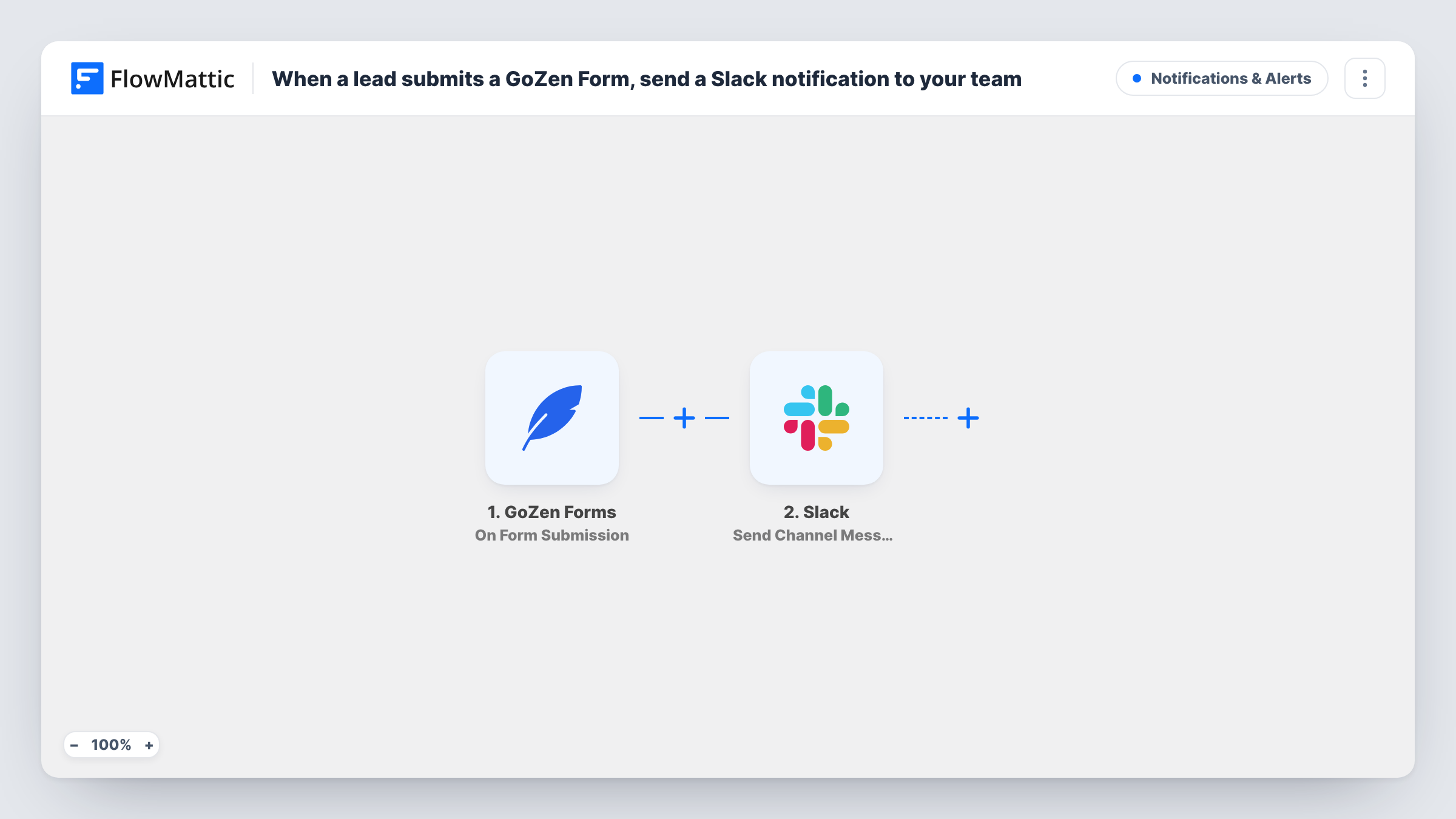
What this workflow does
Leads that wait in a form dashboard go cold. If nobody on your team checks GoZen Forms for an hour, the person who asked for a call or a quote is left waiting. This workflow puts each lead in front of your team in Slack instead.
The GoZen Forms trigger runs whenever a form is submitted. FlowMattic receives the lead's answers and keeps them as fields for the next step. The Slack step builds a message from those fields and posts it to the channel you set, for example the lead's name, email, company and the question they asked.
Nothing in between checks or sorts the leads, so every submission gives one Slack post. If you run several GoZen forms and only care about one, or only want leads that meet a condition, add a Filter after the trigger. The step details and tips cover what to set after import.
Demo requests for a SaaS sales team
A GoZen form on the pricing page asks for a demo. Each request appears in #sales with the visitor's details, so a rep can claim it with a reply in the thread.
Agency quote forms
An agency's project enquiry form posts budget and timeline answers to a #new-business channel that the founders watch during the day.
Webinar lead capture
A GoZen sign-up form for a webinar posts each new lead to a marketing channel, letting the team see who registered without exporting a list.
How this workflow runs
What happens at each step once the workflow is on, and what you need before you import it.
 GoZen Forms On Form Submission
Runs when someone submits your GoZen form. Their answers become fields that you can drop into the Slack message in the following step.
- Slack Send Channel Message
Sends each GoZen lead into one Slack channel of your choosing. Compose the message with the GoZen answers your team needs, such as name, email and what the lead asked for.
What you need
- FlowMatticCore
- GoZen Forms AccountAccount
- Slack AccountAccount
After importing, map your own data. To keep the template universal, not every step is pre-filled. Open each step in the builder and connect your accounts and fields (channels, lists, sheets, recipients) before you switch the workflow on.
Make it yours
Changes worth making after you import it.
- Posting to a private channel needs Slack's Send Private Channel Message action instead. For a single sales rep, Send Direct Message sends the lead to them alone.
- Add a Filter after the GoZen trigger to pass only leads that meet a rule, such as a company size answer above a threshold or a chosen product interest.
- Make a test submission once you import, so FlowMattic picks up the GoZen form's fields. Then map them into the Slack message and check how it reads.
Questions about this workflow
Does every GoZen Forms submission post to Slack?
Yes, as imported. The template has no Filter, so each submission that reaches FlowMattic becomes one Slack message.
Can the GoZen lead alert go to a private Slack channel?
Swap in the Send Private Channel Message action from Slack. This template's Send Channel Message step is meant for regular channels.
Are GoZen leads stored anywhere by this workflow?
No. The single action here is a Slack post, so the lead isn't saved elsewhere. To keep a record, add a step that saves the lead, such as a Google Sheets row or a contact in your CRM.
Can I tag a teammate in the Slack post?
Because the message text is yours to write, a Slack mention can go in it. Test it once to confirm the mention notifies the person you expect.
More Notifications & Alerts workflows
Other ready-to-import templates from the same category.


Import this workflow into your WordPress site
Download the JSON, import it from the Workflows screen and connect your accounts. Every run stays on your server, with no per-task fees.
30-day money-back guarantee Unlimited workflows and runs Self-hosted