

When a LeanIX document is created, add a row in Google Sheets and notify the team in Slack
When a document or resource is added to a LeanIX fact sheet, this workflow logs it as a row in Google Sheets and then posts a message to a Slack channel, so the team sees new architecture documents as they appear.
 LeanIX
 Google Sheets
 Slack
Slack3 steps Setup ~5 min Used on 847 sites Free to import
What this workflow does
Architecture documents attached in LeanIX, such as design records, runbooks or vendor contracts, are easy to miss unless you watch each fact sheet. Teams that need them end up asking around. This workflow keeps a running log of new LeanIX documents and tells your team about each one in Slack.
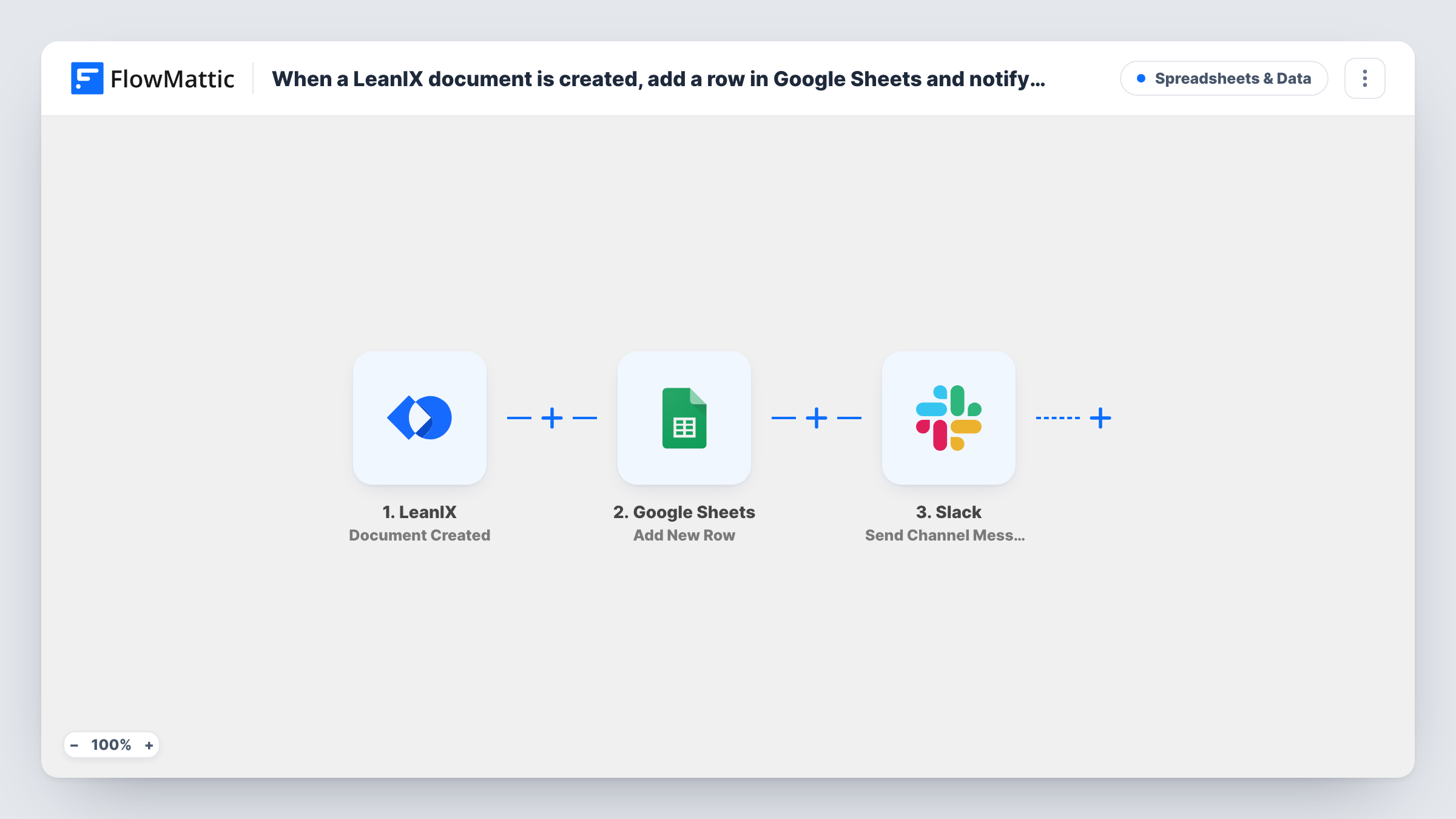
The LeanIX trigger, Document Created, fires when a resource is added to a fact sheet. FlowMattic passes the event details to Google Sheets, where Add New Row records them in the spreadsheet you choose. The run then moves to Slack, and Send Channel Message posts a note with the details you map.
Every new document runs both steps in order. Task History records what the Sheets and Slack steps returned on each run.
Architecture decision record log
Architects attach decision records to application fact sheets in LeanIX. The sheet becomes a list of every record, and #architecture hears about each one.
Vendor contract tracking
Procurement adds contract documents to IT component fact sheets. The spreadsheet gives finance a list to review, and Slack alerts the vendor management channel.
Audit evidence collection
During an audit, documents attached to fact sheets are logged in Google Sheets, giving the compliance team one place to check what was added and when.
How this workflow runs
What happens at each step once the workflow is on, and what you need before you import it.
 LeanIX Document Created
Fires when a resource, such as a document or link, is added to a LeanIX fact sheet. The event details, including the fact sheet it belongs to, are passed to the next two steps.
- Google Sheets Add New Row
Records the new LeanIX document as a row in the spreadsheet you choose. Map the document name, fact sheet and any link the event carries to the sheet's columns.
- Slack Send Channel Message
Posts a message to the public Slack channel you pick, with the document and fact sheet details you map in. Link Slack when you import the template.
What you need
- FlowMatticCore
- LeanIX AccountAccount
- Google Sheets AccountAccount
- Slack AccountAccount
After importing, map your own data. To keep the template universal, not every step is pre-filled. Open each step in the builder and connect your accounts and fields (channels, lists, sheets, recipients) before you switch the workflow on.
Make it yours
Changes worth making after you import it.
- To post the alert in a private Slack channel, replace the last step with Send Private Channel Message. For a single owner, use Send Direct Message.
- Put a Filter between the LeanIX trigger and the Google Sheets step that continues only for the fact sheet types your team cares about, using a type value the event returns. Other documents then reach neither the sheet nor the channel.
- If a test run shows a timestamp in the LeanIX event, map it into a date column so you can sort the log by when documents were added.
Questions about this workflow
What counts as a LeanIX document for this trigger?
The trigger fires when a resource is added to a fact sheet. Add a test document to a fact sheet after import and check what the event carries before you map the steps.
Which LeanIX details go into the Google Sheets row?
The ones you map. Add New Row ships unmapped, so add a test document after import, then match values such as the document name and its fact sheet to your columns.
Are changes to existing LeanIX documents logged?
No. This trigger covers new documents. LeanIX has separate Document Updated and Document Deleted triggers if you want to log those in another workflow.
Can the Slack post include a link to the document?
If the event includes a URL for the resource, map it into the message. Run a test to see which link fields LeanIX sends.
More Spreadsheets & Data workflows
Other ready-to-import templates from the same category.





Import this workflow into your WordPress site
Download the JSON, import it from the Workflows screen and connect your accounts. Every run stays on your server, with no per-task fees.
30-day money-back guarantee Unlimited workflows and runs Self-hosted