

When a Motion Tools driver goes offline, log it in Google Sheets and send a Pushover alert
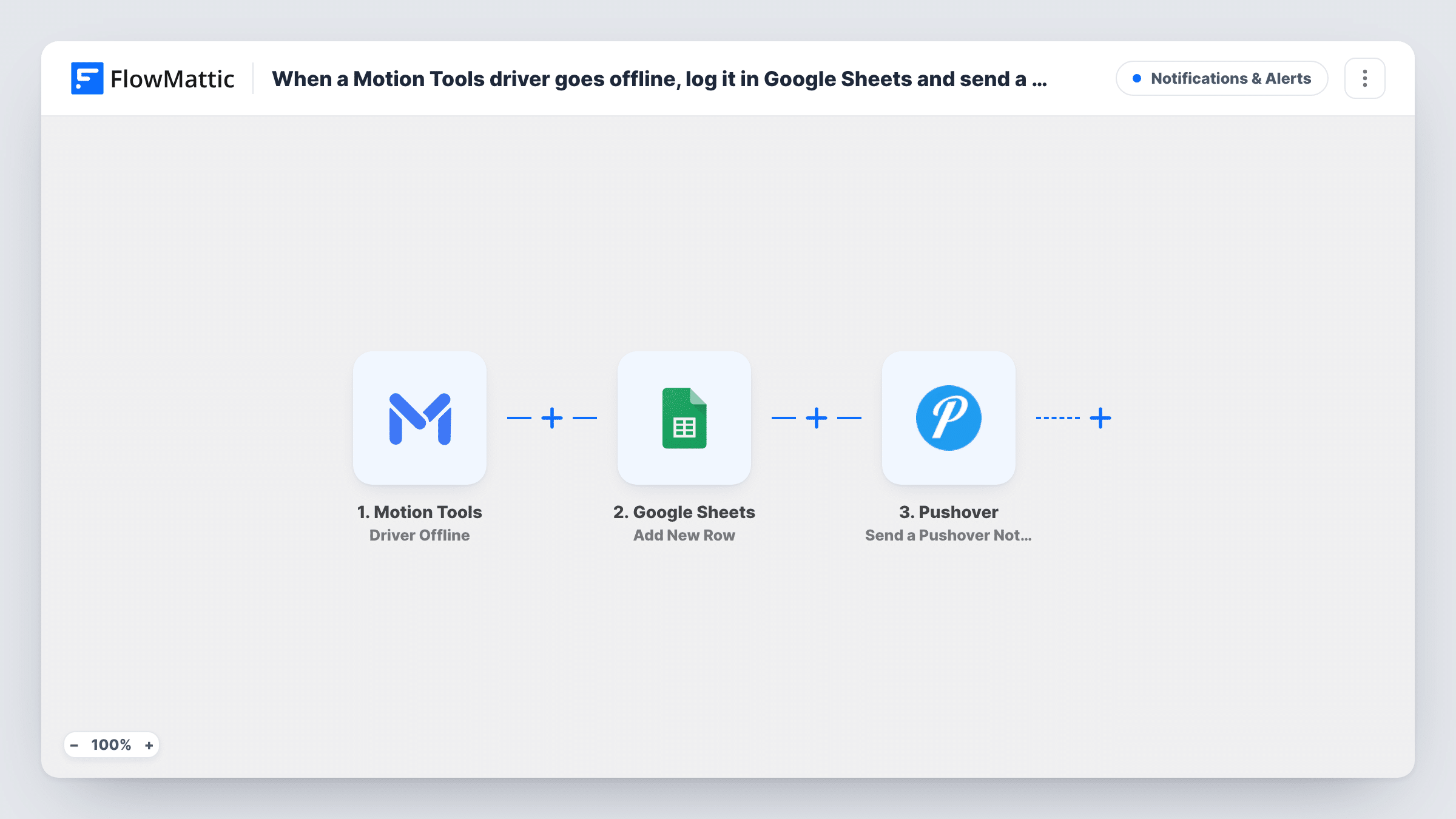
When a Motion Tools driver goes offline, this workflow adds a row to a Google Sheets log and then sends a Pushover notification to your devices, so dispatch knows who dropped off and when.
 Motion Tools
 Google Sheets
 Pushover
3 steps Setup ~5 min Used on 565 sites Free to import
What this workflow does
In a dispatch operation, a driver going offline changes who can take the next booking. Dispatchers watching a busy screen can miss it, and nobody keeps a record of how often it happens. Here each offline event is logged and you get pinged about it.
The Motion Tools trigger fires when a driver goes offline. The event details, such as which driver it was, become values you can map. First the Google Sheets step adds a row to the spreadsheet you choose, so you build a running log of offline events. Then the Pushover step sends a notification to the devices subscribed to your Pushover account.
Every offline event runs both steps, including drivers who log off at the planned end of a shift. If you only care about some drivers or some hours, add a Filter after the trigger. Task History records each run, so you can check what was written and what was sent.
Night-shift dispatcher alerts
The dispatcher on duty gets a Pushover notification on their phone when a driver drops offline, even while away from the dispatch screen.
Weekly review of driver availability
The sheet collects one row per offline event, so an operations manager can sort by driver and see how often each one logged off during the week.
Checking a disputed shift
When a driver says they were online all evening, the timestamped rows in Google Sheets show when Motion Tools reported them going offline.
How this workflow runs
What happens at each step once the workflow is on, and what you need before you import it.
 Motion Tools Driver Offline
Fires each time Motion Tools reports that a driver has gone offline. The values in that event are available to both of the following steps.
- Google Sheets Add New Row
Adds one row per offline event to the Google Sheets spreadsheet you choose. Set up columns such as driver and time, map the Motion Tools values into them, and connect your Google account.
- Pushover Send a Pushover Notification
Sends a Pushover notification to your subscribed devices about the driver going offline. Map the driver details into the message text and connect your Pushover account on import.
What you need
- FlowMatticCore
- Motion Tools AccountAccount
- Google Sheets AccountAccount
- Pushover AccountAccount
After importing, map your own data. To keep the template universal, not every step is pre-filled. Open each step in the builder and connect your accounts and fields (channels, lists, sheets, recipients) before you switch the workflow on.
Make it yours
Changes worth making after you import it.
- Add a Filter after the trigger so only the drivers you care about produce a notification and a row, if your fleet is large.
- Put the driver's name in the Pushover message itself, not only in the sheet, so the person reading the notification knows who to call without opening the spreadsheet.
- Add a second workflow with the Motion Tools Driver Online trigger writing to the same sheet, so the log shows when each driver came back as well.
Questions about this workflow
Does every Motion Tools driver going offline send a Pushover alert?
Yes, as imported. There is no Filter, so each offline event writes a row and sends a notification, including planned logoffs at the end of a shift.
Do I need a Pushover account for these driver alerts?
Yes. The notification goes through your Pushover account to the devices subscribed to it, so install the Pushover app on the phones that should receive it.
If the driver log in Google Sheets errors, do I still get the Pushover alert?
FlowMattic still runs the Pushover step, so you get the alert. Task History shows the error on the Google Sheets step so you can fix the connection or the sheet.
Can the log include drivers coming back online?
Not in this workflow. Build a second one on the Motion Tools Driver Online trigger and point its Google Sheets step at the same spreadsheet.
More Notifications & Alerts workflows
Other ready-to-import templates from the same category.





Import this workflow into your WordPress site
Download the JSON, import it from the Workflows screen and connect your accounts. Every run stays on your server, with no per-task fees.
30-day money-back guarantee Unlimited workflows and runs Self-hosted