

When a Myfundbox payment is created, add a Google Sheets row and notify finance on Telegram
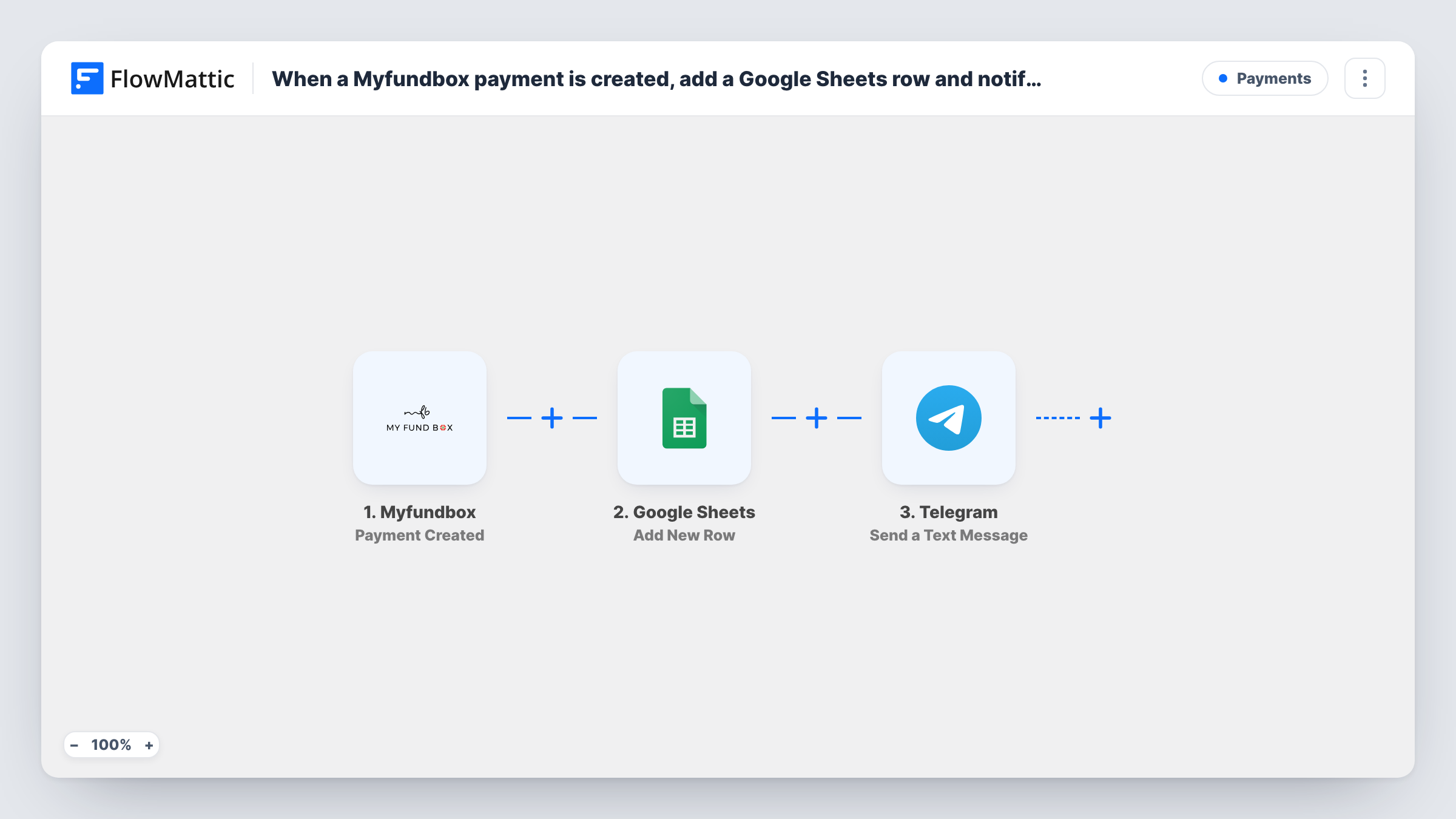
Each completed Myfundbox payment is written to a Google Sheets row and then announced in a Telegram message to your finance chat, so the payment log and the team’s heads-up happen in one run.
 Myfundbox
 Google Sheets
 Telegram
3 steps Setup ~5 min Used on 1.0k sites Free to import
What this workflow does
Finance teams want two things when money comes in: a record they can reconcile later and a quick note that it arrived. Doing both by hand means opening Myfundbox, copying figures into a spreadsheet and then messaging colleagues. This template covers both from a single payment event.
The Myfundbox trigger, Payment Created, fires when a payment is done and passes along the payment data. First, the Google Sheets step adds a row to your ledger sheet with the values you map, such as amount, payer and date where Myfundbox includes them. Then the Telegram step sends a text message through your bot to the chat you set, using the same payment values in the text.
Every payment runs both steps, since nothing filters them. Task History shows what Google Sheets and Telegram returned for each payment, which helps when a row or a message looks off.
Daily reconciliation sheet
An accountant works from the Google Sheet at the end of each day, matching every logged Myfundbox payment against the bank statement.
Finance group chat alerts
A Telegram group for the finance team receives a message per payment, so nobody has to refresh the Myfundbox dashboard to see income arrive.
Founder visibility on a small business
An owner who is often away from the desk gets each payment on Telegram, while the bookkeeper keeps the sheet up to date for month-end.
How this workflow runs
What happens at each step once the workflow is on, and what you need before you import it.
 Myfundbox Payment Created
Starts the run when Myfundbox reports a payment as done. The payment data it sends is available to both the spreadsheet step and the Telegram message.
- Google Sheets Add New Row
Logs the payment as a new row in your Google Sheets ledger. Map columns such as amount, payer and date to Myfundbox values, and connect your Google account.
- Telegram Send a Text Message
Sends a Telegram text message about the payment through your bot. Set the finance chat as the destination and write the message with payment values, using Telegram markup for bold amounts if you like.
What you need
- FlowMatticCore
- Myfundbox AccountAccount
- Google Sheets AccountAccount
- Telegram AccountAccount
After importing, map your own data. To keep the template universal, not every step is pre-filled. Open each step in the builder and connect your accounts and fields (channels, lists, sheets, recipients) before you switch the workflow on.
Make it yours
Changes worth making after you import it.
- Add the Telegram bot to your finance group before you map the step, and send it one message, which helps you find the group's chat ID for the destination.
- Put a Filter between the Google Sheets step and the Telegram step that continues only when the amount is greater than a threshold you choose. Every payment is still logged, but only larger ones send an alert.
- Make a small test payment after import so both steps can be mapped from real Myfundbox values instead of guesses.
Questions about this workflow
Does every Myfundbox payment send a Telegram message?
Yes, as imported. Each payment adds a row and sends a message. Add a Filter between the Google Sheets step and the Telegram step if you only want alerts for some payments.
Which Myfundbox values can I log in the ledger sheet?
Those the Payment Created event sends. Make a test payment, look at the captured data, and map the amount, payer, date or anything else Myfundbox includes to your column headings.
Can the Telegram alert go to a group instead of one person?
Yes. Add your bot to the group and use the group's chat ID as the destination. Each payment message then appears in the group chat.
Will past Myfundbox payments be logged in the sheet?
No. Only payments made after the workflow is active reach Google Sheets and Telegram.
More Payments workflows
Other ready-to-import templates from the same category.






Import this workflow into your WordPress site
Download the JSON, import it from the Workflows screen and connect your accounts. Every run stays on your server, with no per-task fees.
30-day money-back guarantee Unlimited workflows and runs Self-hosted