

When a Netcore Cloud event fires, add it to Airtable and post a summary to Slack
When Netcore Cloud sends a campaign event to FlowMattic, the workflow saves it as an Airtable record and then posts a short summary to a Slack channel, so you keep a log and your team sees it.
 Netcore Cloud
 Airtable
 Slack
Slack3 steps Setup ~5 min Used on 888 sites Free to import
What this workflow does
Campaign events in Netcore Cloud, such as opens, clicks or bounces, are useful beyond the Netcore dashboard. A marketer may want them in a base they can query, and a team may want to hear about them in Slack. This workflow does both from one webhook.
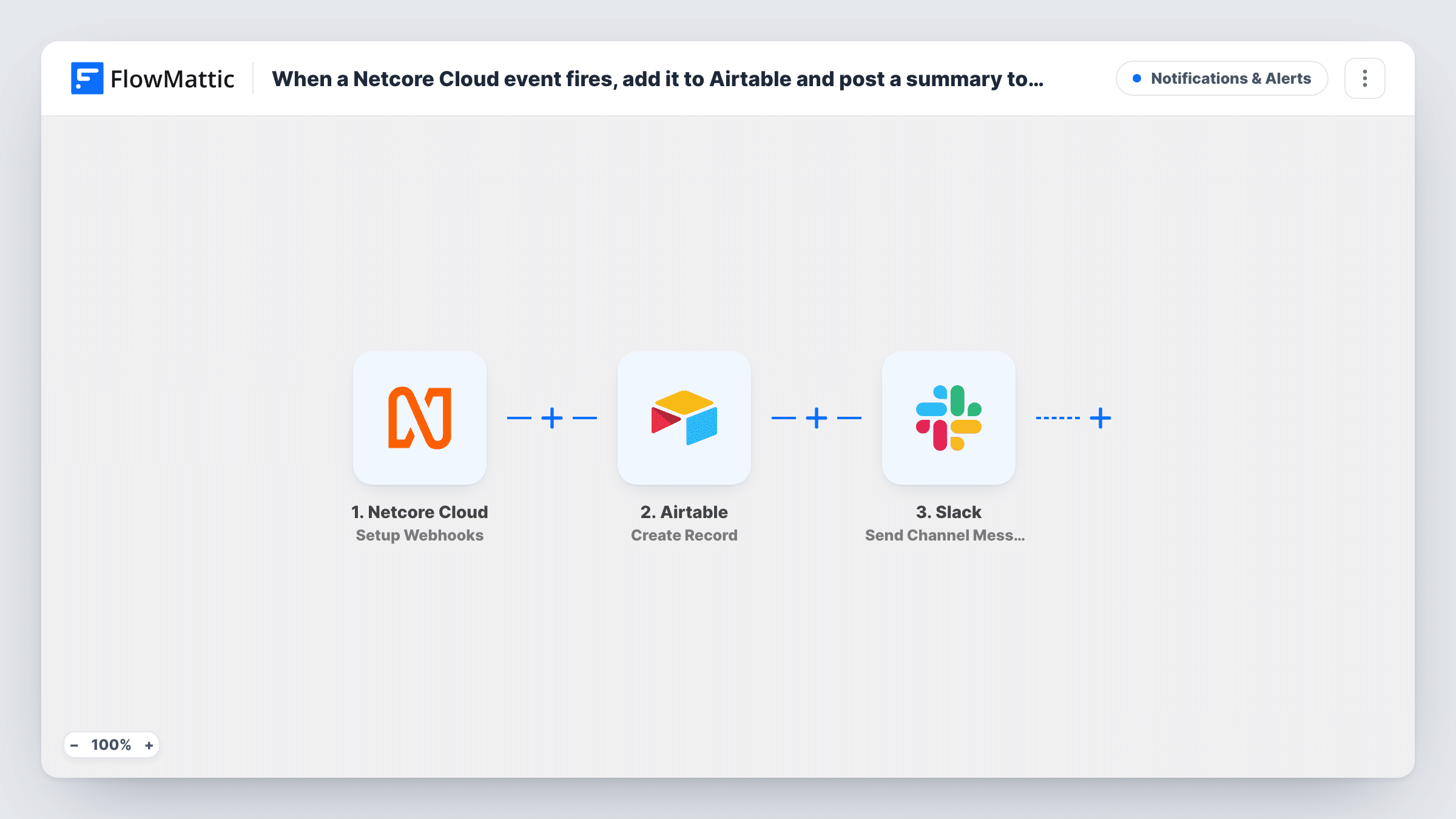
The Netcore Cloud trigger, Setup Webhooks, fires when Netcore sends a response for the event you set it up for. FlowMattic passes that event data to Airtable, where Create Record adds a new record to the base and table you choose. Next, the Slack step posts a message to a channel, built from the event values you place in its text.
Every event Netcore delivers runs both steps, with no filtering in between. If your webhook covers busy events, the channel gets one post per event, so think about volume before you turn it on. Task History records each run for checking.
Bounce tracking for an email team
Point the Netcore webhook at bounce events. Each bounced address becomes an Airtable record, and the deliverability owner sees a Slack post to look into it.
Unsubscribe log with a team heads-up
Unsubscribe events build an Airtable table you can review by campaign, while a Slack channel tells the content team who opted out.
Campaign launch monitoring
During a launch, click events from Netcore land in Airtable for later analysis, and a temporary Slack channel shows activity as it comes in.
How this workflow runs
What happens at each step once the workflow is on, and what you need before you import it.
 Netcore Cloud Setup Webhooks
Runs when Netcore Cloud sends a response for the event you set up the webhook for. The event data it carries is available to map in both later steps.
- Airtable Create Record
Adds one Airtable record per Netcore event to the base and table you set. Connect your Airtable account and map the Netcore event values into the table's fields.
- Slack Send Channel Message
Sends a summary of the Netcore event to your chosen Slack channel. Write the message text and drop in Netcore event values, such as the event type or contact, so the post is readable at a glance.
What you need
- FlowMatticCore
- Netcore Cloud AccountAccount
- Airtable AccountAccount
- Slack AccountAccount
After importing, map your own data. To keep the template universal, not every step is pre-filled. Open each step in the builder and connect your accounts and fields (channels, lists, sheets, recipients) before you switch the workflow on.
Make it yours
Changes worth making after you import it.
- Add a Filter between the trigger and Airtable if you only care about certain event types, such as bounces, so other events don't create records or Slack posts.
- For a private Slack channel, swap the Slack step to Send Private Channel Message. If a single person should get the Netcore summary, switch to Send Direct Message.
- Send a test event from Netcore after import so FlowMattic captures real data. Then map the Airtable fields and the Slack text from values you can see.
Questions about this workflow
Which Netcore Cloud events start this workflow?
The ones you configure Netcore to send to the trigger's webhook. The template doesn't limit them, so every event delivered to it creates an Airtable record and a Slack post.
Can the Slack summary link to the Airtable record?
The Slack step runs after Airtable, so values Airtable returns for the new record are available to map. Check the Airtable step's test output to see whether an ID or link is included.
Do I need a specific Airtable table layout for Netcore events?
Any table layout works for Netcore events. Create fields for the event values you want to keep, such as event type and email, then map each one in the Airtable step.
Will a busy Netcore campaign flood my Slack channel?
It can, because each event runs both steps. Narrow the webhook in Netcore to the events you need, or add a Filter before the Slack step so only some events post.
More Notifications & Alerts workflows
Other ready-to-import templates from the same category.




Import this workflow into your WordPress site
Download the JSON, import it from the Workflows screen and connect your accounts. Every run stays on your server, with no per-task fees.
30-day money-back guarantee Unlimited workflows and runs Self-hosted