

When a new easybill document is created, add a row in Google Sheets and notify accounting in Slack
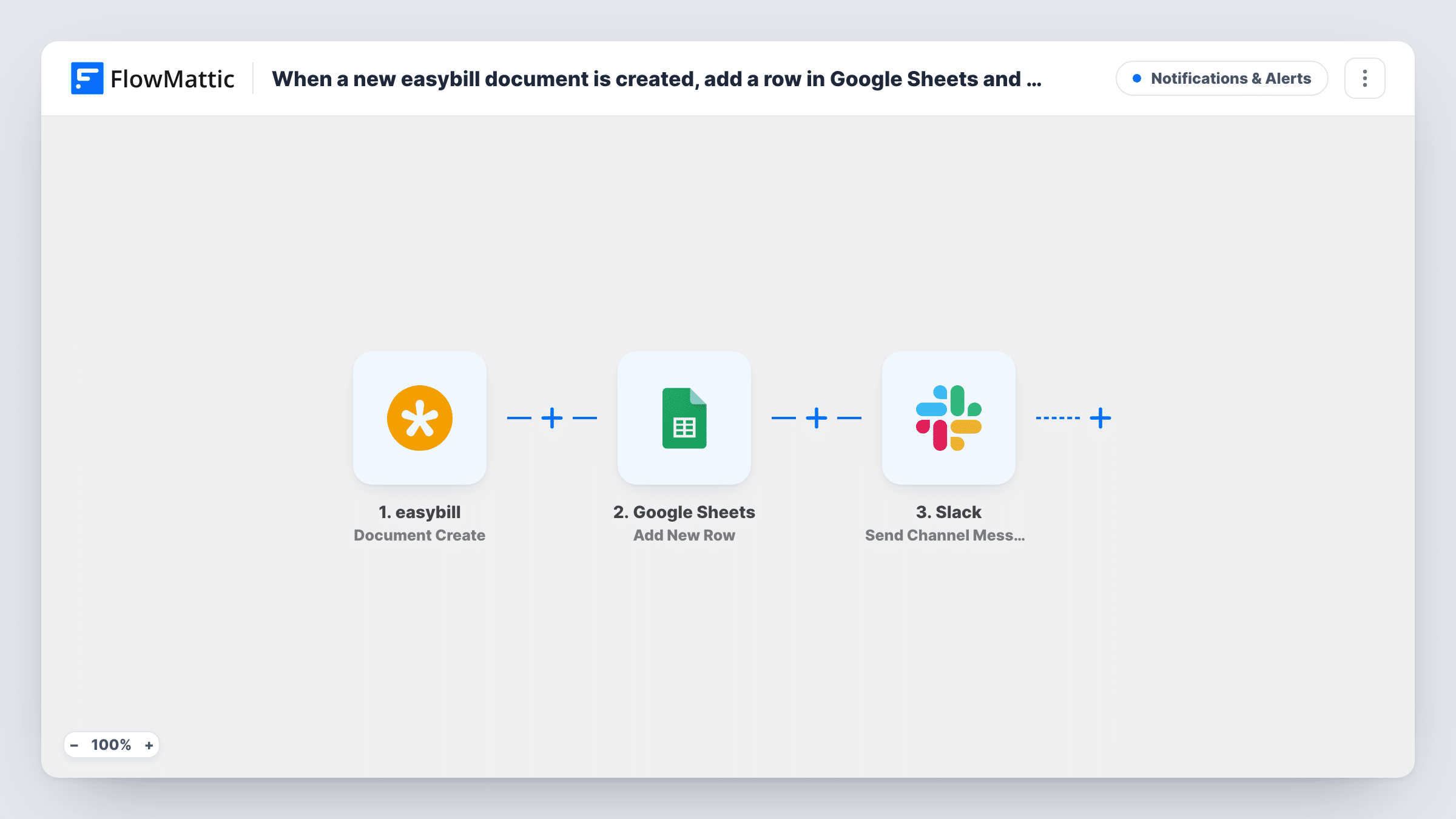
Each time a document is created in easybill, this workflow writes its details to a new Google Sheets row and posts a message in the Slack channel your accounting team watches.
 easybill
 Google Sheets
 Slack
3 steps Setup ~5 min Used on 3.1k sites Free to import
What this workflow does
Accounting teams often keep a running log of every document that leaves the billing system, and someone has to tell them when a new one appears. Doing that by hand means copying numbers into a sheet and typing a chat message for each one. This workflow does both the moment the document exists.
The easybill trigger fires when a document is created in your easybill account. FlowMattic takes the document data it receives and passes it to Google Sheets, which adds one new row to the spreadsheet you pick. You decide which document values go in which column. The run then moves to Slack and posts a message to the channel you choose, built from the same document data.
The trigger has no filter, so every new document runs both steps, whatever its type. If your team only cares about some documents, add a Filter after the trigger. Task History keeps a record of each run, so you can see what was written to the sheet and what was posted.
A shared invoice log for the bookkeeper
Your bookkeeper works from a Google Sheet rather than an easybill login. Each new document adds a row there, so the log is ready when they sit down to reconcile.
A heads-up channel for finance
A #accounting channel in Slack gets a short message for every document created in easybill, so the team knows to review it without checking the billing tool.
Month-end checks
At the end of the month you compare the sheet's rows with your easybill records to confirm nothing was missed or created twice.
How this workflow runs
What happens at each step once the workflow is on, and what you need before you import it.
 easybill Document Create
Fires whenever a new document is created in your easybill account. The document's data is passed on for the Google Sheets and Slack steps to use.
- Google Sheets Add New Row
Adds one row to the Google Sheets spreadsheet you select. Map the easybill document values you want to keep to the sheet's columns and connect your Google account.
- Slack Send Channel Message
Sends a message into a Slack channel of your choice. Write the text and insert easybill values into it, so the message tells accounting which document was created.
What you need
- FlowMatticCore
- easybill AccountAccount
- Google Sheets AccountAccount
- Slack AccountAccount
After importing, map your own data. To keep the template universal, not every step is pre-filled. Open each step in the builder and connect your accounts and fields (channels, lists, sheets, recipients) before you switch the workflow on.
Make it yours
Changes worth making after you import it.
- Add a Filter between the trigger and Google Sheets that continues only for the document type you care about, if accounting does not need every kind of document.
- Create one test document in easybill after import. FlowMattic then captures its data, and you can see which values are available before mapping the sheet columns and the Slack text.
- Put a header row in the spreadsheet before you map the Google Sheets step, so each column has a clear name to match against the easybill values.
Questions about this workflow
Which easybill documents start this workflow?
Any document created in your easybill account. The trigger fires on document creation and the template has no filter, so every new document runs both the Google Sheets and Slack steps.
Will changes to an existing easybill document update the sheet row?
No. The trigger only listens for new documents, and the Google Sheets step only adds rows. Edits made in easybill later are not copied to the sheet.
Can the Slack message go to a person instead of a channel?
As imported, the step posts to a channel you pick. Slack in FlowMattic also has a Send Direct Message action, so you can swap the step for it after import if one person handles the documents.
Are documents created before I turn it on added to Google Sheets?
No. Only documents created in easybill after the workflow is active trigger a run, so older ones are not copied.
More Notifications & Alerts workflows
Other ready-to-import templates from the same category.




Import this workflow into your WordPress site
Download the JSON, import it from the Workflows screen and connect your accounts. Every run stays on your server, with no per-task fees.
30-day money-back guarantee Unlimited workflows and runs Self-hosted