

When a new lead is captured in 99 Acres, add new member to list in Mailchimp
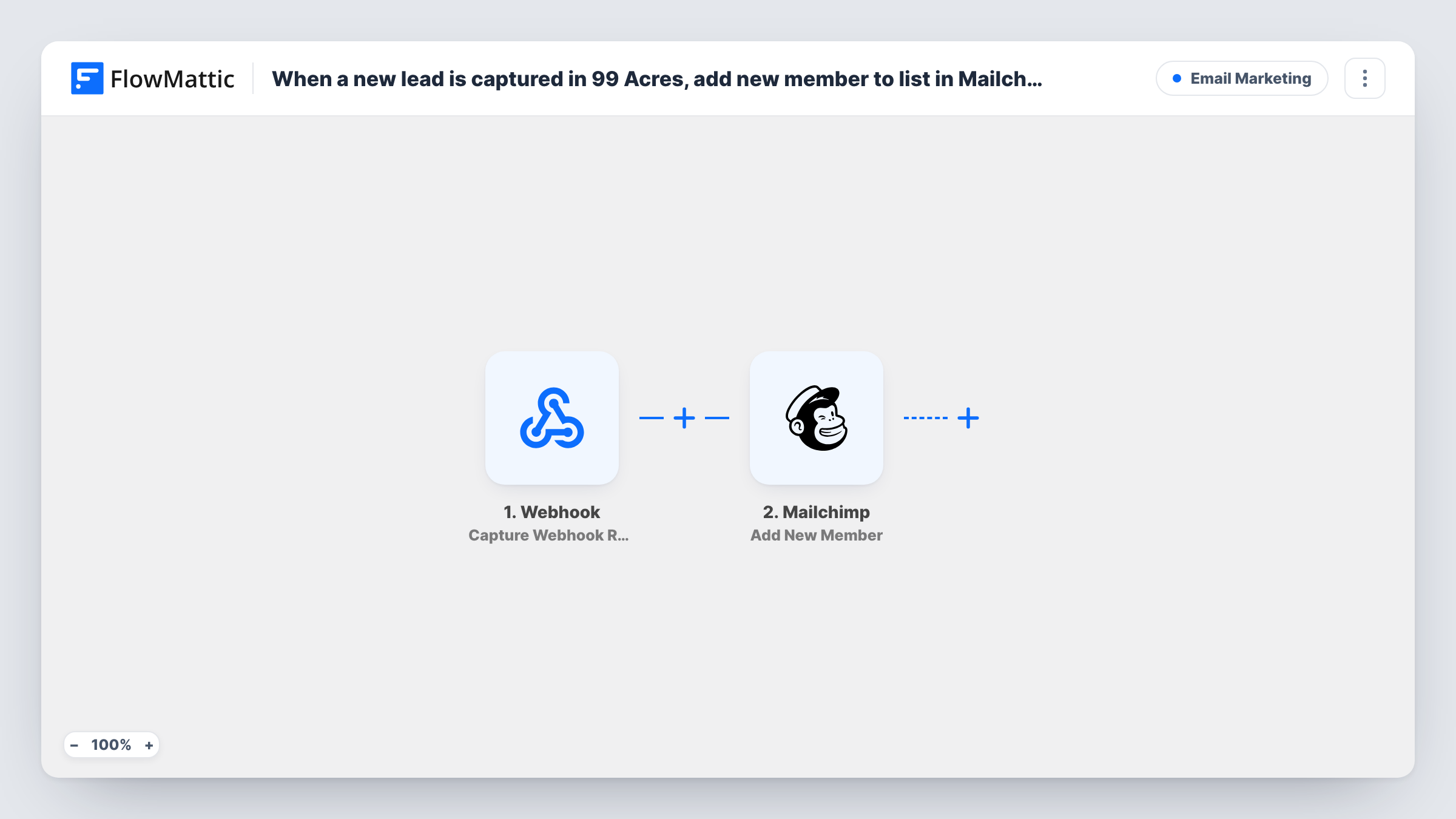
Every property lead that 99 Acres posts to your FlowMattic webhook URL is added to a Mailchimp audience as a member, or updated if that address is already on the list, ready for your email campaigns.
 Webhook
 Mailchimp
2 steps Setup ~5 min Used on 2.1k sites Free to import
What this workflow does
A buyer who enquires about one flat on 99 Acres may suit three other listings next month. Keeping those enquirers on a Mailchimp audience lets you send new launches, price updates and open-house invites to people who have already shown interest. This workflow moves each lead into Mailchimp as it arrives, so nobody has to copy addresses out of the portal.
Leads come in through a generic Webhook trigger that listens at its own URL, and you set 99 Acres to post its leads to that URL. FlowMattic's dedicated 99 Acres trigger, New Leads, also works by catching leads at a webhook URL, so the generic trigger covers the same ground. Whatever lead details arrive in the post become values you can map.
The Mailchimp step then runs Add New Member on the audience you choose. A new address becomes a member. An address that is already there is updated instead of being added twice. No step checks or filters the leads, so every post to the URL reaches Mailchimp, and Task History lists each run with the data it carried.
Launch mailers for a new residential project
A developer gathers 99 Acres enquirers from earlier phases into one Mailchimp audience, then emails them when bookings for the next tower open.
Weekly listings email from a brokerage
A broker sends a weekly Mailchimp email of fresh rentals, and every 99 Acres lead posted to the URL is on the audience before the next send.
Re-engaging buyers who went quiet
Enquirers who never booked a site visit still receive later Mailchimp campaigns about price changes or similar properties in their area.
How this workflow runs
What happens at each step once the workflow is on, and what you need before you import it.
 Webhook Capture Webhook Response
Provides a unique webhook URL for incoming leads. Configure 99 Acres to post each new lead there; the details in that post become values the Mailchimp step can use.
- Mailchimp Add New Member
Adds the lead to the Mailchimp audience you select, or updates the member when the address is already on it. Map the email from the captured lead, plus any name values, and connect your Mailchimp account on import.
What you need
- FlowMatticCore
- Mailchimp AccountAccount
After importing, map your own data. To keep the template universal, not every step is pre-filled. Open each step in the builder and connect your accounts and fields (channels, lists, sheets, recipients) before you switch the workflow on.
Make it yours
Changes worth making after you import it.
- Turn on the Webhook trigger's Require authentication on incoming requests setting if 99 Acres can send the key, so only real leads can add people to your audience.
- Post a sample lead to the URL after import, then open the Mailchimp step and map the email from the captured data before you switch the workflow on.
- Add a Filter after the trigger that continues only when the lead's email is not empty. Phone-only enquiries then stop there instead of sending Mailchimp a request with no address.
Questions about this workflow
How does 99 Acres reach this Mailchimp workflow?
Through the webhook URL FlowMattic shows on the trigger. You set 99 Acres to post its leads to that URL. FlowMattic's own 99 Acres New Leads trigger works the same way, by catching leads at a webhook URL.
What if a 99 Acres lead is already in my Mailchimp audience?
Mailchimp keeps one member per address, so this step refreshes the stored member rather than duplicating them. Values you map from the new lead can replace what was stored, and a blank value may clear a field, so map only details you expect every lead to carry.
Do 99 Acres leads get my Mailchimp welcome email?
That depends on your Mailchimp setup, not on this workflow. The step only adds or updates the member. Any welcome email or automation comes from what you have configured inside Mailchimp for that audience.
Will leads posted before import reach Mailchimp?
No. Only leads posted to the webhook URL after the workflow is on are processed. Earlier enquiries would need to be imported into Mailchimp separately.
More Email Marketing workflows
Other ready-to-import templates from the same category.








Import this workflow into your WordPress site
Download the JSON, import it from the Workflows screen and connect your accounts. Every run stays on your server, with no per-task fees.
30-day money-back guarantee Unlimited workflows and runs Self-hosted