

When new lead captured in OpenRead, check if the email is valid with EmailListVerify, and add a new subscriber in Campaign Monitor
Each new OpenRead.io lead has its email checked with EmailListVerify and is then added to Campaign Monitor as a subscriber. As imported, every lead is added whatever the check returns.
 OpenRead.io
 EmailListVerify
 Campaign Monitor
3 steps Setup ~5 min Used on 2.8k sites Free to import
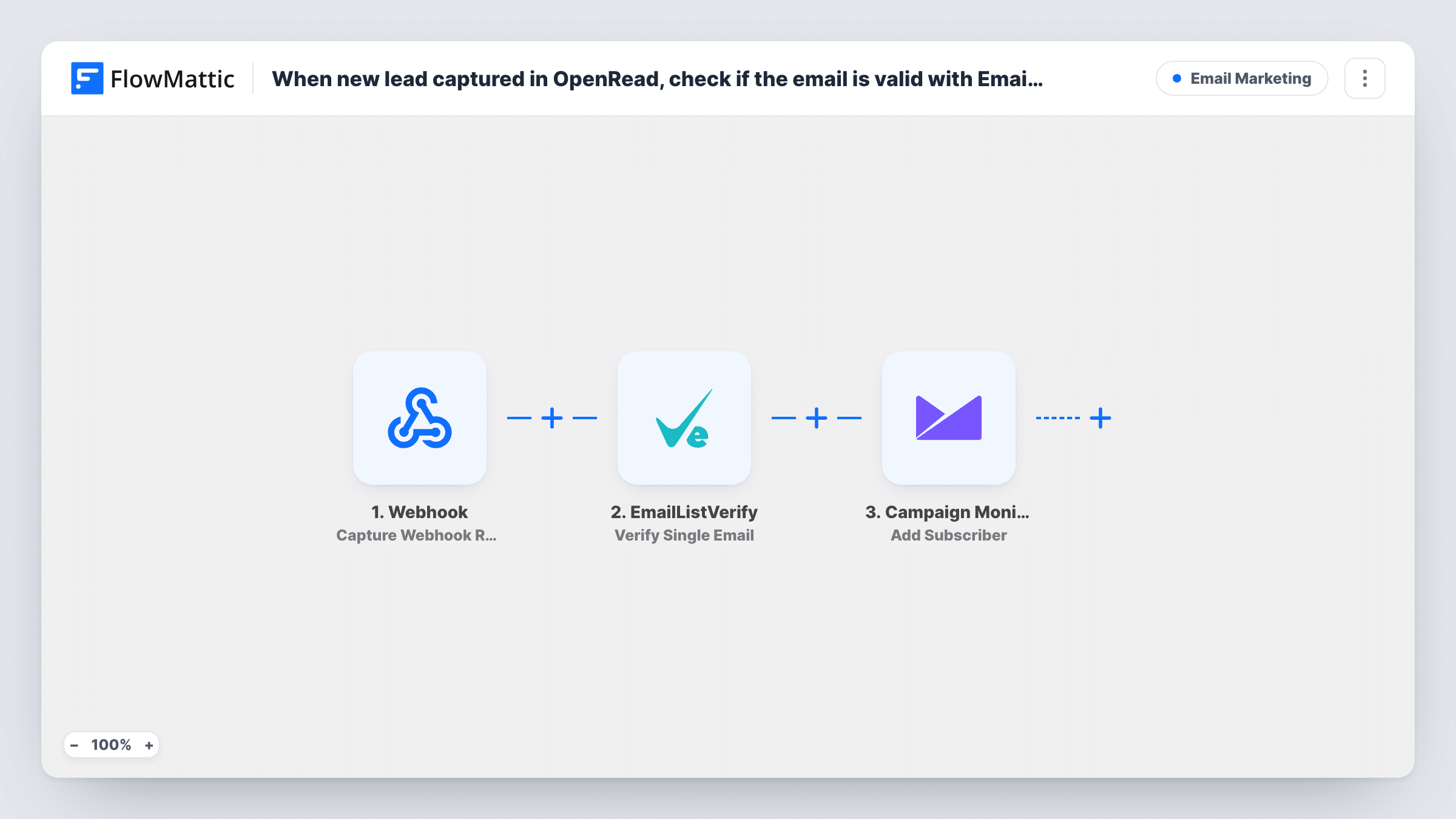
What this workflow does
When leads come from a lead magnet, you usually want two things: the person on your Campaign Monitor list, and some idea of whether the address is real. This workflow gives you both for each OpenRead.io lead. The verification result is recorded in the run, and you can make it decide who joins the list with one extra step.
The OpenRead.io trigger fires for each lead your funnel captures and passes on the lead's email and details. The EmailListVerify step then runs Verify Single Email on that address. It ships unmapped, so you map the lead's email into it after import.
Next, Campaign Monitor runs Add Subscriber. This step is also unmapped: choose the list and map the lead's email and name. Nothing between the two steps checks the verification result, so every lead goes to Campaign Monitor, including addresses EmailListVerify reports as bad.
To add only good addresses, put a Filter between the EmailListVerify step and the Campaign Monitor step on the result EmailListVerify returns. Run one test lead with a real email and one with a made-up email first, so Task History shows you which value marks a good address.
Verification log for a giveaway funnel
A creator runs an OpenRead.io giveaway, adds every entrant to Campaign Monitor and reviews the EmailListVerify results in Task History before sending.
Filtered list for a paid newsletter trial
A publisher adds a Filter between the EmailListVerify and Campaign Monitor steps, so only addresses EmailListVerify approves join the Campaign Monitor list for the trial issues.
Lead magnet sign-ups to a welcome series
A consultant's OpenRead.io checklist puts each lead on a Campaign Monitor list whose welcome emails start right away.
How this workflow runs
What happens at each step once the workflow is on, and what you need before you import it.
 OpenRead.io Capture New Lead
Starts a run each time someone opts in through your OpenRead.io lead magnet. The lead's email and other details are handed to the verification and subscriber steps.
- EmailListVerify Verify Single Email
Checks the lead's email with EmailListVerify and returns a result. The step ships unmapped, so map the OpenRead.io email into it. Nothing acts on the result as imported.
- Campaign Monitor Add Subscriber
Adds the lead as a Campaign Monitor subscriber, whatever the verification returned. Choose the list after import and map the lead's email and name, since the template leaves them empty.
What you need
- FlowMatticCore
- OpenRead.io AccountAccount
- EmailListVerify AccountAccount
- Campaign Monitor AccountAccount
After importing, map your own data. To keep the template universal, not every step is pre-filled. Open each step in the builder and connect your accounts and fields (channels, lists, sheets, recipients) before you switch the workflow on.
Make it yours
Changes worth making after you import it.
- Put a Filter between the EmailListVerify step and the Campaign Monitor step that continues only when the result shows a good address. Use the exact value a test run returns for a real email.
- Map the lead's name into Add Subscriber if OpenRead.io sends it, so Campaign Monitor emails can address people by name.
- If you keep every lead but want to know which addresses are risky, map the EmailListVerify result into a Campaign Monitor custom field, if your list has one for it.
Questions about this workflow
Are OpenRead.io leads with invalid emails still added to Campaign Monitor?
Yes, as imported. EmailListVerify checks every address, but no step acts on the result, so all leads are added. Put a Filter between the two steps to stop the bad ones.
Which EmailListVerify result means the address is good?
Check a test run. Send one lead with a real address and one with a made-up address, then compare the result values in Task History and use the good one in your Filter.
Which Campaign Monitor list do the leads join?
The list you select in the Add Subscriber step once you import. The template leaves the list, email and name for you to set.
Do I need an EmailListVerify account for this?
Yes. The verification runs through your EmailListVerify account, which you connect in that step. Campaign Monitor needs its own connection in the last step.
More Email Marketing workflows
Other ready-to-import templates from the same category.





Import this workflow into your WordPress site
Download the JSON, import it from the Workflows screen and connect your accounts. Every run stays on your server, with no per-task fees.
30-day money-back guarantee Unlimited workflows and runs Self-hosted