

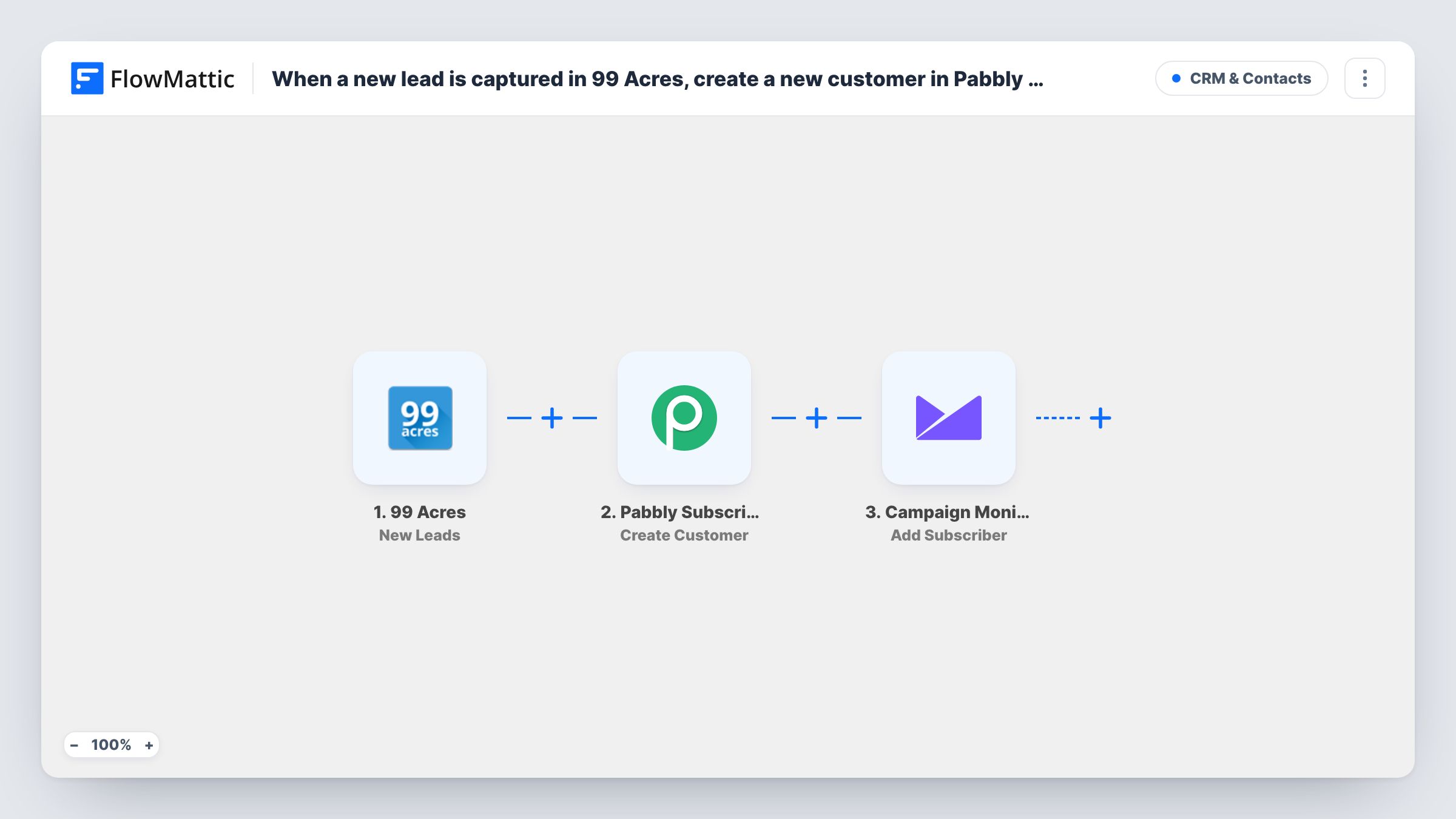
When a new lead is captured in 99 Acres, create a new customer in Pabbly Subscription Billing, and add a new subscriber in Campaign Monitor
Each property lead that 99 Acres sends to your FlowMattic webhook URL becomes a customer in Pabbly Subscription Billing and a subscriber on your Campaign Monitor list, with the details you map.
 99 Acres
 Pabbly Subscriptions
 Campaign Monitor
3 steps Setup ~5 min Used on 2.5k sites Free to import
What this workflow does
Property enquiries from 99 Acres usually need two follow-ups: a customer record you can bill later, for a site visit fee, a listing package or a service plan, and a place on the email list for new project updates. This workflow sets up both from one lead, so the same person isn't typed into two tools.
The 99 Acres trigger is a receiver: FlowMattic describes it as firing when new leads are captured in its webhook URL. After import you set up 99 Acres to post leads to that URL, then send a test lead so FlowMattic can see which fields arrive, such as the name, email, phone and the property enquired about.
Next, Pabbly Subscription Billing runs Create Customer, and Campaign Monitor runs Add Subscriber on the list you choose. Both steps ship unmapped. You connect each account, then map the lead's email and name into them, plus anything else you want stored.
Each lead 99 Acres posts starts its own run, so a person who sends two enquiries reaches both apps twice. How Pabbly treats a repeat email is up to Pabbly; check Task History after a test with a known address to see what each step returned.
Billing-ready records for a property agency
An agency that charges for site visits or consultations has each enquirer set up as a Pabbly customer, so an invoice or subscription can be raised once the lead agrees.
New-launch updates for interested buyers
A developer adds every 99 Acres enquirer to a Campaign Monitor list and emails them floor plans and pricing news for upcoming projects.
One entry point for leads from listings
A broker stops copying enquiries out of the 99 Acres dashboard because each lead already arrives in both the billing tool and the mailing list.
How this workflow runs
What happens at each step once the workflow is on, and what you need before you import it.
 99 Acres New Leads
Receives each new lead that 99 Acres posts to the workflow's webhook URL. Set up 99 Acres to post leads to that URL, then send a test lead so its fields are available to map.
- Pabbly Subscriptions Create Customer
Creates a customer in Pabbly Subscription Billing for the lead. The step ships unmapped: connect your Pabbly account and map the lead's name, email and any other details you want on the customer.
- Campaign Monitor Add Subscriber
Adds the lead as a subscriber to the Campaign Monitor list you choose. Nothing is mapped as imported, so pick the list and map at least the lead's email address, plus the name if you want it.
What you need
- FlowMatticCore
- 99Acres AccountAccount
- Pabbly Subscriptions AccountAccount
- Campaign Monitor AccountAccount
After importing, map your own data. To keep the template universal, not every step is pre-filled. Open each step in the builder and connect your accounts and fields (channels, lists, sheets, recipients) before you switch the workflow on.
Make it yours
Changes worth making after you import it.
- Map the property or project the lead asked about into a Campaign Monitor custom field, so you can segment the list by location or budget later.
- If some leads arrive without an email address, put a Filter between the 99 Acres trigger and the Pabbly step that continues only when the email is not empty, since both later steps rely on it.
- Send a test lead through 99 Acres before you go live and confirm the field names in Task History, because the mapping in both action steps depends on them.
Questions about this workflow
How does 99 Acres send leads to FlowMattic?
The trigger listens on a webhook URL that FlowMattic gives you. You set up 99 Acres to post leads to that URL, and each lead that arrives there starts a run.
Is the customer charged in Pabbly Subscription Billing?
No. This workflow stops at a Pabbly customer record for the lead, with no subscription or invoice attached. FlowMattic's Pabbly integration also has a Create Subscription action if you want to add one later.
What if the lead's email is already a Pabbly customer or Campaign Monitor subscriber?
Each app handles an address it already holds in its own way. Run a test lead with an email you already have in both tools and check the responses in Task History.
Which lead details reach Campaign Monitor?
Only the fields you map in the Add Subscriber step. It ships empty, so choose the list and map the email, then add the name or custom fields you need.
More CRM & Contacts workflows
Other ready-to-import templates from the same category.





Import this workflow into your WordPress site
Download the JSON, import it from the Workflows screen and connect your accounts. Every run stays on your server, with no per-task fees.
30-day money-back guarantee Unlimited workflows and runs Self-hosted