

When a new lead is captured in LeadCapture.io, Create Opportunity in LeadConnector V2
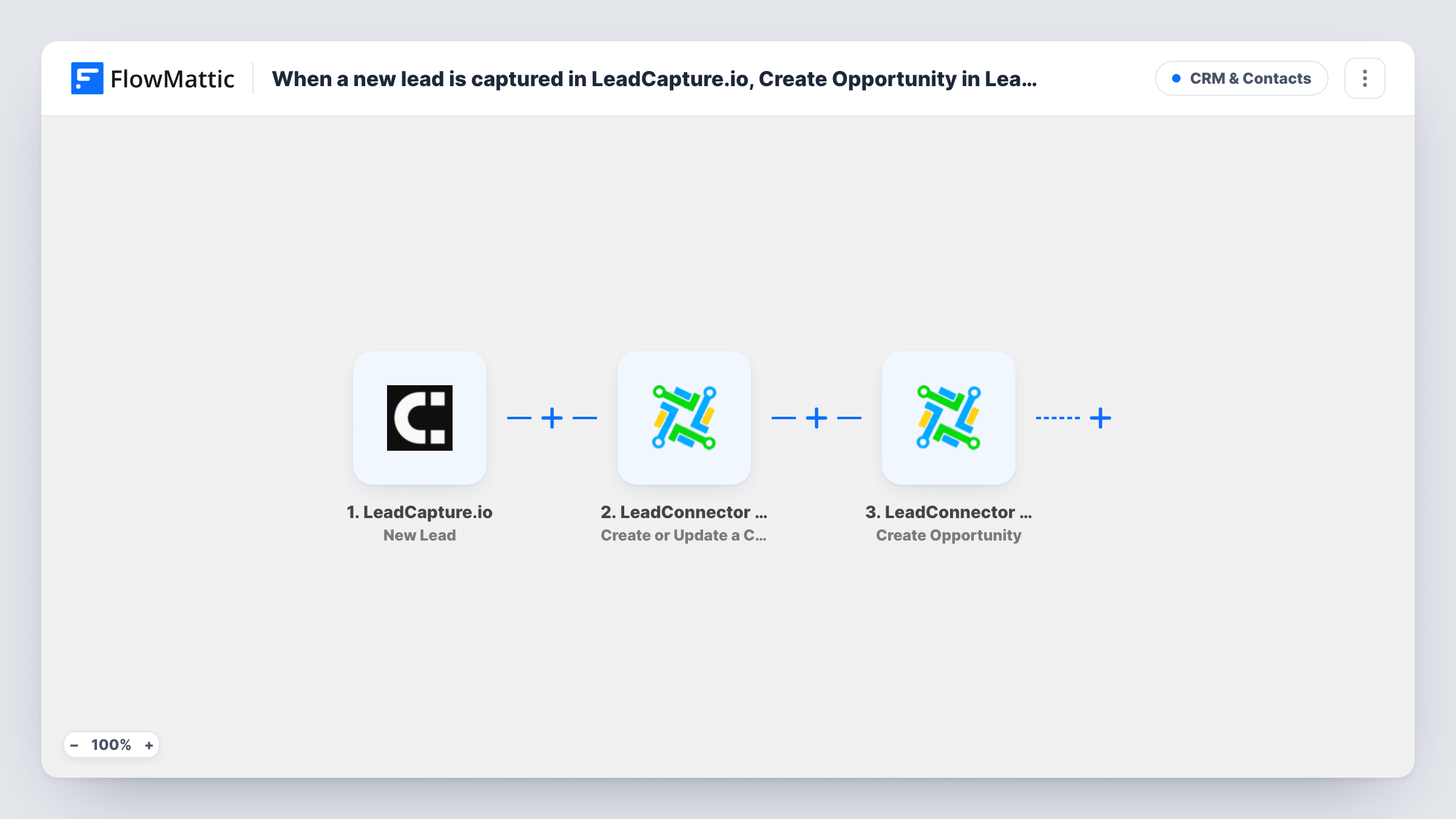
Each new LeadCapture.io lead becomes a LeadConnector V2 contact, created or updated, and then gets its own opportunity in the LeadConnector pipeline you choose.
 LeadCapture.io
 LeadConnector V2
3 steps Setup ~5 min Used on 2.9k sites Free to import
What this workflow does
A lead form only pays off when the person behind it lands in your sales pipeline. This workflow takes each lead that LeadCapture.io collects and sets it up in LeadConnector, the CRM inside GoHighLevel, as both a contact and an opportunity, so your team sees a deal card for every new enquiry.
The LeadCapture.io New Lead trigger runs when a lead is pushed to FlowMattic. The first LeadConnector V2 step creates the contact in your sub-account, or updates the existing one for that person. The second step creates an opportunity, which you link to the contact from the previous step.
Both LeadConnector steps arrive without mapping. After import, map the lead's name, email and phone into the contact step. In the opportunity step, choose where the deal belongs in your pipelines and map the contact returned by step 2; a test run shows which details LeadConnector accepted.
Each lead creates a fresh opportunity. Someone who submits twice keeps one contact but gets a second opportunity, so decide whether that suits your pipeline before going live. Task History shows each run and the IDs LeadConnector returned.
Quote requests straight into the pipeline
A solar installer's LeadCapture.io quote form puts each enquiry into the 'New quote' stage of a LeadConnector pipeline, ready for a sales call.
Agency clients with GoHighLevel accounts
An agency builds lead forms in LeadCapture.io for a client and drops every lead into that client's sub-account as an opportunity the client can track.
Multi-step forms for high-ticket services
A law firm's multi-step intake form becomes a contact and an opportunity, so partners can see open matters by stage in LeadConnector.
How this workflow runs
What happens at each step once the workflow is on, and what you need before you import it.
 LeadCapture.io New Lead
Fires each time LeadCapture.io pushes a new lead to FlowMattic. The answers from the lead form are passed to the LeadConnector steps; a test lead shows the exact fields.
- LeadConnector V2 Create or Update a Contact
Creates the lead as a contact in your LeadConnector V2 sub-account, or updates the matching contact. Map the lead's name, email and phone into the step after import; none are set in the template.
- LeadConnector V2 Create Opportunity
Creates an opportunity in LeadConnector for the new lead. After import, set it up for the pipeline you sell from and map the contact from step 2 so the deal is attached to the right person.
What you need
- FlowMatticCore
- LeadCapture.io AccountAccount
- LeadConnector V2 AccountAccount
After importing, map your own data. To keep the template universal, not every step is pre-filled. Open each step in the builder and connect your accounts and fields (channels, lists, sheets, recipients) before you switch the workflow on.
Make it yours
Changes worth making after you import it.
- Map the form's budget or service answer into the opportunity's details, so your pipeline view shows what each lead wants at a glance.
- If repeat submissions should not open extra deals, put LeadConnector V2's Search Opportunity action between the contact step and the opportunity step, followed by a Filter that continues only when no open opportunity was found.
- Add LeadConnector V2's Add Tags to Contact action after the opportunity step to mark these leads with the LeadCapture.io form they came from.
Questions about this workflow
Does a repeat LeadCapture.io lead create a second LeadConnector opportunity?
Yes, as imported. The contact step updates the person's existing contact, but the opportunity step creates a new opportunity for every lead. Add a search and Filter before it if you want only one.
Which pipeline and stage do new LeadCapture.io leads go to?
Wherever you set them in the Create Opportunity step. The template leaves that step empty, so you configure it against your LeadConnector sub-account after import.
Do I need GoHighLevel to use LeadConnector V2?
LeadConnector is the CRM behind GoHighLevel, so you connect the LeadConnector V2 app with access to the sub-account where contacts and opportunities should be created.
More CRM & Contacts workflows
Other ready-to-import templates from the same category.





Import this workflow into your WordPress site
Download the JSON, import it from the Workflows screen and connect your accounts. Every run stays on your server, with no per-task fees.
30-day money-back guarantee Unlimited workflows and runs Self-hosted