

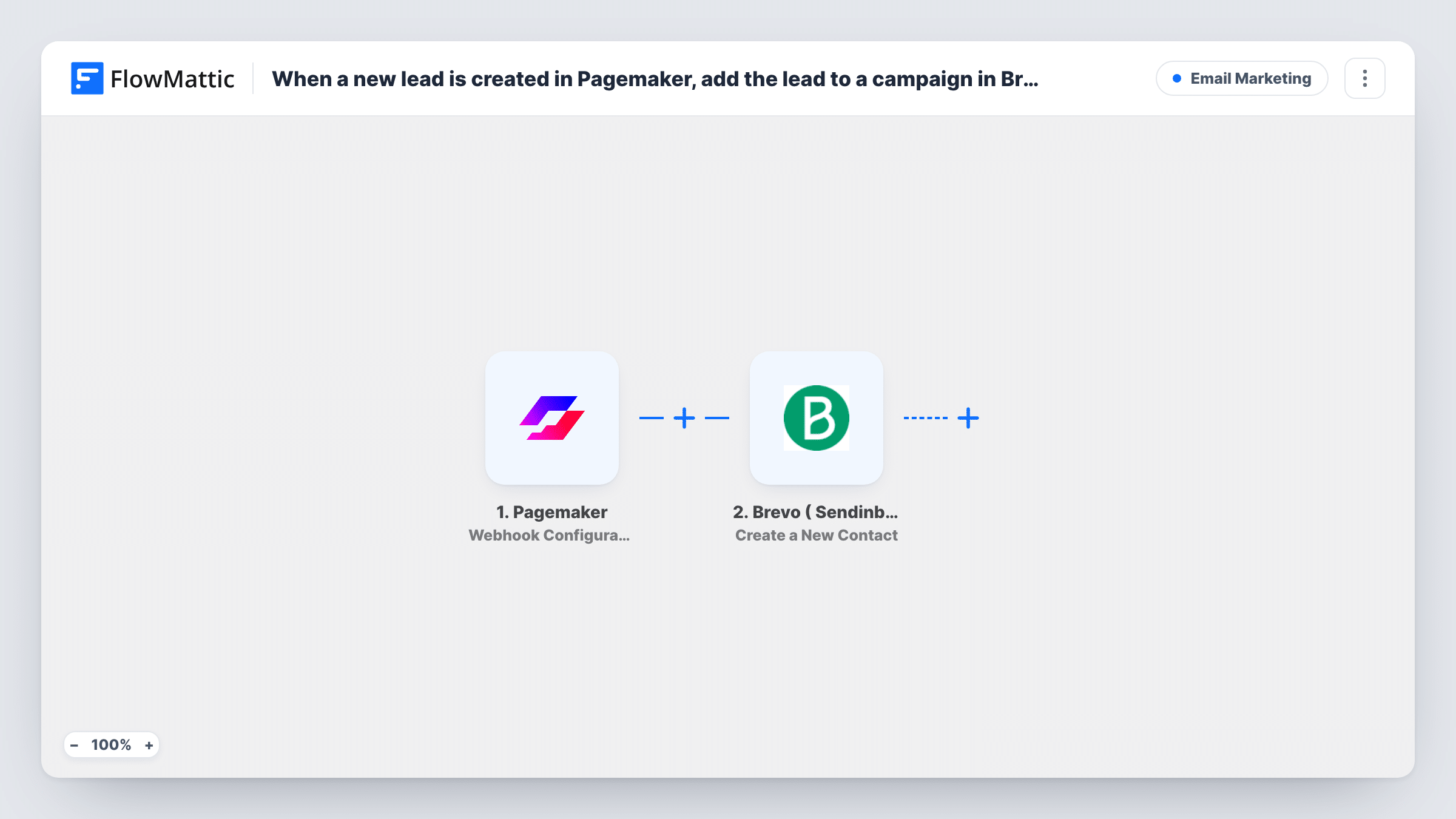
When a new lead is created in Pagemaker, add the lead to a list in Brevo (Sendinblue)
Each lead captured by a Pagemaker landing page form is created as a contact in Brevo (Sendinblue) and placed on the list you pick, ready for your email campaigns.
 Pagemaker
 Brevo ( Sendinblue )
2 steps Setup ~5 min Used on 983 sites Free to import
What this workflow does
A landing page only pays off when the people who fill in its form hear from you next. If Pagemaker leads sit in a dashboard until someone exports them, the moment passes. This workflow sends each new lead to Brevo as a contact on the list you use for follow-up, so your campaigns and Brevo automations can reach them.
The Pagemaker trigger fires when a lead is created from a landing page form. You connect it by adding the trigger's webhook in Pagemaker, and every submission then starts a run with the lead's details, such as the email address and name the form asked for.
The Brevo (Sendinblue) step creates a new contact. Nothing in it is mapped in the template, so after import you connect your Brevo account, choose the list the lead should join, and map the email address plus any name fields from Pagemaker. Submit a test lead and confirm in Brevo that the contact arrived on the right list.
The step creates contacts and doesn't look one up first. If the same person submits twice, Brevo may refuse an address it already holds; Task History records Brevo's reply for every lead.
Webinar landing page sign-ups
A consultant runs a Pagemaker page for a free webinar, and each registrant joins a Brevo list that sends the joining link and reminders.
Ebook download leads
A software company gates a guide behind a Pagemaker form, and everyone who downloads it lands on a Brevo list for a short product email series.
Separate lists per campaign page
An agency imports the workflow once per client landing page, pointing each copy at that client's own Brevo list so the leads never mix.
How this workflow runs
What happens at each step once the workflow is on, and what you need before you import it.
 Pagemaker Webhook Configuration
Starts the workflow when a Pagemaker landing page form creates a lead. The lead's form answers, such as email and name, are passed to the Brevo step.
- Brevo ( Sendinblue ) Create a New Contact
Creates the lead as a Brevo contact. The step ships unmapped: connect Brevo, choose the list for these leads, and map the Pagemaker email and name, then check a test lead in Brevo.
What you need
- FlowMatticCore
- Pagemaker AccountAccount
- Brevo ( Sendinblue ) AccountAccount
After importing, map your own data. To keep the template universal, not every step is pre-filled. Open each step in the builder and connect your accounts and fields (channels, lists, sheets, recipients) before you switch the workflow on.
Make it yours
Changes worth making after you import it.
- Use a dedicated Brevo list for Pagemaker leads and start a Brevo automation from it, so new contacts get a welcome email without another step here.
- If you run several landing pages through one webhook, put a Filter between the Pagemaker trigger and the Brevo step on a field that names the page, and keep a copy of the workflow per list.
- Map any extra form answers, such as company or phone, into Brevo contact attributes you have created, so you can segment these leads later.
Questions about this workflow
Does the Pagemaker lead need an email address?
Yes. Brevo contacts are built around an email, so your landing page form should ask for one and you should map it in the Create a New Contact step.
What if the Pagemaker lead is already a Brevo contact?
This Brevo action always attempts a fresh contact. Brevo may reject an address that already exists, and Task History shows its answer. Test with a known address to see how your account handles it.
How do I connect Pagemaker to FlowMattic?
The trigger uses Pagemaker's webhook configuration. Add the trigger's webhook URL in Pagemaker, submit a test lead on your landing page, and FlowMattic captures the fields.
Will leads collected before import reach Brevo?
No. Pagemaker leads reach Brevo only from the moment the workflow is active. Export older ones from Pagemaker and import them into Brevo separately.
More Email Marketing workflows
Other ready-to-import templates from the same category.





Import this workflow into your WordPress site
Download the JSON, import it from the Workflows screen and connect your accounts. Every run stays on your server, with no per-task fees.
30-day money-back guarantee Unlimited workflows and runs Self-hosted